HREN


Google’s Gemini Notebook turns notebook sources into interactive sitesGoogle, Gemini Notebook 자료로 인터랙티브 사이트를 만드는 기능 공개
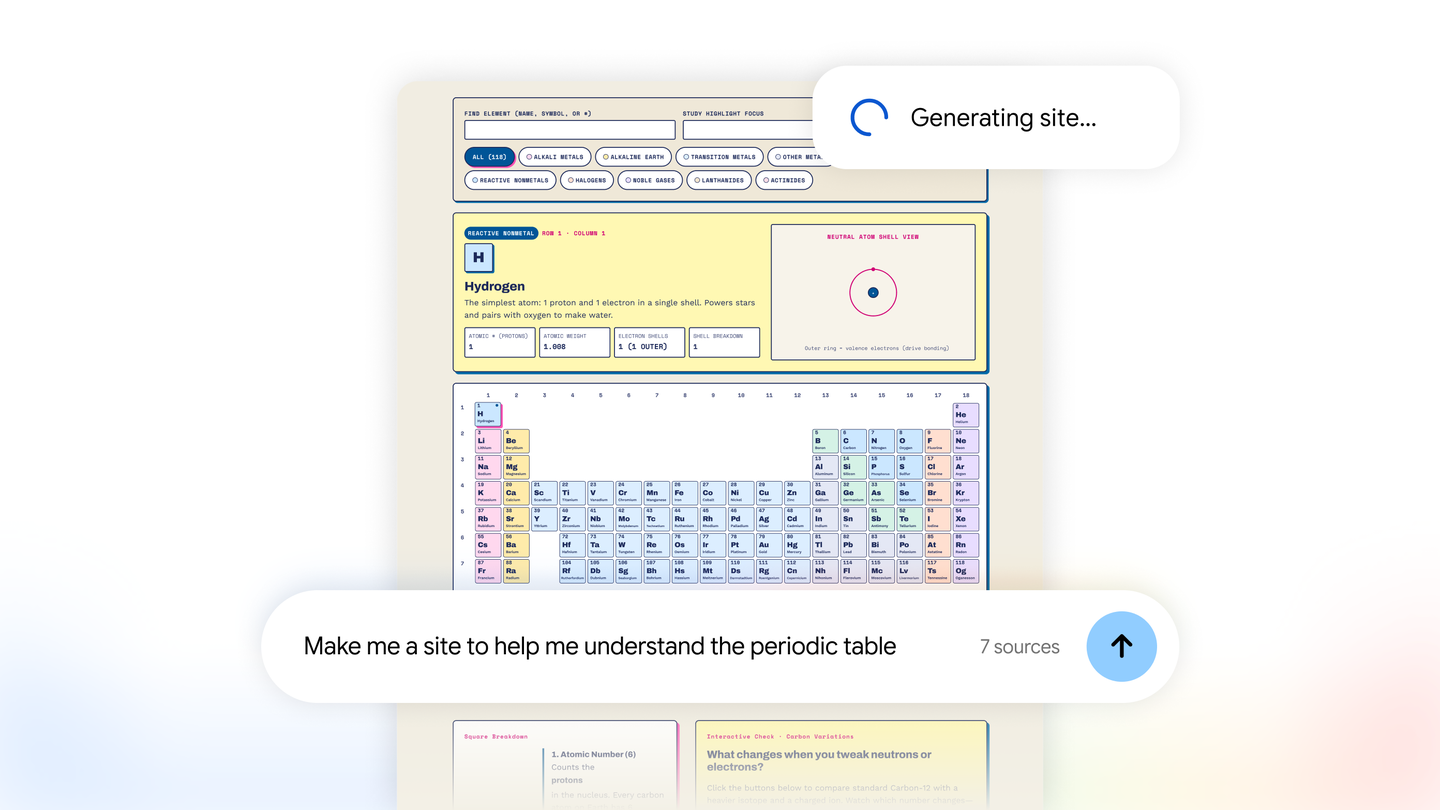
Google has added a feature that turns the sources in Gemini Notebook into interactive sites. Typing “make me a site” in the Gemini Notebook chat with a description of what to build produces sites such as visual explainers for exam study, like an interactive periodic table, dashboards for exploring data such as quarterly sales, and project trackers for tasks and deadlines, which open in a new tab or can be shared. It is rolling out globally on the web today to Gemini Notebook users aged 18 and over, including Google Workspace subscribers, and is coming soon to the mobile app.Google이 Gemini Notebook에 넣은 자료를 인터랙티브 사이트로 바꾸는 기능을 내놓았습니다. 채팅에 “make me a site”와 만들 것의 설명을 적으면 인터랙티브 주기율표 같은 시험 공부용 시각 설명, 분기 판매 실적을 살펴보는 대시보드, 할 일과 마감을 정리하는 프로젝트 관리 트래커 같은 사이트가 만들어지고, 새 탭에서 열거나 다른 사람과 나눌 수 있습니다. 오늘부터 웹에서 18세 이상 Gemini Notebook 사용자에게 전 세계로 열리며 Google Workspace 구독자도 들어가고, 모바일 앱에는 곧 들어옵니다.
- Source published원문 게시일
- Checked확인일
Google has introduced a feature in Gemini Notebook that turns notebook sources into interactive sites. Google says it is meant to help people quickly make sense of complex information, building sites for work or study from the material already gathered in a notebook.Google이 Gemini Notebook에서 노트북 자료를 인터랙티브 사이트로 바꾸는 기능을 내놓았습니다. 복잡한 정보를 빨리 이해하도록 돕는 기능이라고 Google은 설명하며, 일이나 공부에 쓸 사이트를 노트북에 모아 둔 자료로 만들어 줍니다.
A site is built when “make me a site” is typed into the Gemini Notebook chat together with a description of what to build for work or study. Google gives three examples: visual explainers for exam preparation, such as an interactive periodic table or a historical timeline; interactive dashboards for exploring data such as quarterly sales performance; and project management trackers that outline tasks and deadlines. A finished site can be opened with “Open in a new tab” to interact with it, or shared with others.Gemini Notebook 채팅에 “make me a site”라고 적고 일이나 공부에 쓸, 만들고 싶은 것을 설명하면 사이트가 만들어집니다. Google이 든 예는 셋으로, 인터랙티브 주기율표나 역사 연표처럼 시험 준비를 돕는 시각 설명, 분기별 판매 실적 같은 데이터를 살펴보는 인터랙티브 대시보드, 할 일과 마감을 정리하는 프로젝트 관리 트래커입니다. 다 만든 사이트는 “Open in a new tab”을 골라 새 탭에서 다루거나 다른 사람과 나눌 수 있습니다.
The feature is rolling out globally on the web today to Gemini Notebook users aged 18 and over, including Google Workspace subscribers.이 기능은 오늘부터 웹에서 전 세계 Gemini Notebook 사용자에게 차례로 열리고, 대상은 18세 이상이며 Google Workspace 구독자도 들어갑니다.
For now it is on the web only, and Google says it is coming soon to the mobile app. Users under 18 are not included in this release.지금은 웹에서만 쓸 수 있고, 모바일 앱에는 곧 들어온다고 Google은 밝혔습니다. 18세 미만 사용자는 이번 대상에 들지 않습니다.
Keep reading더 읽기
All articles전체 글TencentTencent
Tencent releases Hy4 flash as open weights, with FP8 and base versions, under the Tencent Hy LicenseTencent, Hy4 flash 가중치 공개 — FP8 · base 모델 포함, Tencent Hy License
Checked확인일
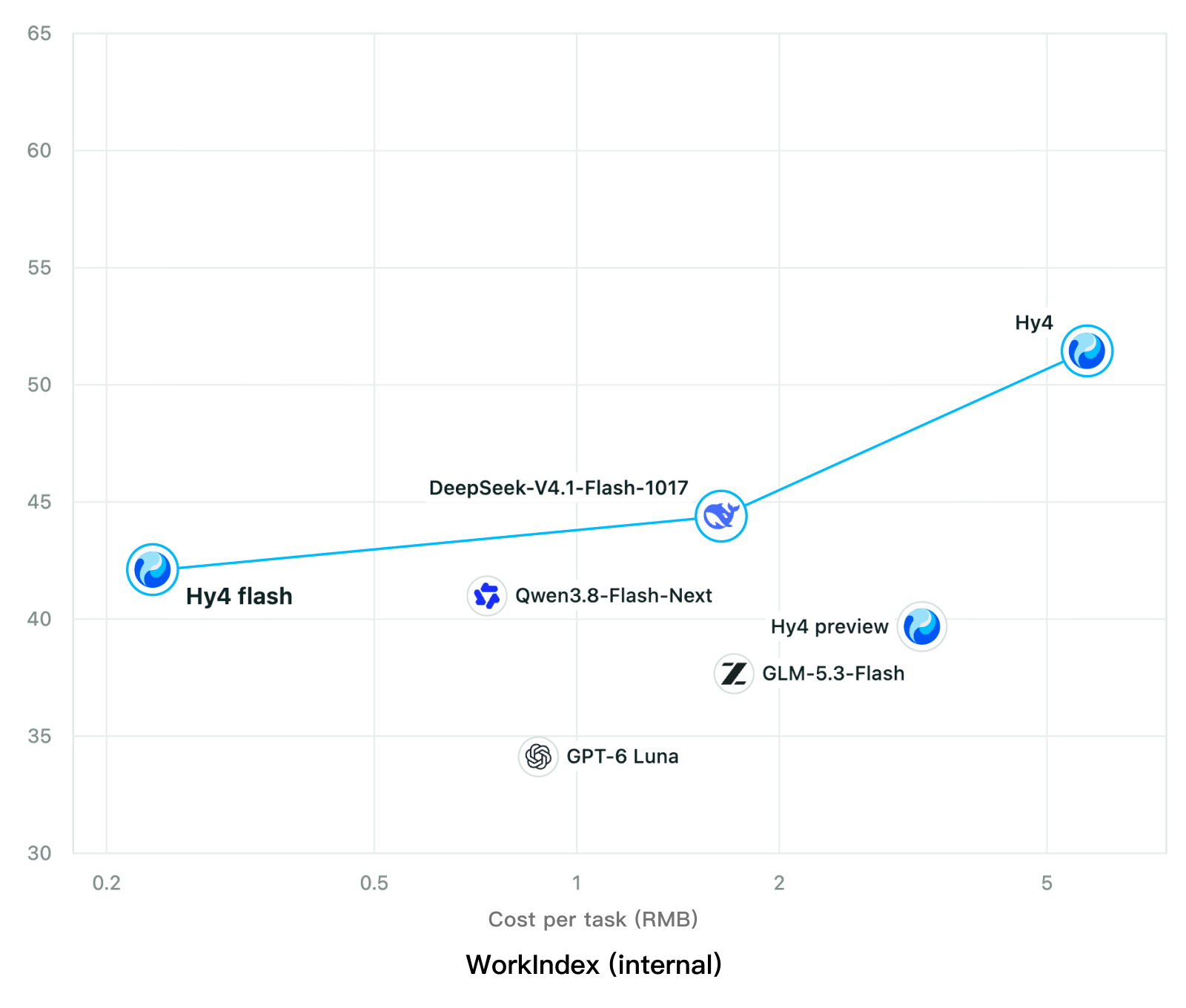
Chart: Tencent Hy4 flash model card. Tencent internal testing.그림: Tencent Hy4 flash 모델 카드. Tencent 내부 시험 결과입니다.
ElevenLabsElevenLabs
ElevenLabs releases Scribe v3 Live Medical, real-time medical transcription for voice agents in ElevenAgentsElevenLabs, ElevenAgents 음성 에이전트용 실시간 의료 전사 Scribe v3 Live Medical 공개
Checked확인일
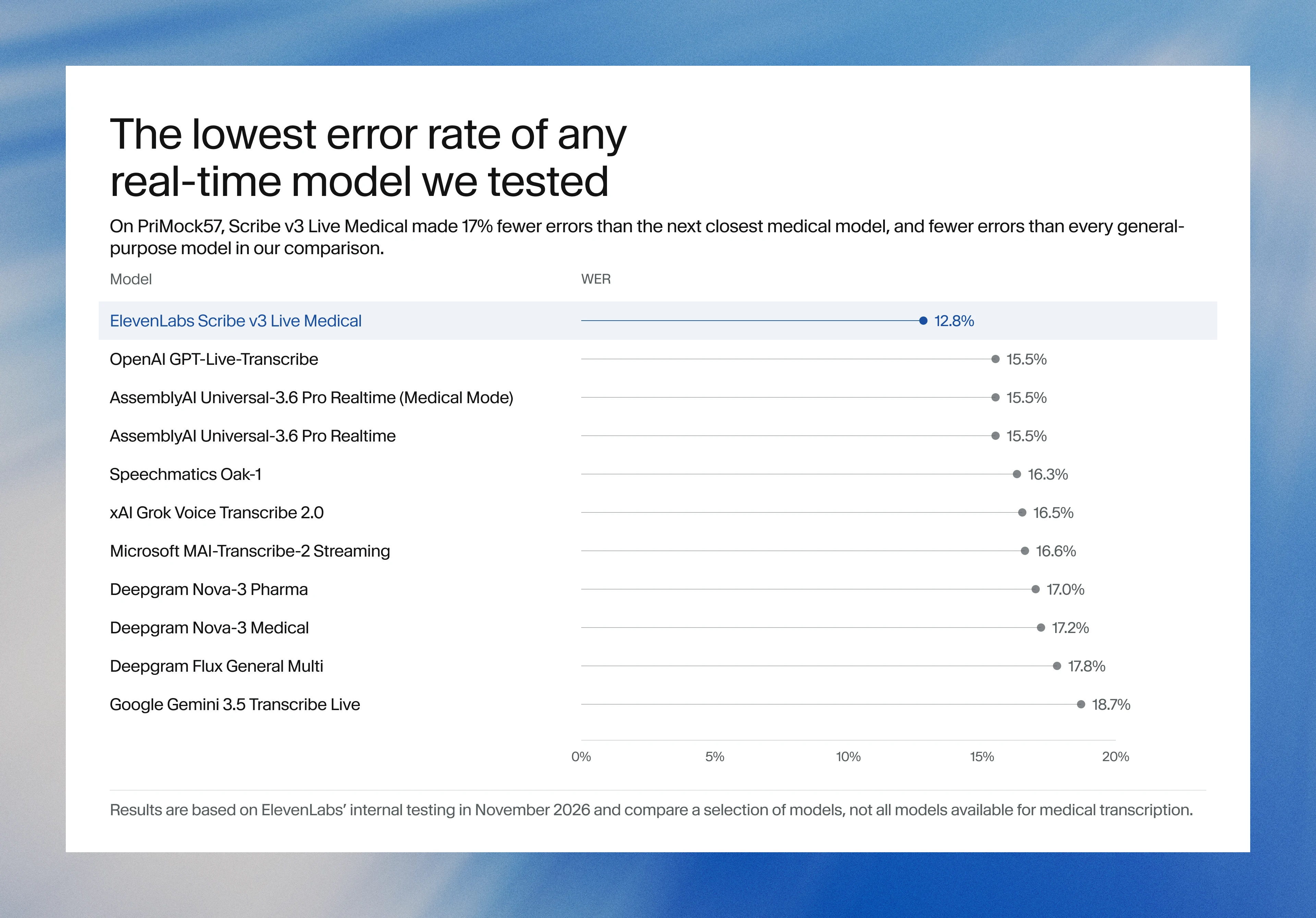
Image: ElevenLabs blog.그림: ElevenLabs 블로그.
GoogleGoogle
Google launches a Robotics plugin for Google Antigravity that sets up, simulates and controls robot arms with Gemini 4 HydrogenGoogle, Gemini 4 Hydrogen으로 로봇 팔을 준비·시뮬레이션·제어하는 Google Antigravity용 Robotics 플러그인 공개
Checked확인일
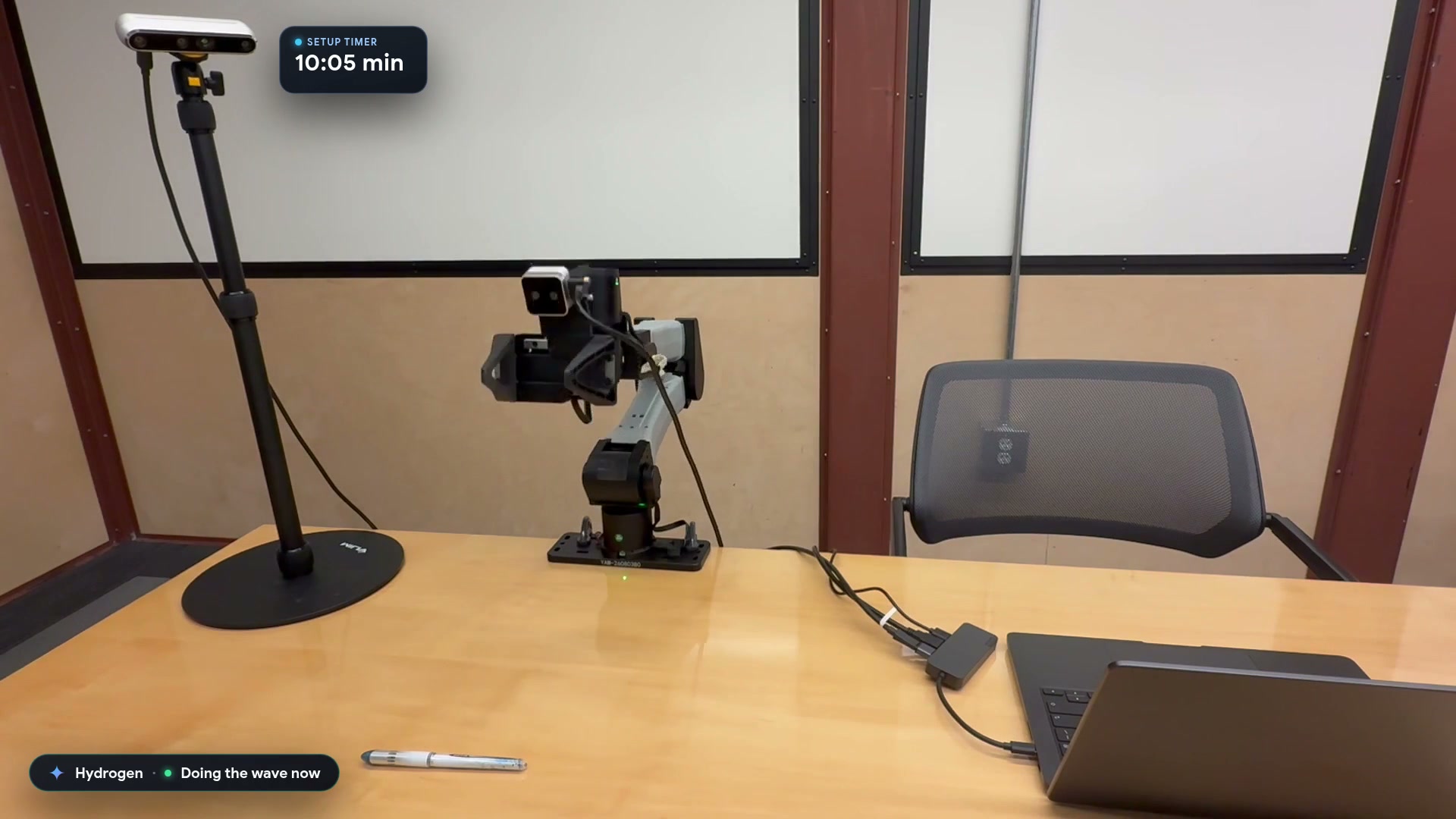
Video still: Google Developers Blog.영상 장면: Google Developers 블로그.