OHREN_Lab

Read it. Try it.읽고, 써 보고,
Put it to work.일에 바로 쓰세요.

OHREN_Lab shares AI news and blog posts about tools worth trying. We also automate repetitive work.OHREN_Lab은 AI 소식과 블로그로 쓸 만한 도구를 알립니다. 반복 업무를 줄이는 자동화도 합니다.

Read the news소식 읽기 Try the tools도구 써 보기

News소식TencentTencent

All news전체 소식
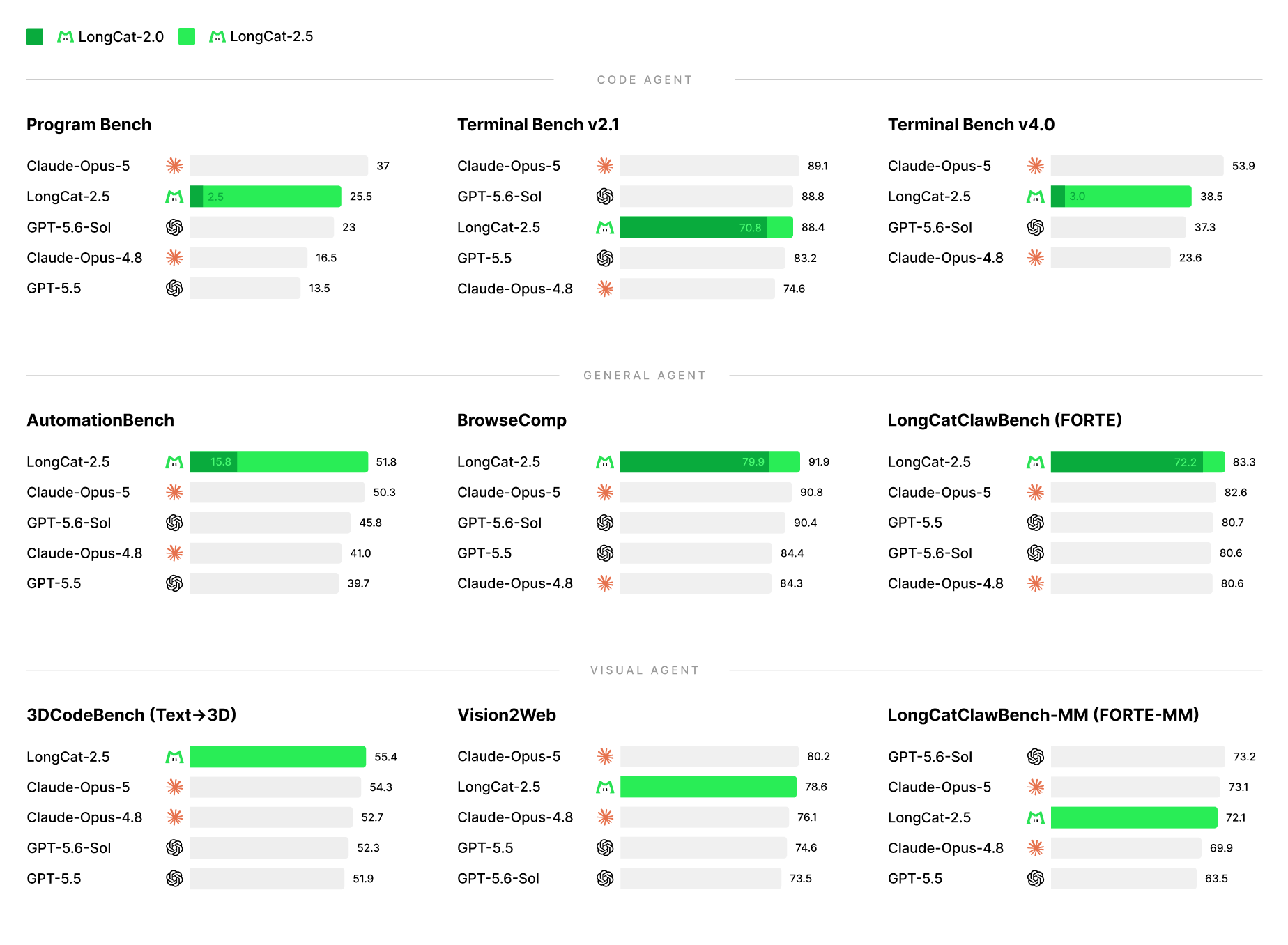
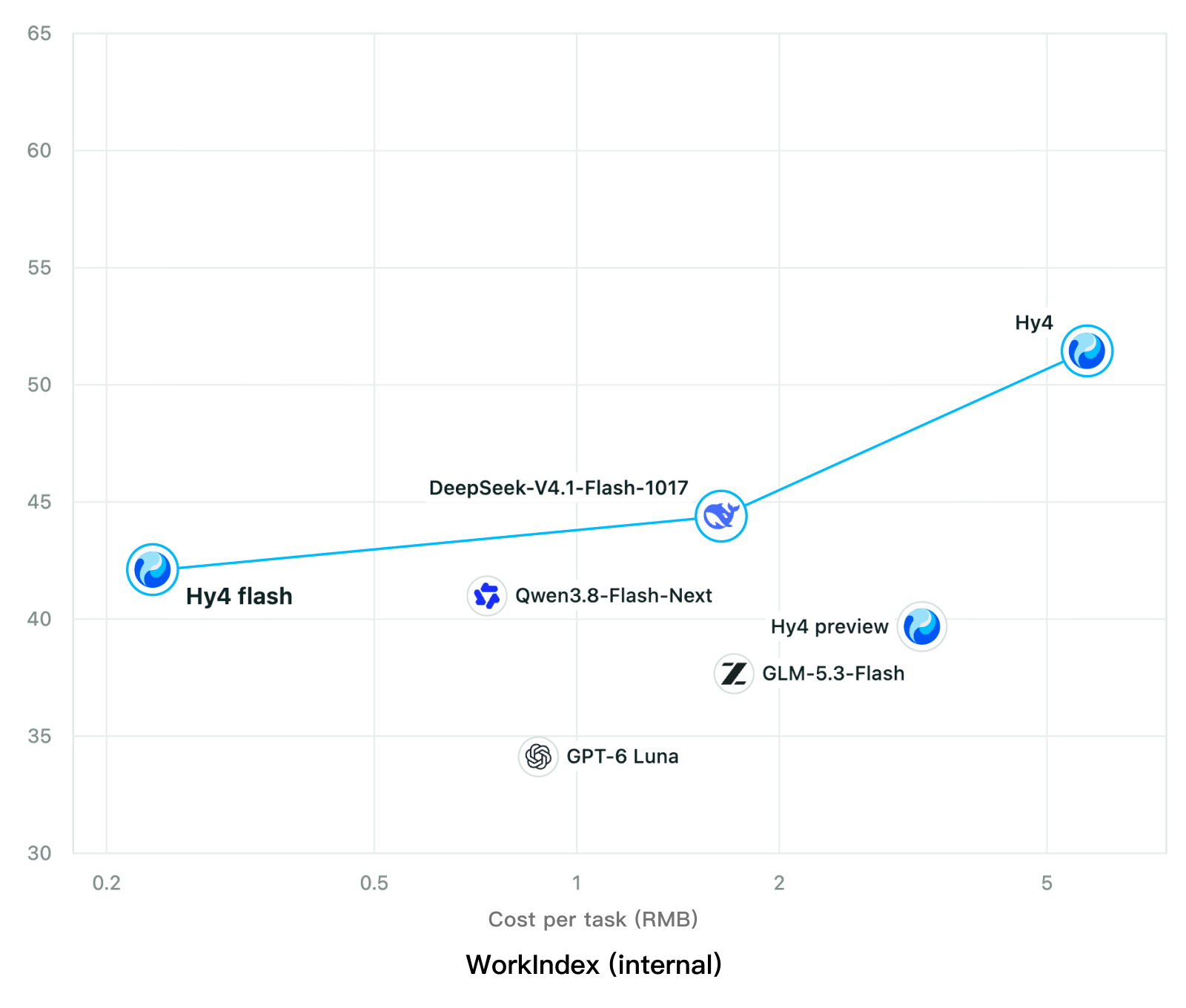
Chart from the Hy4 flash model card plotting score against cost per task for seven models in Tencent’s own internal WorkIndex testing, where Hy4 flash sits furthest left at the lowest cost with a score slightly higher than Hy4 preview.

Tencent releases Hy4 flash as open weights, with FP8 and base versions, under the Tencent Hy LicenseTencent, Hy4 flash 가중치 공개 — FP8 · base 모델 포함, Tencent Hy License

Tencent has released the weights of Hy4 flash, along with an FP8 version and the pre-trained base model, on Hugging Face, ModelScope and GitCode under the Tencent Hy License, which requires a separate written license for large MaaS businesses. A business offering the model to others as a service needs that license if its worldwide gross revenue exceeds US$50 million in any consecutive 12-month period, or before using it in a product with more than 100 million monthly active users; the terms do not apply to use solely for internal purposes, with neither the model, any derivative, nor their outputs made available to third parties. The model uses 12B of its 220B total parameters per token, takes text and image input and supports up to 1M tokens of context.Tencent가 Hy4 flash의 가중치를 FP8 버전, 사전 학습 base 모델과 함께 Hugging Face, ModelScope, GitCode에 공개했고, 라이선스는 큰 MaaS 사업자에게 별도 서면 라이선스를 요구하는 Tencent Hy License입니다. MaaS 사업을 하는 곳은 연속 12개월 전 세계 총매출이 5,000만 달러를 넘거나 월간 활성 사용자가 1억 명이 넘는 제품에 쓰려면 그 라이선스를 받아야 하고, 모델과 파생 모델, 그 출력을 다른 사람에게 내주지 않고 안에서만 쓰는 경우는 빠집니다. 모델은 전체 220B 파라미터 가운데 토큰마다 12B를 쓰고, 글과 그림을 받아 최대 1M 토큰 맥락을 다룹니다.

Source출처: Hy4 flash model card (Hugging Face)Hy4 flash 모델 카드(Hugging Face) · Chart: Tencent Hy4 flash model card. Tencent internal testing.그림: Tencent Hy4 flash 모델 카드. Tencent 내부 시험 결과입니다.
algoit알고IT

AI news, tools and research. Checked against original sources.AI 소식과 도구, 연구를 원문으로 확인해 전합니다.

All articles전체 글

Tools도구

AI tools, open source and skills worth a look.AI 도구와 오픈소스, 스킬을 소개합니다.

All tools전체 도구
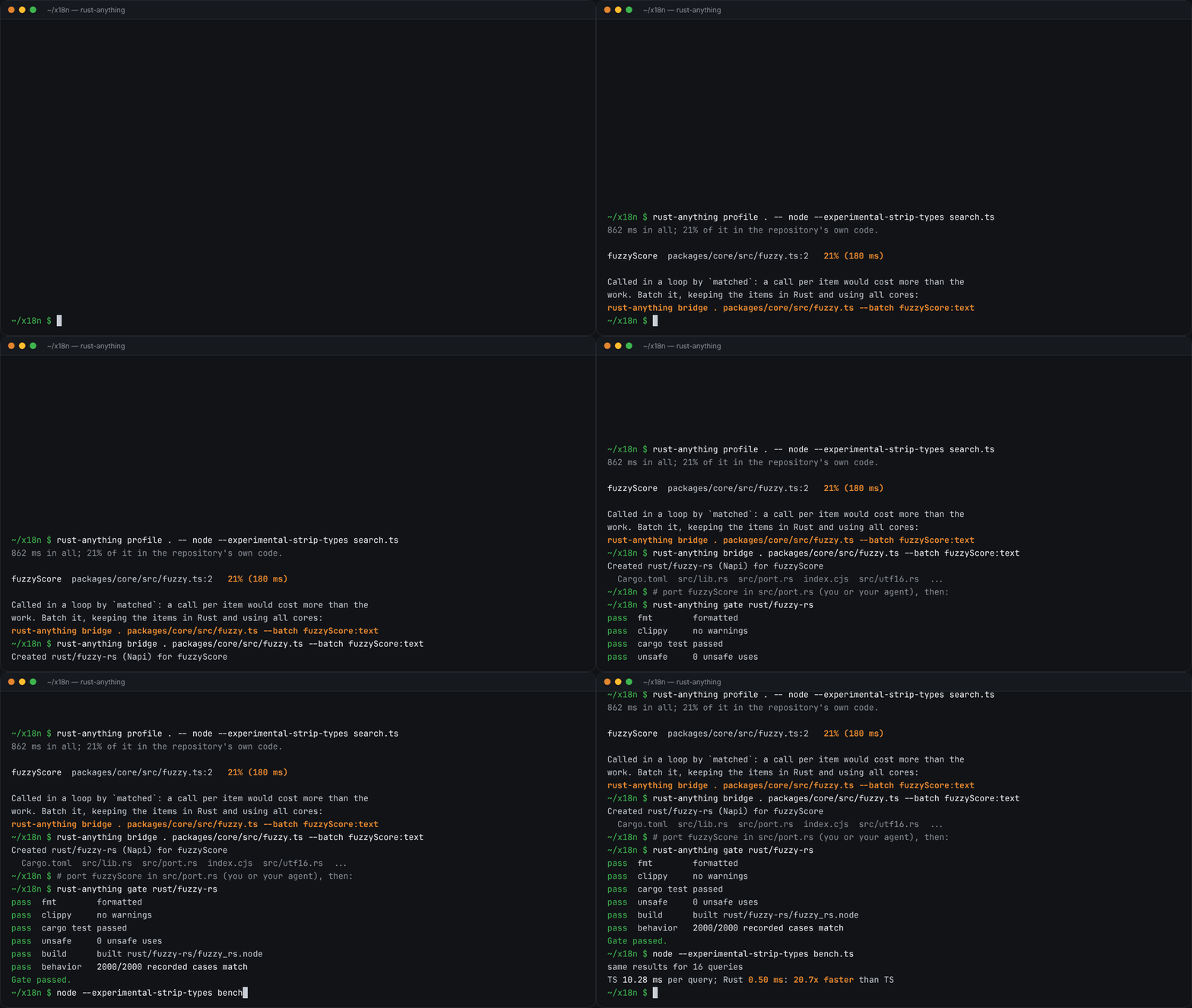
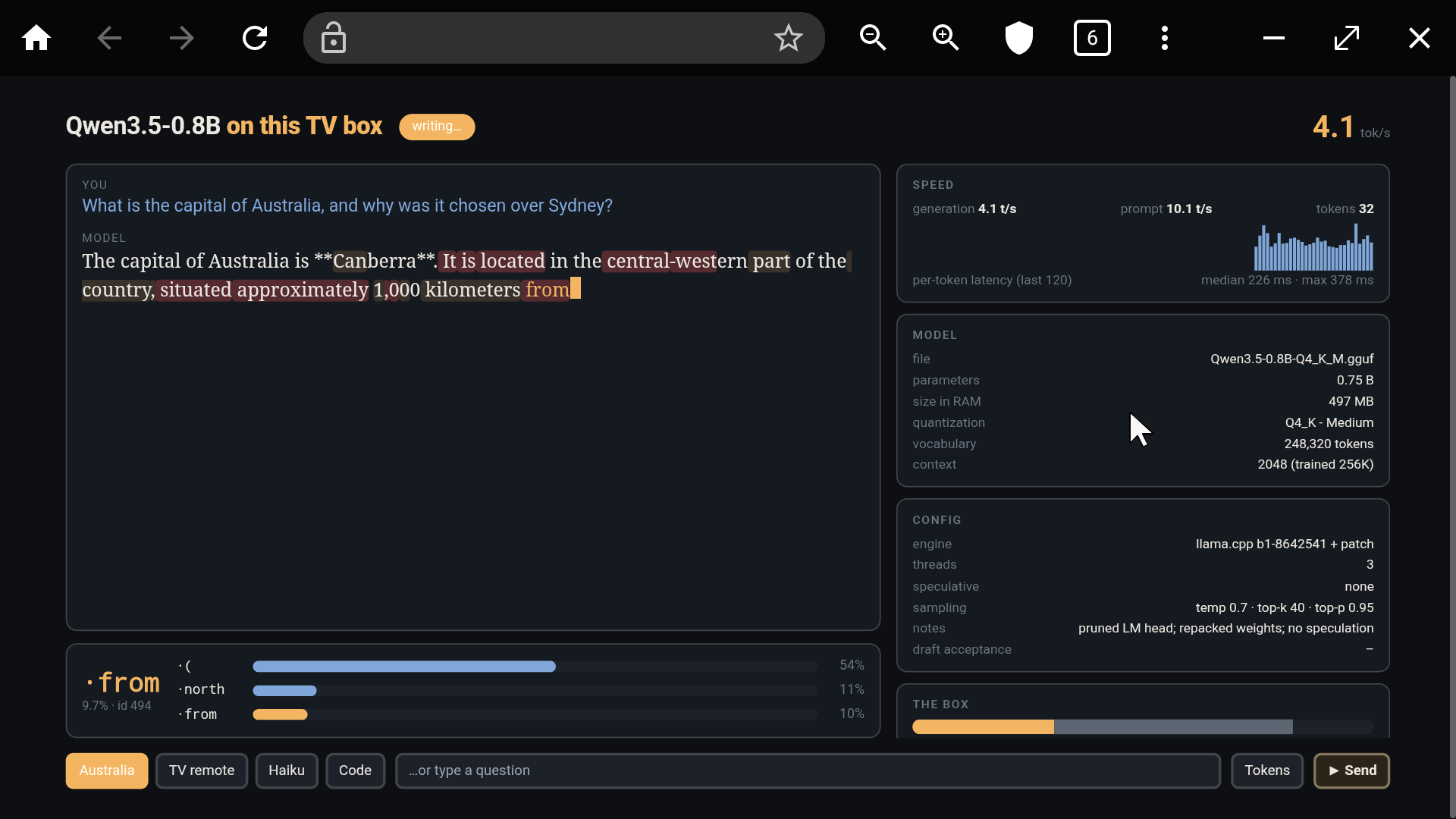
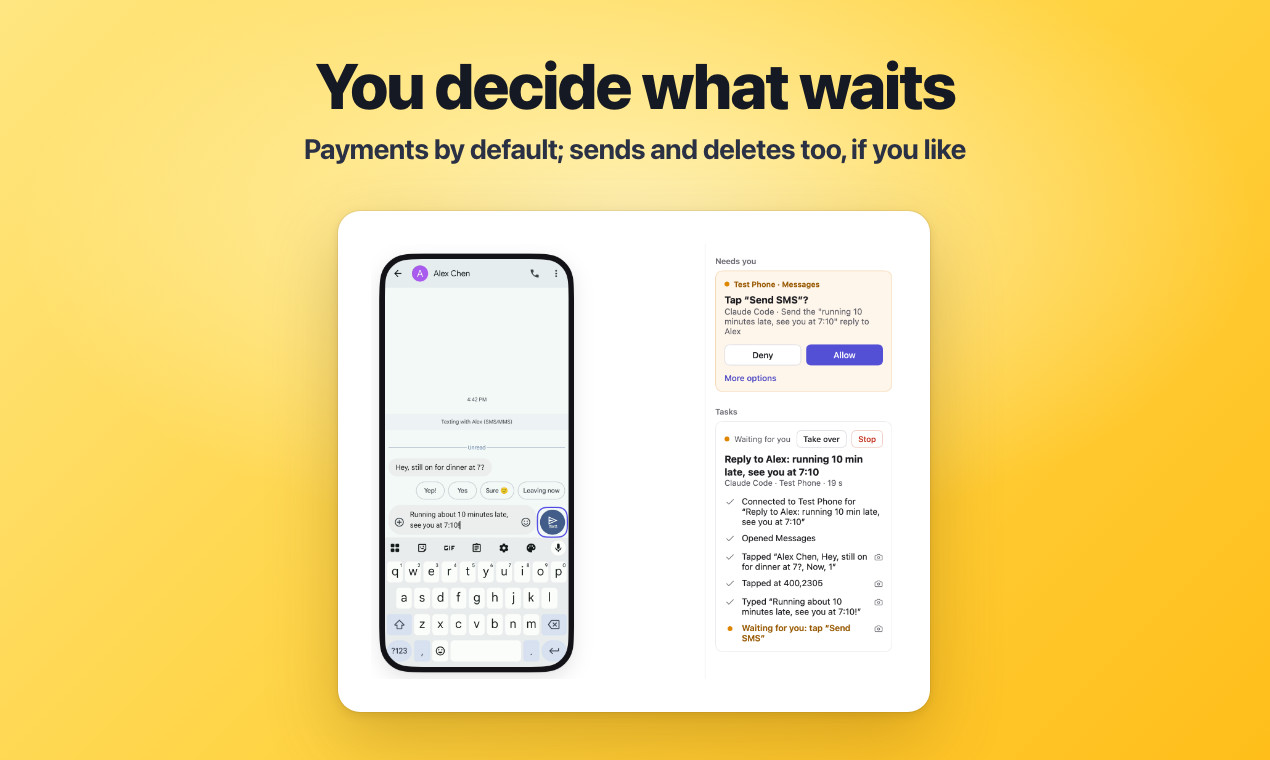
  • Recording from the rust-anything README: in a terminal, rust-anything profile finds a hot fuzzyScore function called in a loop, bridge --batch creates a Rust crate for it, gate passes with 2000 of 2000 recorded cases matching, and a benchmark shows the Rust version faster than the TypeScript one.

    rust-anythingrust-anything

    rust-anything, an MIT-licensed command-line tool that moves a Node.js, Python, C, Go, Ruby or Java app to Rust one piece at a time and checks each piece against recordings of the originalrust-anything, Node.js·Python·C·Go·Ruby·Java 앱을 한 조각씩 Rust로 옮기며 조각마다 원래 코드의 기록과 맞춰 보는 MIT License 명령줄 도구

    rust-anything is an MIT-licensed command-line tool that moves an app to Rust one piece at a time, recording what the original code returns or throws and letting a piece move on only when the Rust matches every recorded case; a coding agent or a person writes the Rust. It installs through cargo, npm or prebuilt binaries and needs Rust plus the original language’s runtime, such as Node 22.6+ for TypeScript or JDK 17+ for Java, and rust-anything setup adds its MCP server to the settings of the coding agents it finds, such as Claude Code, Cursor and Gemini CLI, after saving a copy of each file it changes. A pass means a match with the recorded cases, and timing, memory and side effects such as network calls are not compared.rust-anything은 앱을 한 조각씩 Rust로 옮기면서 원래 코드가 돌려준 값과 예외를 기록해 두고 Rust 조각마다 그 기록과 모두 맞아야 다음으로 넘어가게 하는 MIT License 명령줄 도구이고, Rust는 코딩 에이전트나 사람이 씁니다. cargo, npm, 릴리스 바이너리로 깔고 Rust와 원래 언어의 런타임(TypeScript는 Node 22.6 이상, Java는 JDK 17 이상 등)이 함께 있어야 하며, rust-anything setup은 찾아낸 Claude Code, Cursor, Gemini CLI 같은 코딩 에이전트의 설정 파일에 MCP 서버를 더하되 바꾸기 전 사본을 남깁니다. 통과는 기록된 사례와의 일치를 뜻하고 시간, 메모리, 네트워크 호출 같은 부수 효과는 비교하지 않습니다.

    Checked확인일

    Image: rust-anything README.그림: rust-anything README.

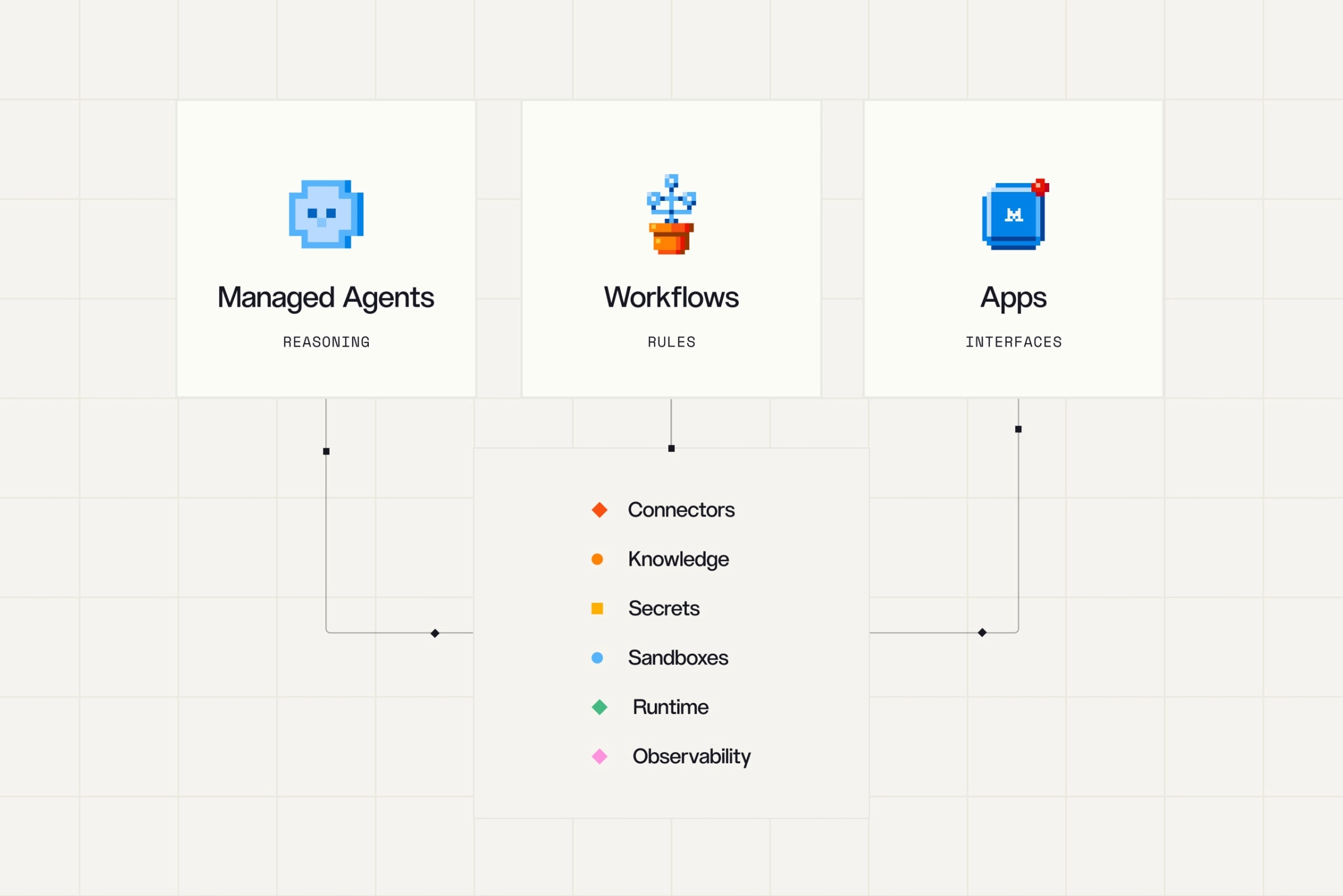
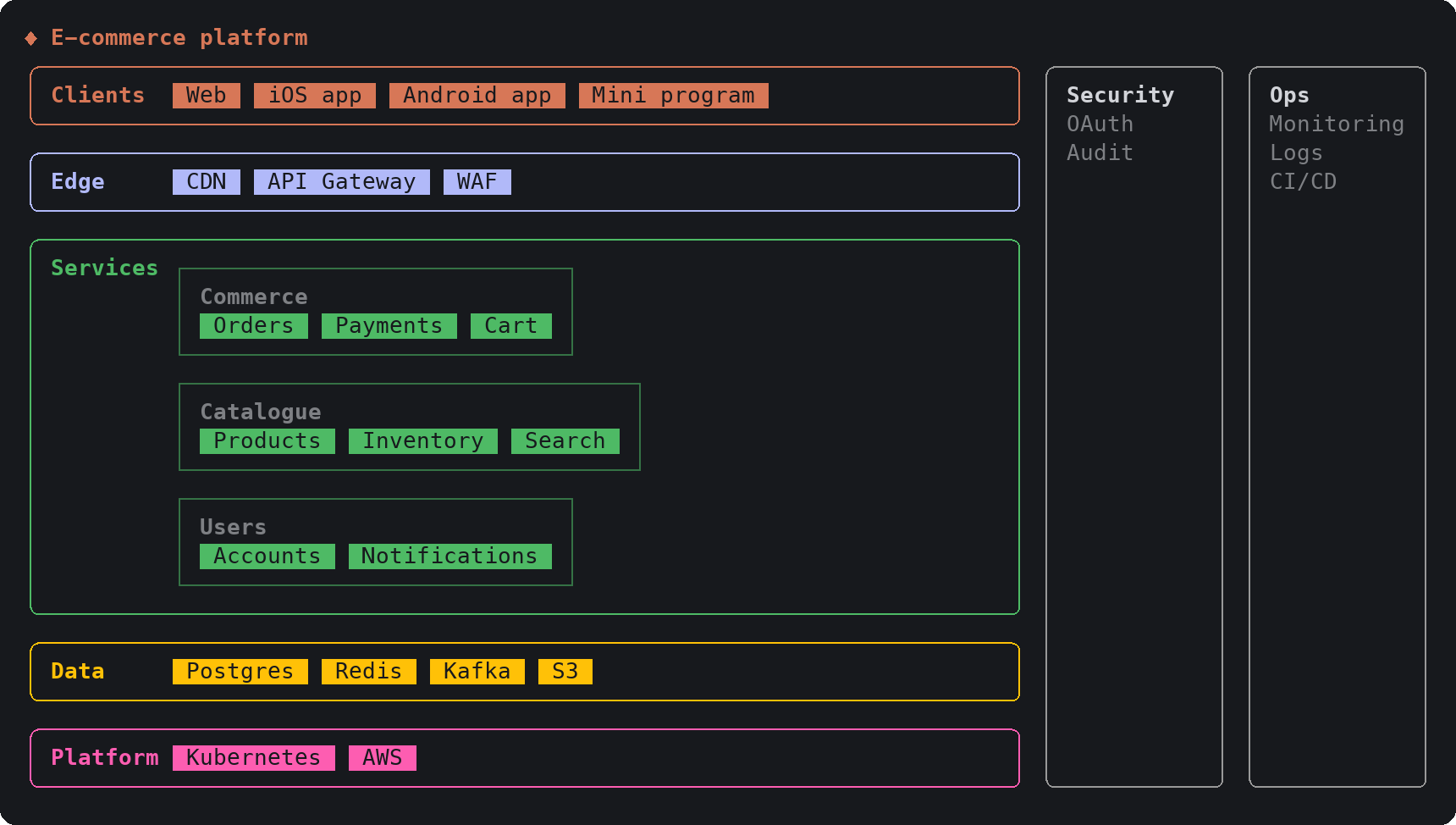
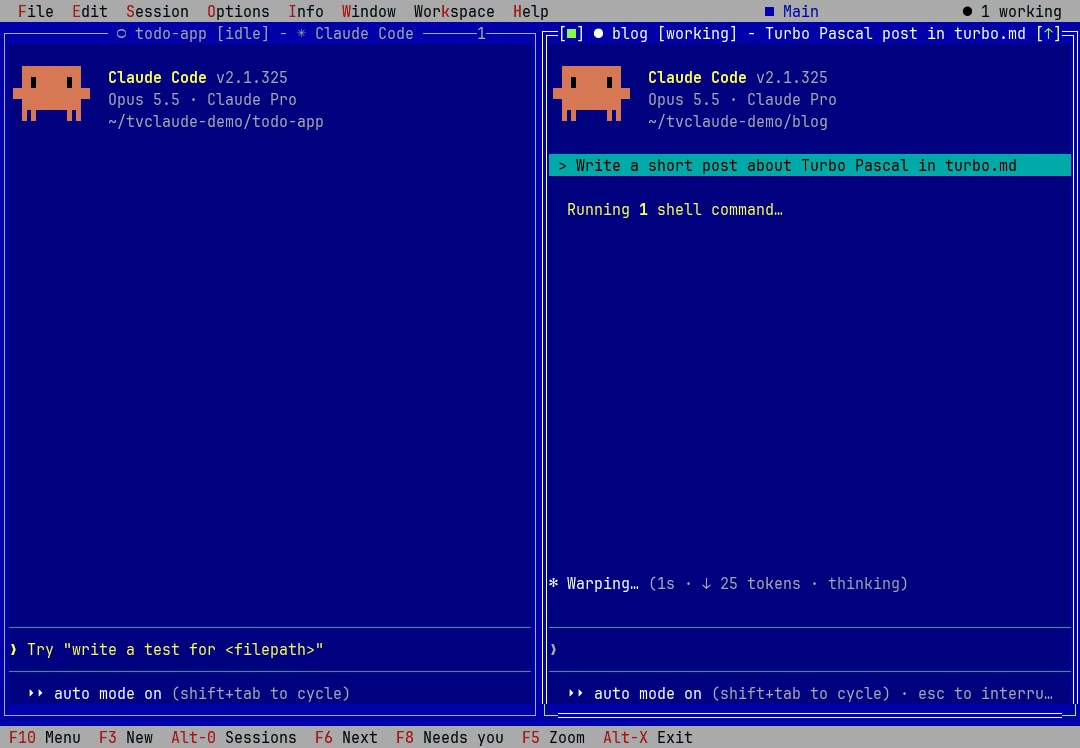
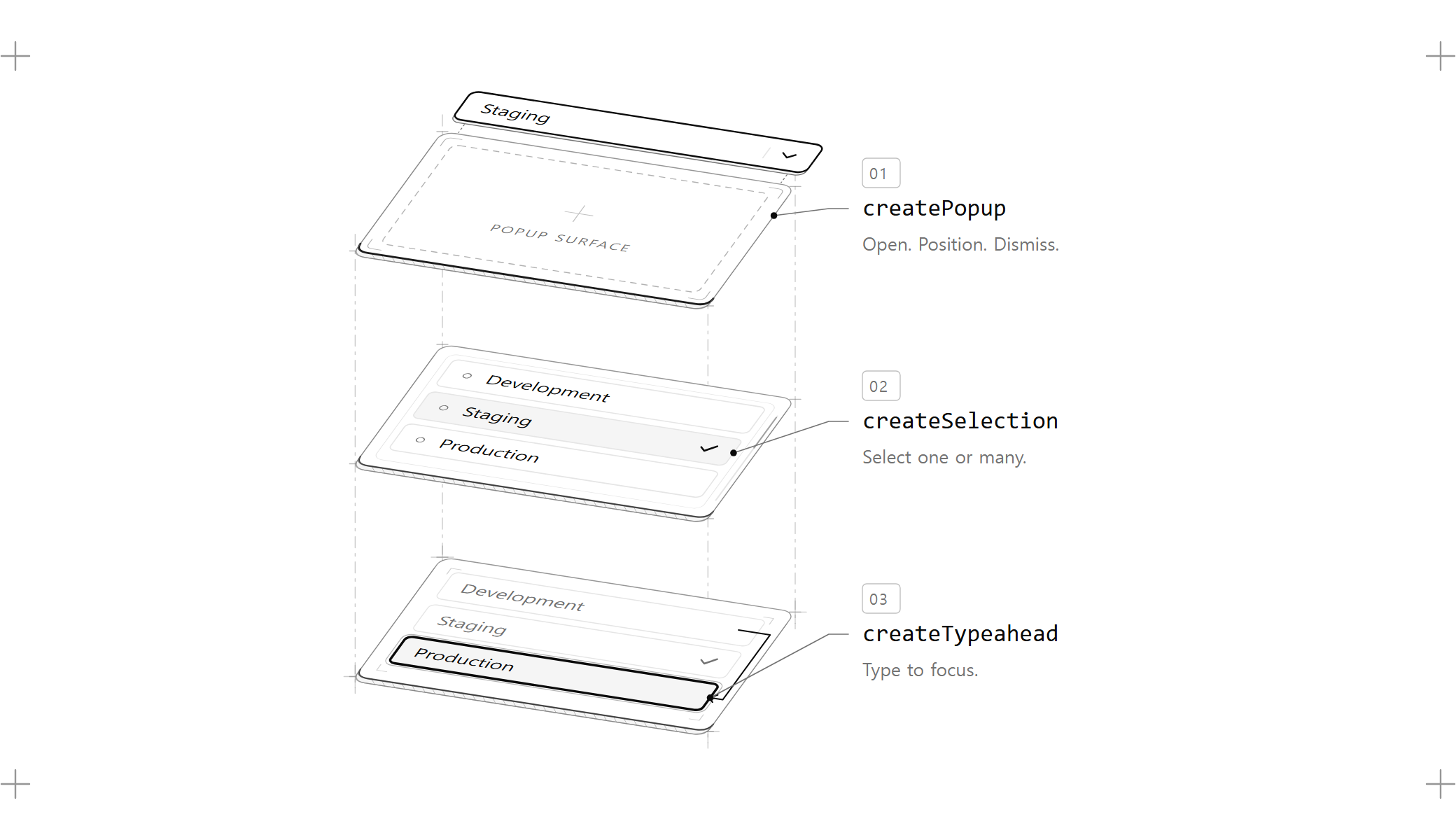
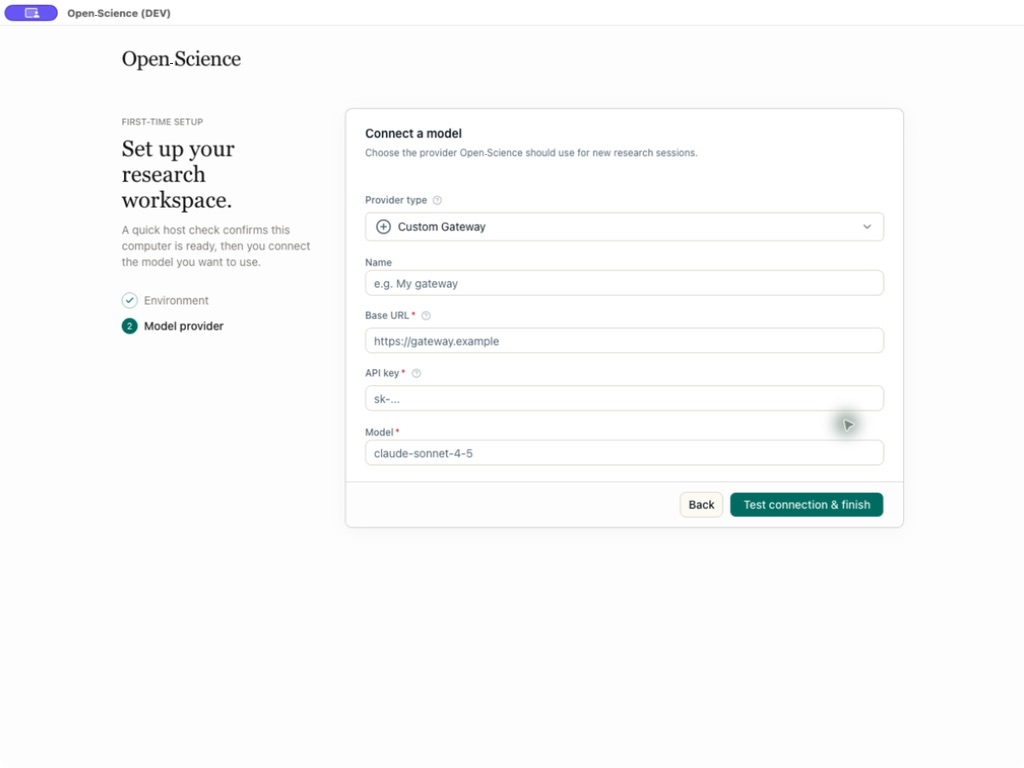
  • A card from the sketch README, drawn by the project's preview scripts: a layered architecture with five horizontal bands of colored component boxes, the middle band holding three groups, and two side columns

    sketchsketch

    sketch, an MIT-licensed Claude Code plugin that answers with diagrams, roadmaps, wireframes and chart cards in the terminal instead of paragraphssketch, Claude Code의 답을 문단 대신 터미널 안 구조도와 로드맵, 화면 틀, 차트 카드로 그려 주는 MIT 플러그인

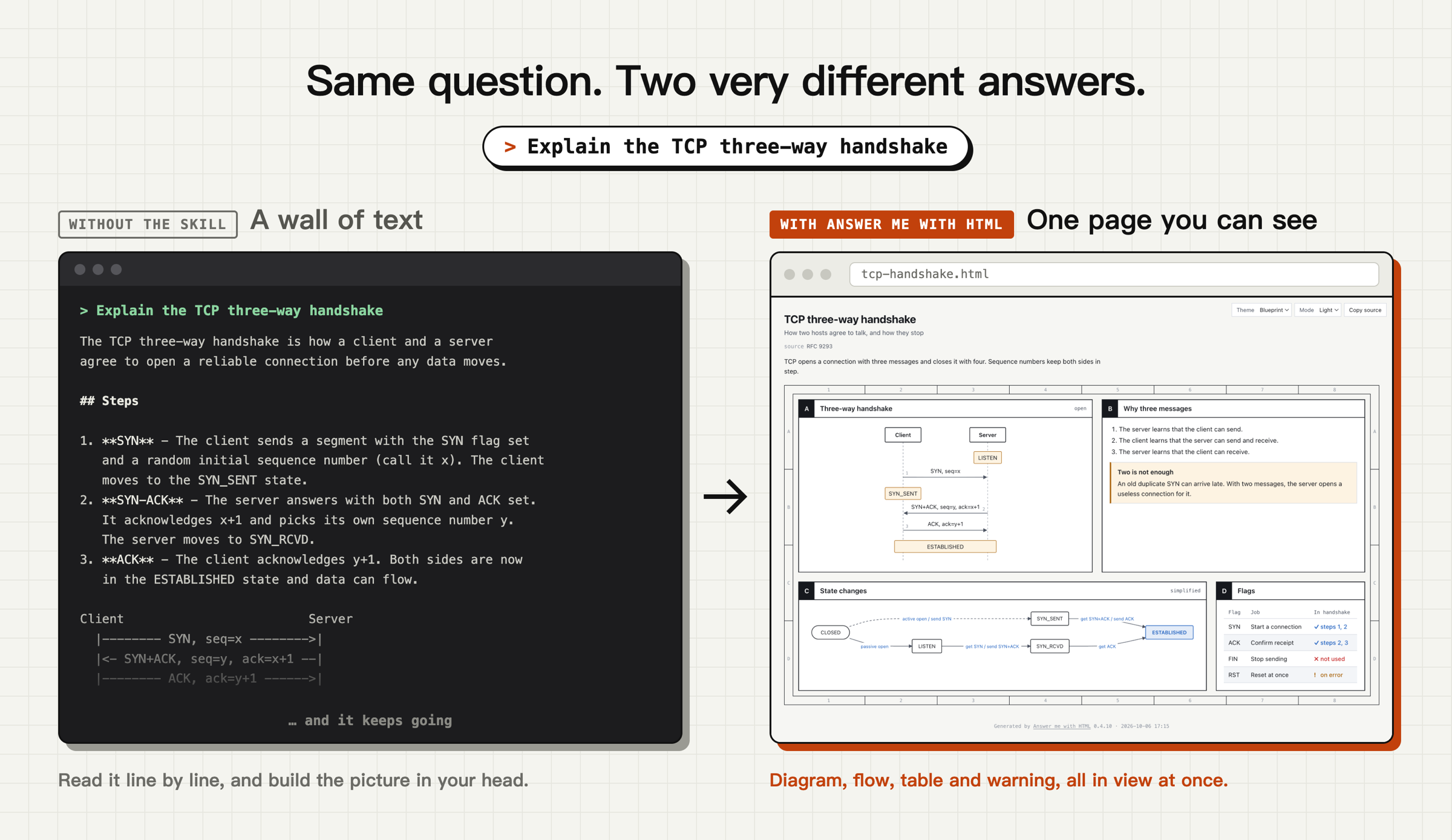
    sketch is an MIT-licensed plugin for a Claude Code terminal session that draws an answer with a shape as a diagram, flow, roadmap, wireframe or chart card instead of paragraphs; its author built and tried it on Claude Code 2.1.325 in a terminal and says the desktop and mobile surfaces are untested. The tool definitions and a prompt section ride on every request, roughly 5 thousand tokens by the author's estimate (not a measurement), and hovering or clicking nodes needs a terminal that reports the mouse to Claude Code.sketch는 Claude Code 터미널 세션에 까는 MIT 라이선스 플러그인으로, 답에 모양이 있으면 문단 대신 구조도, 흐름도, 로드맵, 화면 틀, 차트를 카드로 그리며, 저자는 Claude Code 2.1.325 터미널에서 만들어 시험했고 데스크톱과 모바일 화면은 시험하지 않았다고 적습니다. 도구 정의와 프롬프트 한 절이 모든 요청에 실려 약 5천 토큰이 붙는다는 것은 저자의 어림(측정 아님)이고, 노드에 마우스를 올리고 누르는 기능은 마우스를 Claude Code에 전하는 터미널에서만 됩니다.

    Checked확인일

    Image: sketch README.그림: sketch README.

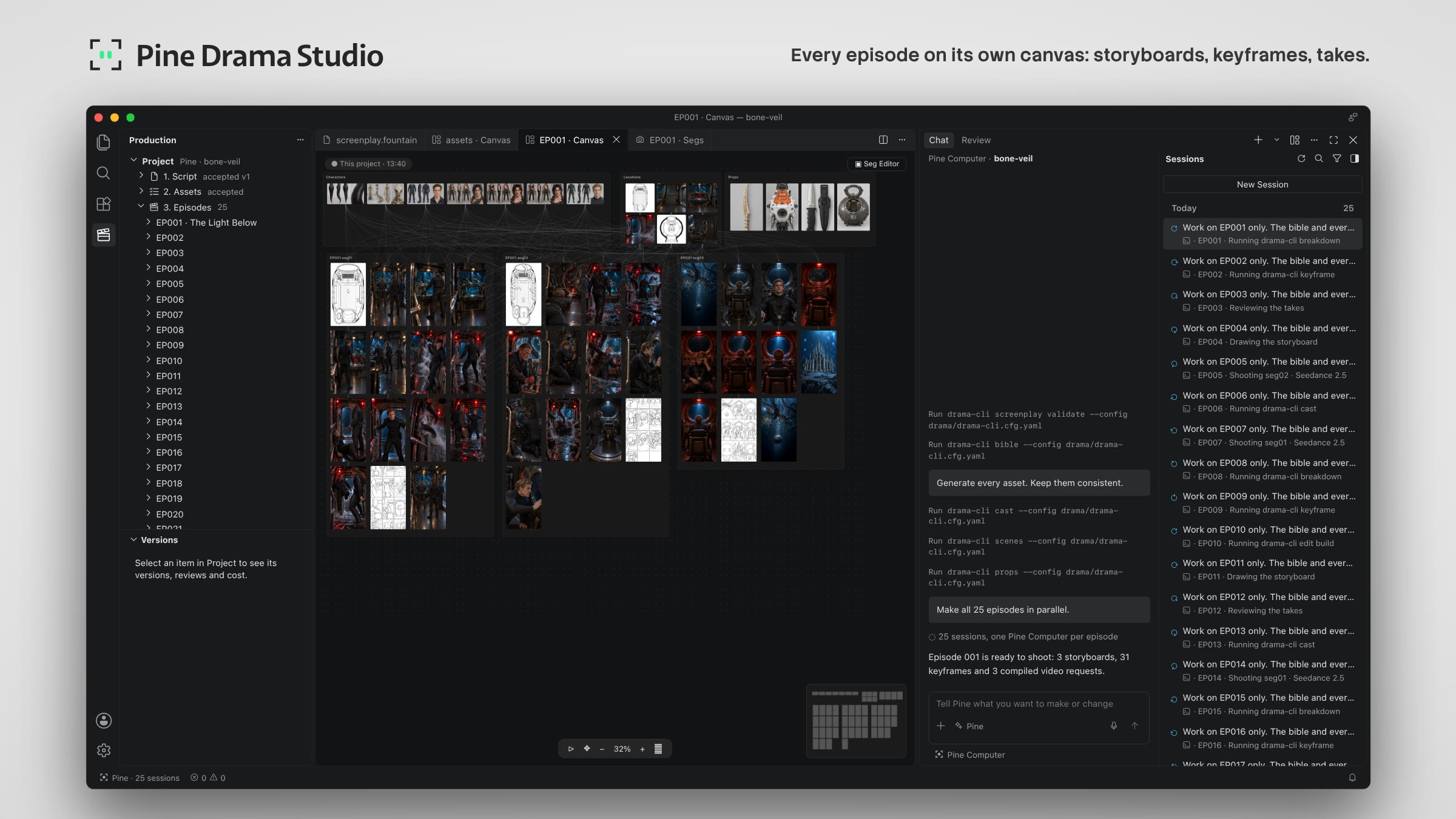
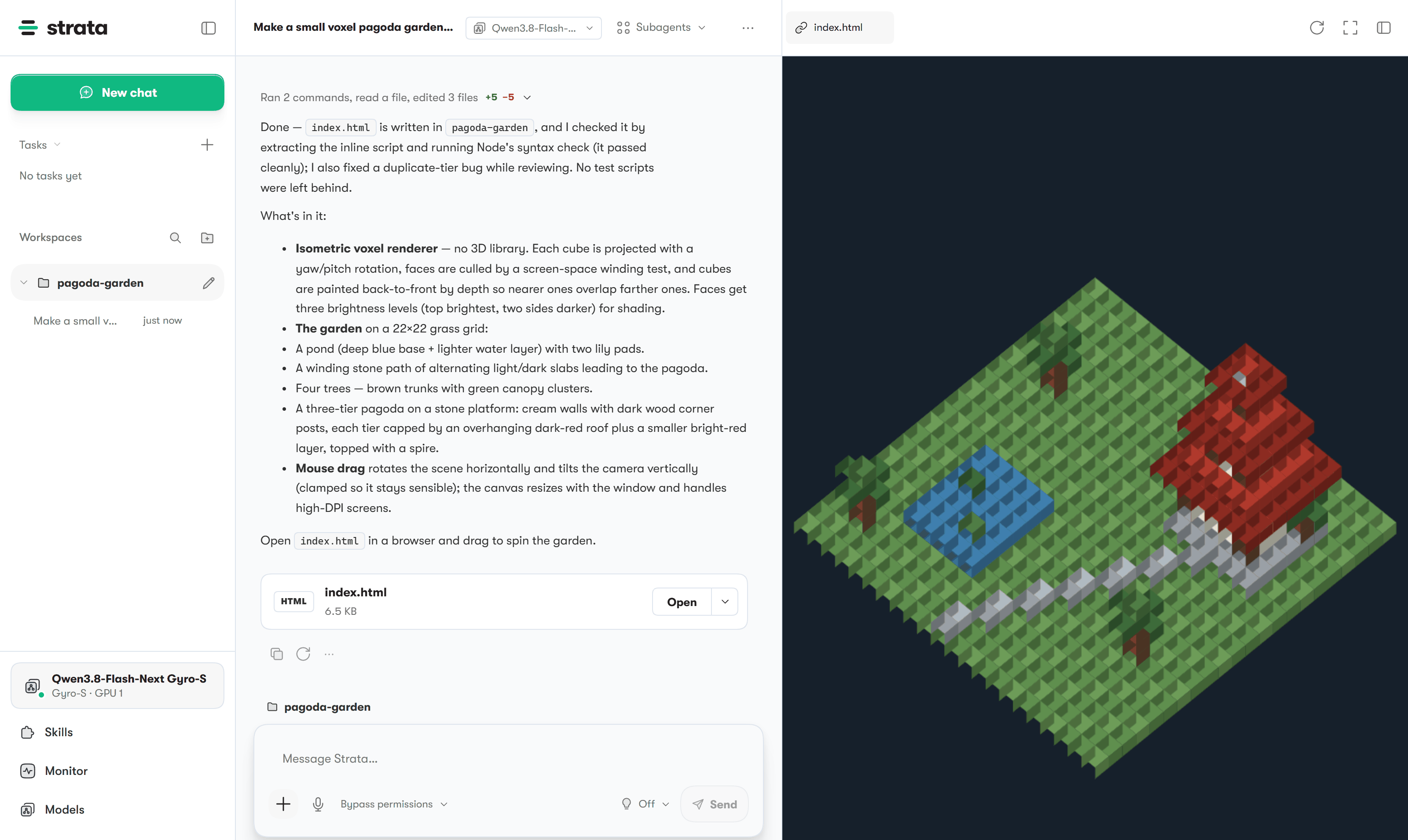
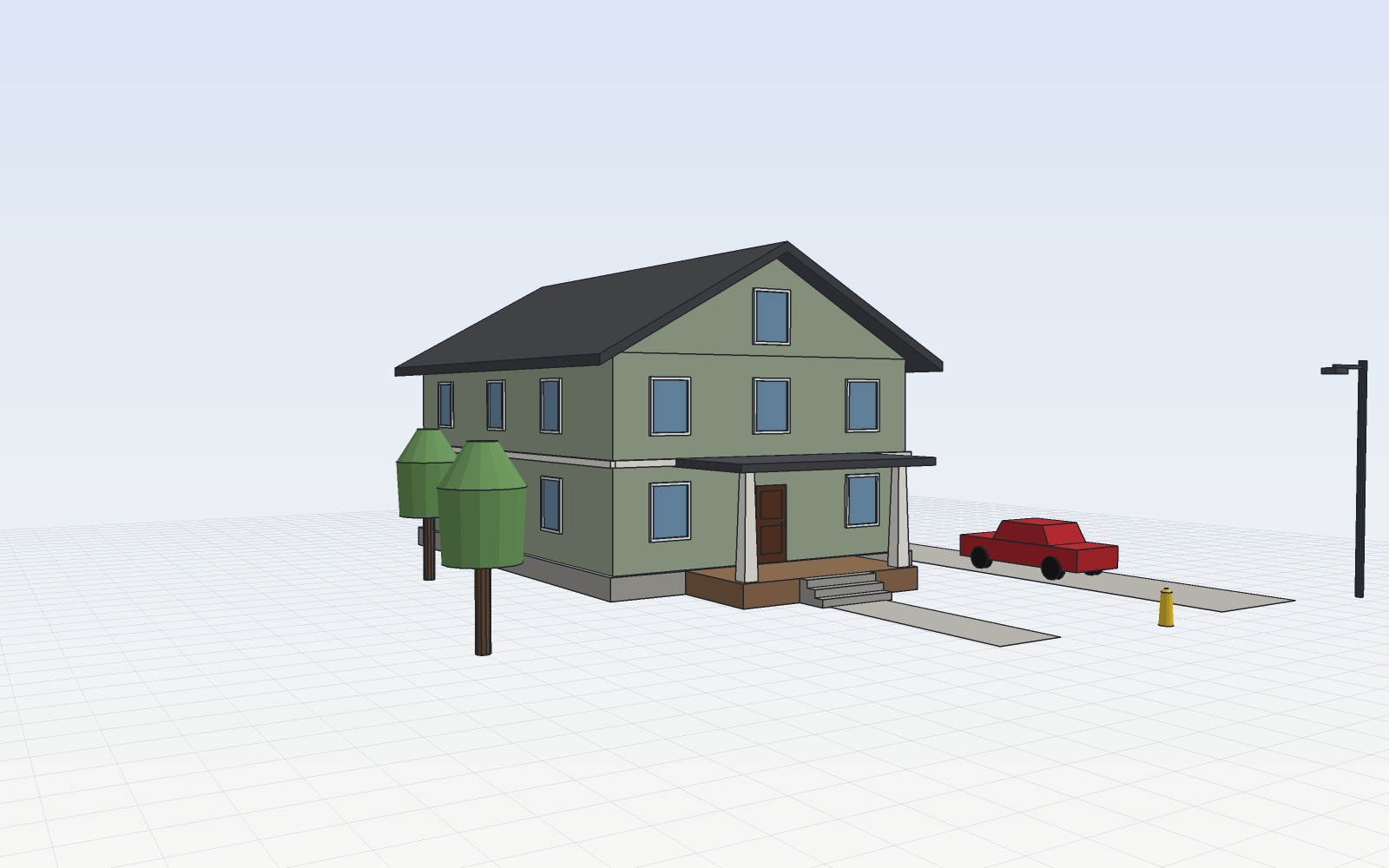
  • A model from the SketchCraft README, modeled in SketchCraft: a two-story house with a porch on a grid floor, with two trees, a red car, a fire hydrant and a street lamp beside it

    SketchCraftSketchCraft

    SketchCraft, a free MIT-licensed 3D modeler for houses, rooms and furniture that AI agents can also drive over MCP, limited to a workspace folderSketchCraft, 윤곽을 그려 끌어올리는 무료 MIT 3D 모델러, AI 에이전트도 작업 폴더 안에서 MCP로 같은 모델을 고친다

    SketchCraft is a free, MIT-licensed 3D modeler for houses, rooms, furniture and anything with straight walls, built by drawing an outline and pulling it up; it runs on Mac, Windows 10 or 11 and Linux with no account or subscription, and AI agents connect through the CLI's MCP server and edit the same model only inside a workspace folder. It is not signed by Apple or Microsoft yet, so the first time it opens, the computer may ask whether to trust it, and an agent can never install or remove plugins, while --any-path lifts the folder limit.SketchCraft는 집, 방, 가구처럼 곧은 벽이 있는 것을 윤곽을 그려 끌어올리는 식으로 만드는 무료 MIT 라이선스 3D 모델러로, Mac, Windows 10 · 11, Linux에서 계정이나 구독 없이 돌고 AI 에이전트는 CLI의 MCP 서버로 붙어 작업 폴더 안에서만 같은 모델을 고칩니다. 아직 Apple이나 Microsoft의 서명이 없어 처음 열 때 컴퓨터가 믿을지 묻고, 에이전트는 플러그인을 깔거나 지우지 못하지만 --any-path를 주면 폴더 제한이 풀립니다.

    Checked확인일

    Image: SketchCraft README.그림: SketchCraft README.

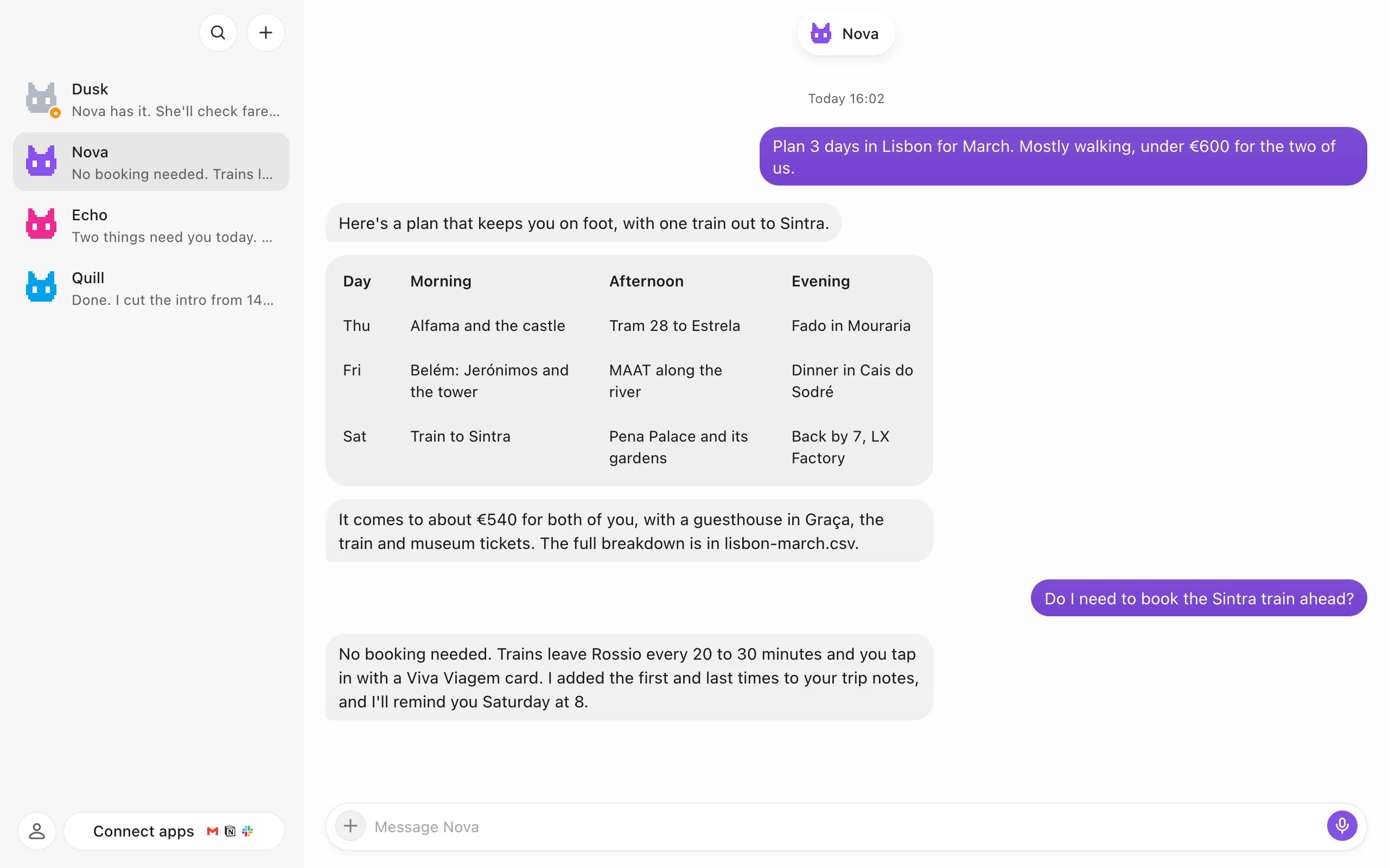
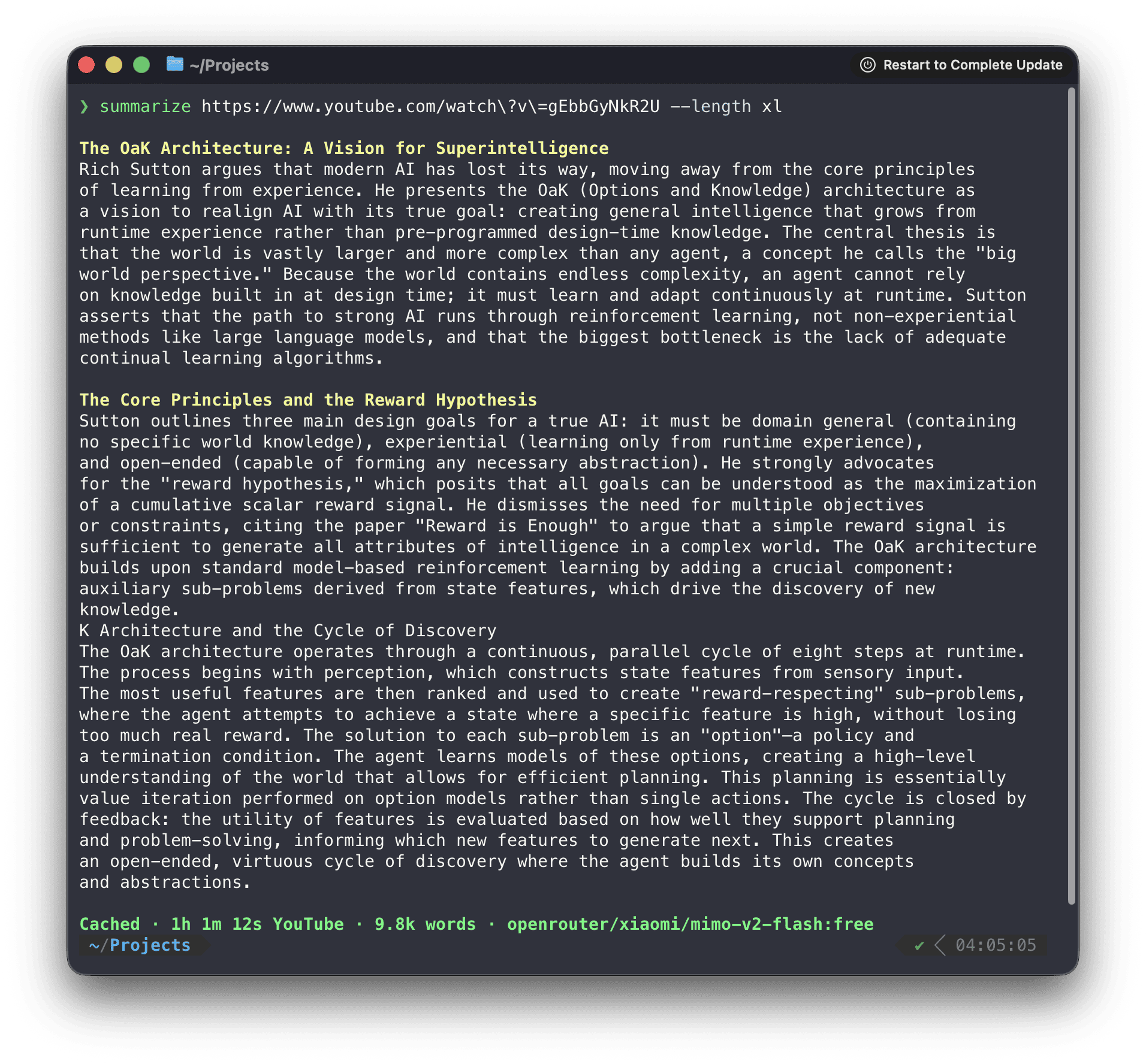
  • Screenshot from the dusk bot README: four bots, Dusk, Nova, Echo and Quill, listed in the sidebar, and Nova's chat answering a request for a three-day Lisbon trip with a table of mornings, afternoons and evenings

    dusk botdusk bot

    dusk bot, a source-available desktop app that runs a team of AI bots, each with its own memory, browser and desktop, on the AI account you already pay fordusk bot, 이미 쓰는 AI 계정으로 기억과 브라우저, 데스크톱을 가진 AI 봇 여럿을 채팅으로 부리는 소스 공개 데스크톱 앱

    dusk bot is a desktop app for running a team of AI bots by chat; it is source available under the PolyForm Noncommercial License 1.0.0, so it is free for personal use with every feature while commercial use needs a separate license, and the AI comes from a ChatGPT, Claude or Grok account the user already pays for, or an API key, on that plan. Data stays on the computer the bots run on, a bot's desktop runs as a Linux VM in Docker on this computer, on dusk cloud or on the user's own server, and anonymous usage counts stay on until they are turned off.dusk bot은 AI 봇 여럿을 채팅으로 부리는 데스크톱 앱으로, PolyForm Noncommercial License 1.0.0 소스 공개라 개인 용도로는 모든 기능이 무료이고 상업 용도에는 별도 라이선스가 필요하며, AI는 이미 쓰는 ChatGPT, Claude, Grok 같은 계정으로 로그인하거나 API 키를 넣어 그 요금제로 씁니다. 자료는 봇이 도는 컴퓨터에 남고, 봇 데스크톱은 이 컴퓨터의 Docker 안 Linux VM이나 dusk cloud, 사용자 서버에서 돌며, 익명 사용 집계는 끌 때까지 켜져 있습니다.

    Checked확인일

    Image: dusk bot README.그림: dusk bot README.

Blogs블로그

What we've built만든 것

Automation tools and AI prototypes that reduce repetitive work.반복 업무를 줄이는 자동화 도구와 AI 프로토타입입니다.
All projects전체 프로젝트
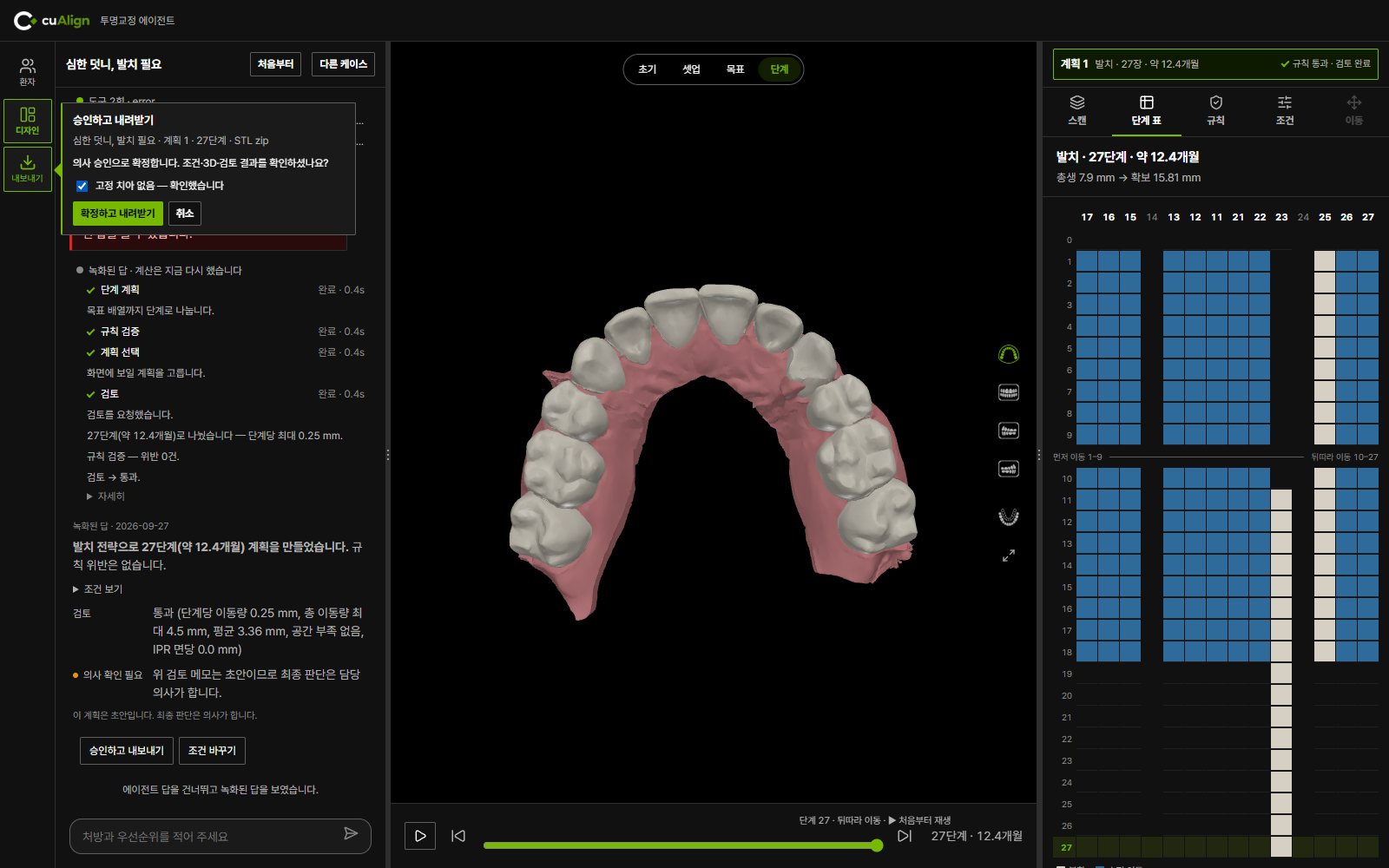
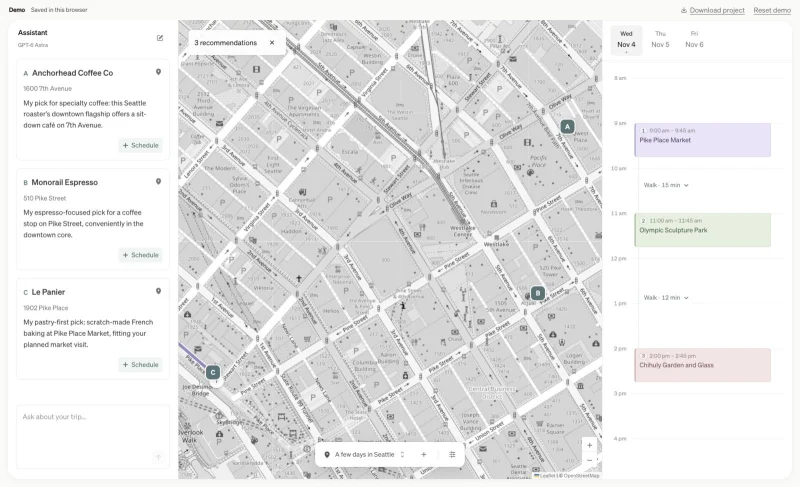
Internal test screen · not a clinical tool내부 시험 화면 · 임상용 도구가 아닙니다.
Prototype프로토타입

cuAligncuAlign

A prototype for drafting and reviewing tooth-movement plans.치아 이동 계획을 작성하고 검토하는 AI 프로토타입입니다.
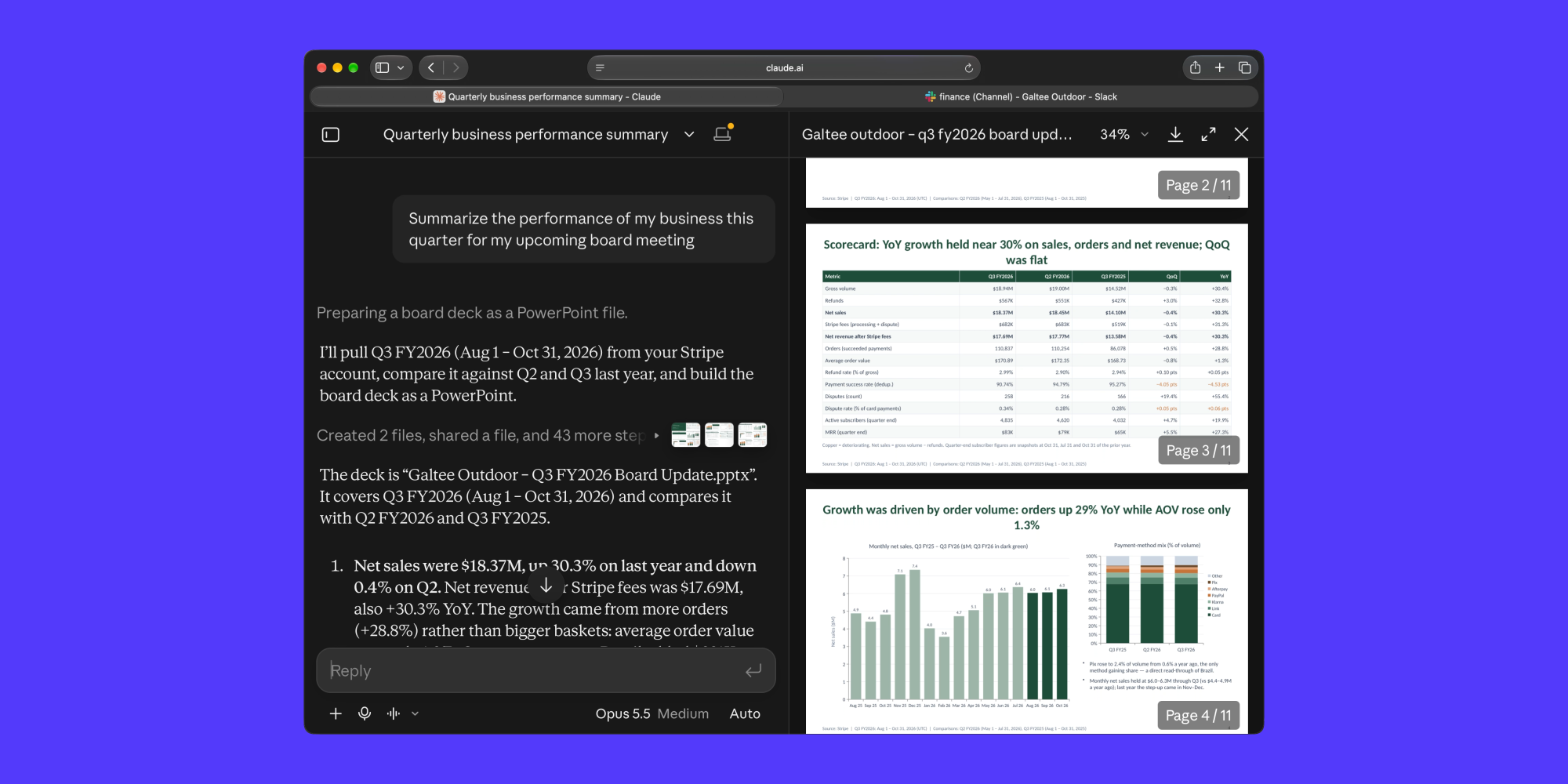
Recorded responses; the fix still needs a live-model re-test.녹화된 응답으로 내부 시험을 했고, 보완 후 실제 모델 재검증은 아직 하지 않았습니다.
View project프로젝트 보기
Image credits이미지 출처

Tooth shapes on screen: the Poseidon3D dataset (Tibor Kubik and Michal Spanel, Bioengineering 11(10):1014, 2024) and "Dental arches" by Lydran96 on Sketchfab, both CC BY 4.0 (creativecommons.org/licenses/by/4.0). Changed: one file per tooth, renumbered, rotated, trimmed and simplified.화면의 치아 형상: Poseidon3D 데이터셋(Tibor Kubik · Michal Spanel, Bioengineering 11(10):1014, 2024)⁠과 Sketchfab의 «Dental arches»(Lydran96), 모두 CC BY 4.0(creativecommons.org/licenses/by/4.0). 바꾼 것: 치아 하나씩 파일로 나눔 · 번호 다시 매김 · 회전 · 다듬기 · 줄이기.
  1. 01Instructions조건 입력
  2. 02Draft a plan계획 초안
  3. 03Review & revise검토·수정

A question, an idea, a correction.궁금한 점, 새로운 생각, 바로잡을 내용.

Tell us which project or story brought you here.어떤 프로젝트나 글을 보고 오셨는지 알려 주세요.

Get in touch문의하기