HREN


Nosy Notch, an open-source Mac app that shows coding agents' permission requests in the MacBook notch so you can allow or deny them thereNosy Notch, 코딩 에이전트의 허락 요청을 맥북 노치에 띄워 그 자리에서 허락하거나 거절하게 하는 오픈소스 앱
When agents such as Claude Code or Cursor wait for permission, it shows the exact command in the notch and lets you allow or deny it there. It installs with one npx command and is free on macOS 14 or later.Claude Code나 Cursor 같은 에이전트가 허락을 기다리면 실행할 명령을 노치에 보여 주고, 노치에서 허락이나 거절을 누르게 합니다. npx 명령 하나로 설치하고 macOS 14 이상에서 무료로 씁니다.
- Checked확인일
Nosy Notch is an open-source Mac app that turns the black notch of a MacBook into a tiny status display for coding agents. The README starts from agents that spend a long time working on their own and then sit waiting for a yes nobody saw. It works with Claude Code (terminal, VS Code and desktop app), Codex (the CLI and the ChatGPT app's Codex mode) and Cursor's agent.Nosy Notch는 맥북 화면 위쪽의 검은 노치를 코딩 에이전트의 작은 상태 화면으로 바꾸는 오픈소스 맥 앱입니다. README는 코딩 에이전트가 혼자 오래 일하다가 사용자가 보지 못한 허락을 기다리며 멈춰 있는 때가 많다는 데서 시작합니다. 지원하는 에이전트는 Claude Code(터미널, VS Code, 데스크톱 앱), Codex(CLI와 ChatGPT 앱의 Codex 모드), Cursor의 에이전트입니다.
When an agent needs permission, the notch opens with an amber glow, shakes and shows the exact command. Clicking Allow, Deny or Always allow in the notch lets the agent carry on without hunting for the right window. With head gestures turned on, a nod with AirPods allows and a head shake denies.에이전트가 허락을 기다리면 노치가 주황빛으로 열리며 흔들리고, 실행할 명령을 그대로 보여 줍니다. 노치에서 허락, 거절, 항상 허락 가운데 하나를 누르면 맞는 창을 찾지 않아도 에이전트가 이어서 일합니다. 머리 동작을 켜면 에어팟을 낀 채 고개를 끄덕여 허락하고 저어서 거절할 수 있습니다.
While an agent works, the notch slides out sideways to show the current tool, and hovering it shows every session with its status, how full its context window is, and the 5-hour and weekly limits as bars. When the work is done, a checkmark and the start of the answer appear, and a missed one leaves a small green dot until you switch to that app or hover the list. Several sessions can run at once across agents, and each gets its own colour: orange for Claude, blue for Codex and silver for Cursor.에이전트가 일하는 동안에는 노치가 옆으로 늘어나 지금 쓰는 도구를 보여 주고, 마우스를 올리면 세션마다 상태와 컨텍스트 창이 찬 정도, 5시간과 주간 사용 한도를 막대로 보여 줍니다. 일이 끝나면 체크 표시와 답의 앞부분이 나오고, 놓쳤다면 그 앱으로 가거나 목록에 마우스를 올릴 때까지 작은 초록 점이 남습니다. 여러 에이전트의 세션을 한꺼번에 띄울 수 있고, 세션마다 Claude는 주황, Codex는 파랑, Cursor는 은색 표시가 붙습니다.
Installing takes one command, npx nosynotch, which downloads the app, connects every agent it finds and starts it in the background. npx needs Node.js 18 or later, and the app is free on macOS 14 or later with no account, no App Store and no Xcode. Afterwards, Claude Code sessions that were already running need a restart, and Codex users must trust the new hooks once in Codex. npx nosynotch uninstall removes the app, the hooks and autostart. The licence is MIT.설치는 npx nosynotch 명령 하나이고, 이 명령이 앱을 내려받아 찾은 에이전트를 모두 연결한 뒤 백그라운드에서 실행합니다. npx를 쓰려면 Node.js 18 이상이 필요하고, macOS 14 이상에서 무료로 쓰며 계정이나 App Store, Xcode가 필요 없습니다. 설치 뒤에는 이미 실행 중이던 Claude Code 세션을 다시 시작하고, Codex를 쓴다면 새 훅을 Codex에서 한 번 신뢰해야 합니다. npx nosynotch uninstall은 앱과 훅, 자동 시작을 지웁니다. 라이선스는 MIT입니다.
Usage limits show only for Claude Code Pro and Max and for Codex; Cursor does not share its usage limits with any hook, so that column stays empty. In Cursor, only commands outside its sandbox can be allowed or denied from the notch. The hooks talk to 127.0.0.1 only, and the README says the only network requests are for album covers. If the app is not running, the hook fails instantly and the agent carries on, and answering in the terminal or letting the request time out hands it back to the agent's own prompt. Macs without a notch get a virtual one in the middle of the menu bar.사용 한도 표시는 Claude Code Pro · Max와 Codex만 되고, Cursor는 어떤 훅에도 사용 한도를 넘기지 않아 그 칸이 비어 있습니다. Cursor에서 노치로 허락하거나 거절할 수 있는 것은 샌드박스 밖 명령뿐입니다. 훅은 127.0.0.1에만 신호를 보내고, README는 앨범 표지 요청 말고는 네트워크 요청이 없다고 적었습니다. 앱이 꺼져 있으면 훅이 바로 실패하고 에이전트는 그대로 일하며, 노치 대신 터미널에서 답하거나 시간이 지나면 에이전트 자체 확인 창이 이어받습니다. 노치가 없는 맥에서는 메뉴 막대 가운데에 가상 노치가 생깁니다.
Sources & references원문과 참고 자료
Keep reading더 읽기
All articles전체 글rust-anythingrust-anything
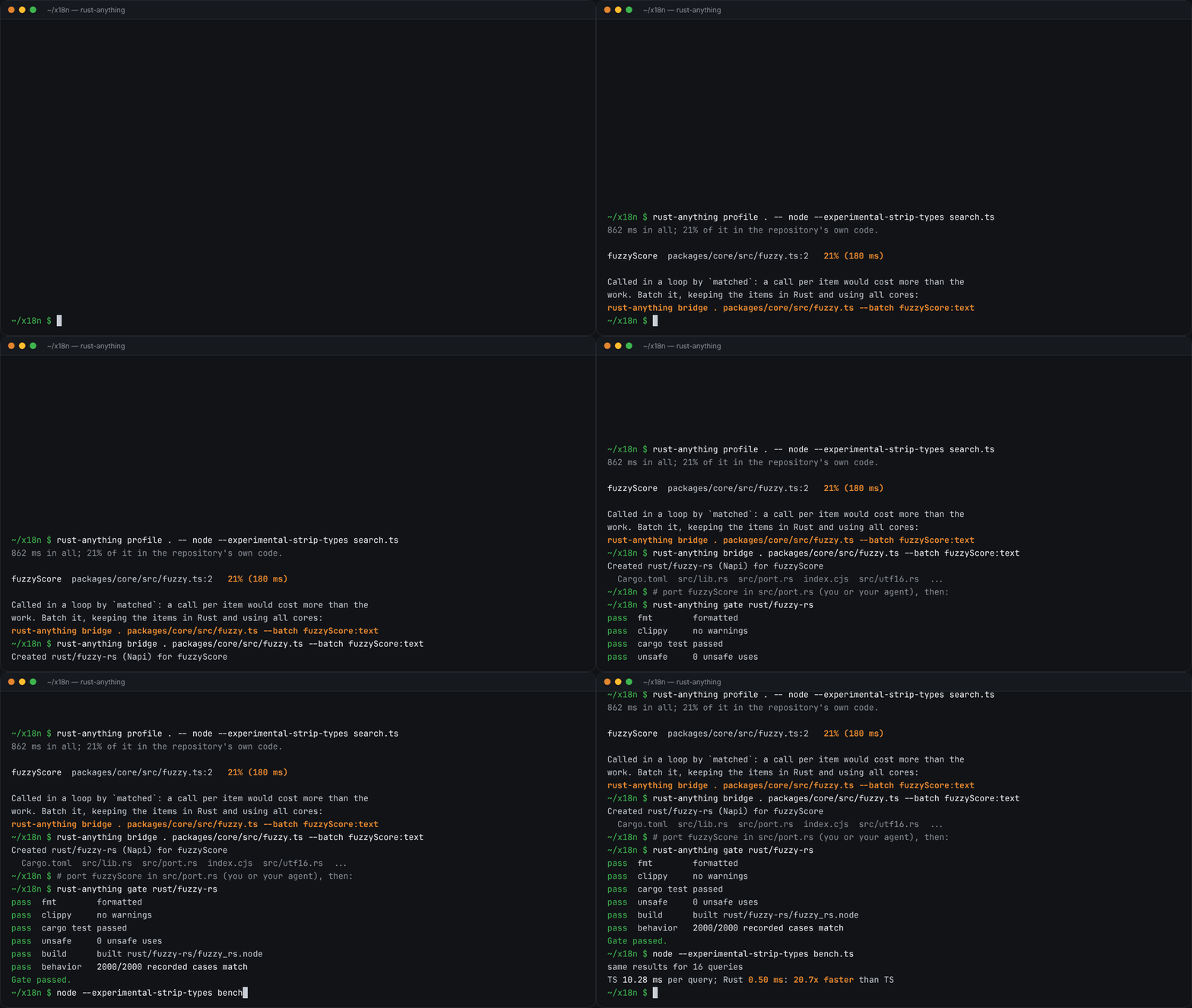
rust-anything, an MIT-licensed command-line tool that moves a Node.js, Python, C, Go, Ruby or Java app to Rust one piece at a time and checks each piece against recordings of the originalrust-anything, Node.js·Python·C·Go·Ruby·Java 앱을 한 조각씩 Rust로 옮기며 조각마다 원래 코드의 기록과 맞춰 보는 MIT License 명령줄 도구
Checked확인일
Image: rust-anything README.그림: rust-anything README.
sketchsketch
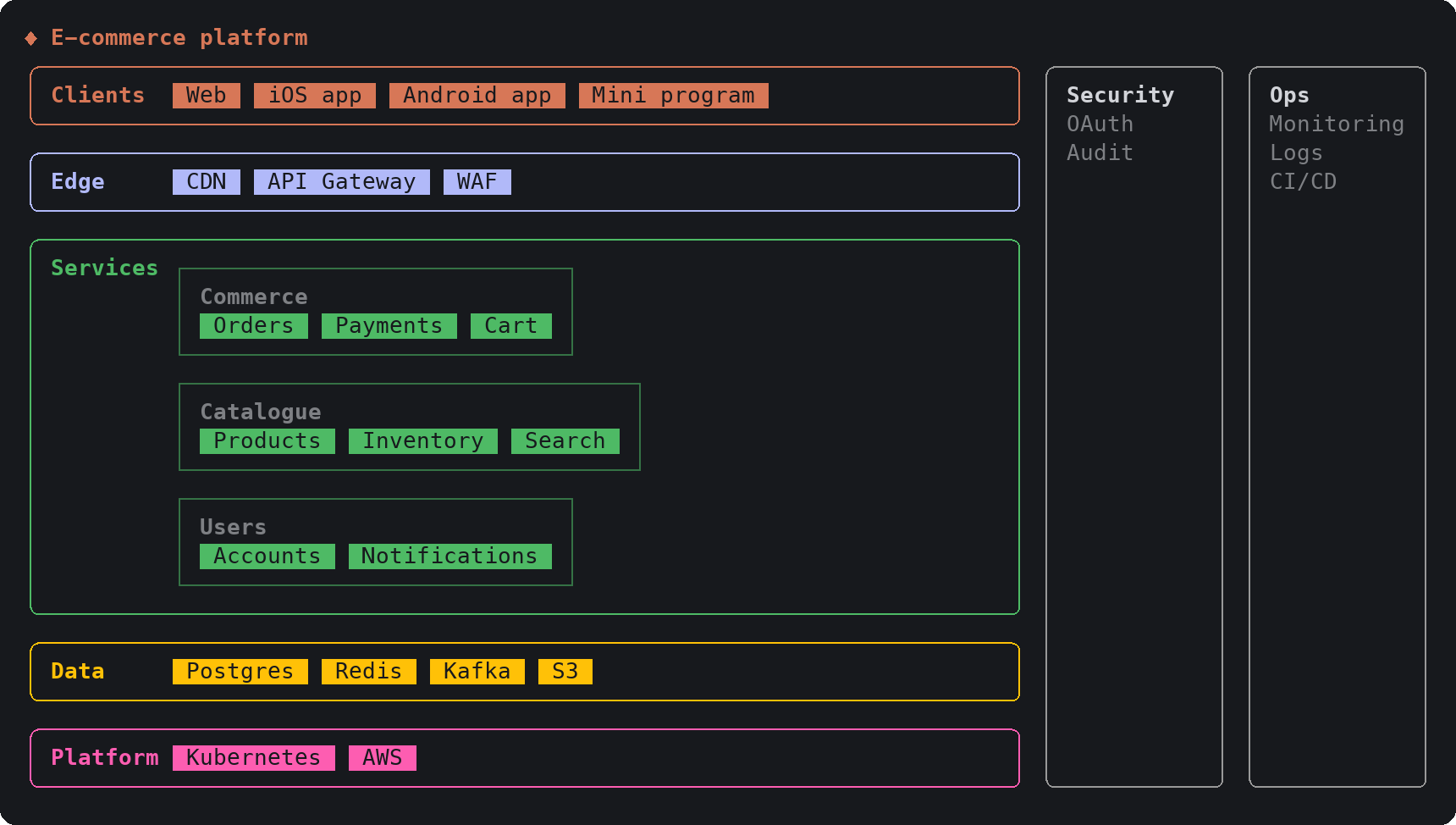
sketch, an MIT-licensed Claude Code plugin that answers with diagrams, roadmaps, wireframes and chart cards in the terminal instead of paragraphssketch, Claude Code의 답을 문단 대신 터미널 안 구조도와 로드맵, 화면 틀, 차트 카드로 그려 주는 MIT 플러그인
Checked확인일
Image: sketch README.그림: sketch README.
SketchCraftSketchCraft
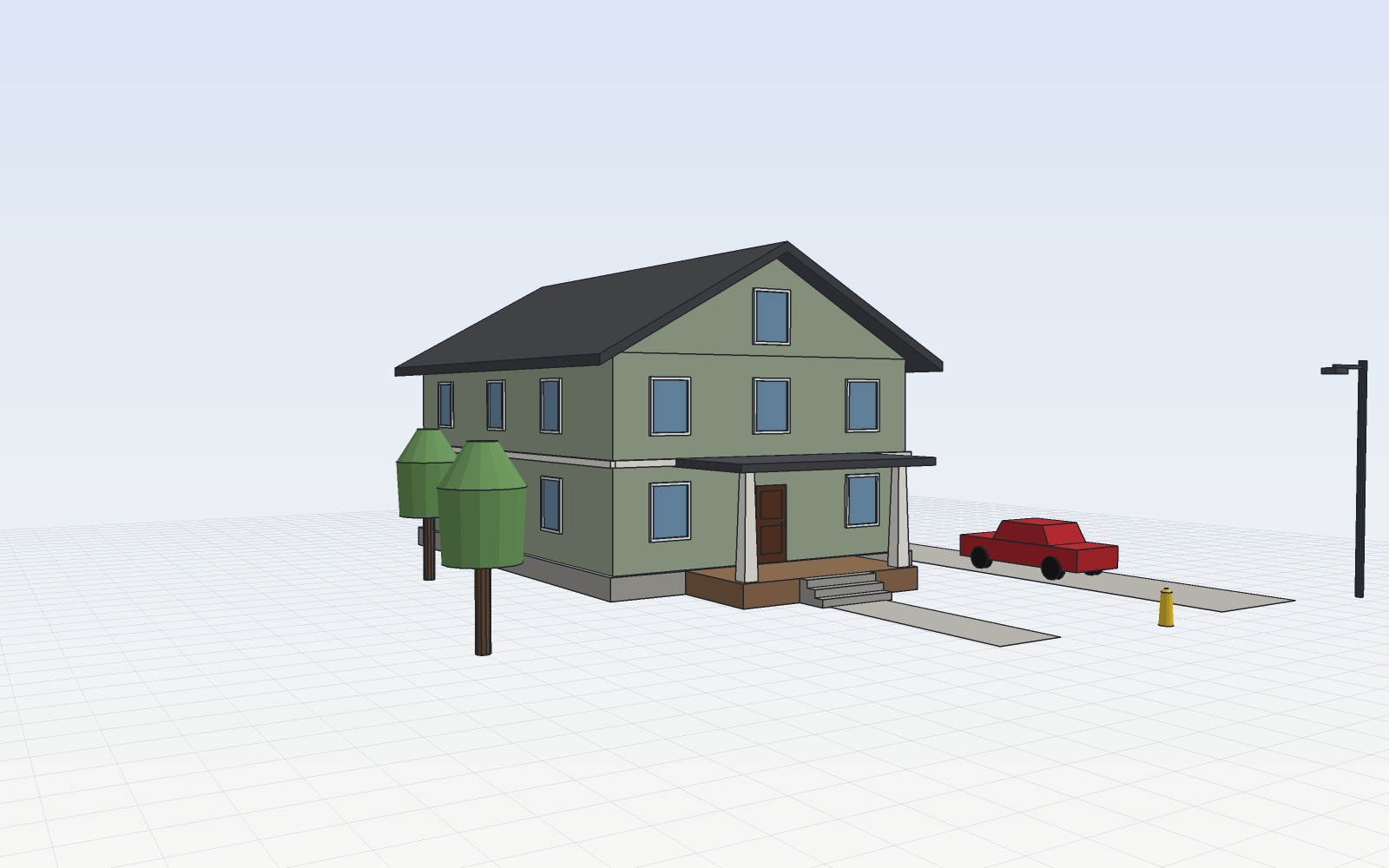
SketchCraft, a free MIT-licensed 3D modeler for houses, rooms and furniture that AI agents can also drive over MCP, limited to a workspace folderSketchCraft, 윤곽을 그려 끌어올리는 무료 MIT 3D 모델러, AI 에이전트도 작업 폴더 안에서 MCP로 같은 모델을 고친다
Checked확인일
Image: SketchCraft README.그림: SketchCraft README.