HREN


Astryx, Meta's open-source design system built for people and the AI assistants working with themAstryx, 사람과 AI 도우미가 같은 기준으로 화면을 만드는 Meta의 오픈소스 디자인 시스템
It bundles more than 150 accessible components, seven themes, templates and a CLI into one system, used through pre-built CSS and typed React components. It needs React 19 or later and is currently in beta.접근성을 갖춘 컴포넌트 150개 이상과 테마 일곱 가지, 템플릿, CLI를 한 시스템으로 담았고, 미리 빌드된 CSS와 React 컴포넌트를 가져다 씁니다. React 19 이상이 필요하고 지금은 베타입니다.
- Checked확인일
Astryx is an open-source design system built for people and the agents working alongside them. The project says it grew inside Meta over the last eight years and became the most-used and largest design system in the company. It ships more than 150 accessible components, brand-level theming, dark mode, ready-to-ship templates and a CLI as one system. Teams import pre-built CSS and use typed React components, so there is no build plugin or styling library to adopt, it explains. The repository is public under the MIT license.Astryx는 사람과, 그 곁에서 함께 일하는 에이전트가 같이 쓰도록 만든 오픈소스 디자인 시스템입니다. 프로젝트는 Astryx가 지난 8년 동안 Meta 안에서 자라며 회사에서 가장 많이 쓰이고 가장 큰 디자인 시스템이 됐다고 밝혔습니다. 접근성을 갖춘 컴포넌트 150개 이상, 브랜드 단위 테마, 다크 모드, 바로 내놓을 수 있는 템플릿, CLI를 하나의 시스템으로 담았습니다. 미리 빌드된 CSS를 가져오고 타입이 붙은 React 컴포넌트를 쓰는 방식이라 빌드 플러그인이나 스타일 라이브러리를 따로 들일 필요가 없다고 설명합니다. 저장소는 MIT 라이선스로 공개돼 있습니다.
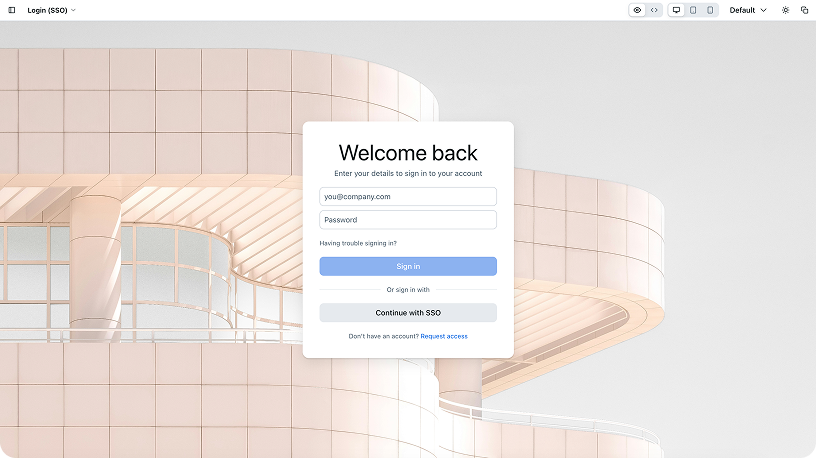
The project lists four things that make Astryx different. First, its internals are open. Components are built to be composed at any level rather than locked behind a closed top-level API, the building blocks are exported directly, and when a team needs to go deeper, swizzle ejects a component's full source into the project to own. Styles are written with StyleX, but that stays invisible to consumers, who override them with className using Tailwind, CSS modules or plain CSS, whichever the project already uses. A theme is a set of CSS custom property overrides, so a designer can change the look without forking or wrapping component source, it says.프로젝트는 Astryx가 다른 점으로 네 가지를 듭니다. 먼저 내부 구조가 열려 있습니다. 컴포넌트는 닫힌 최상위 API 뒤에 묶지 않고 어느 단계에서든 조합하도록 만들었고, 쓰는 부품을 바로 내보내며, 더 깊이 고쳐야 할 때는 swizzle이 컴포넌트 소스 전체를 프로젝트로 꺼내 직접 관리하게 합니다. 스타일은 StyleX로 쓰지만 쓰는 사람에게는 드러나지 않아, className으로 Tailwind, CSS 모듈, 일반 CSS 가운데 프로젝트가 이미 쓰는 방식으로 덮어쓸 수 있습니다. 테마는 CSS 사용자 지정 속성을 덮어쓰는 묶음이어서 컴포넌트 소스를 포크하거나 감싸지 않고도 디자이너가 모양을 바꿀 수 있다고 밝혔습니다.
Fourth, the API, docs and CLI are designed together so a person and an AI assistant build the same way, from the same reference, according to the project. The CLI package covers component docs, templates, scaffolding, themes and codemods. Seven ready-made themes are available, neutral, butter, chocolate, matcha, stone, gothic and y2k, and all of them can be customized. The patterns include table pages, detail page layouts, form wizards, navigation and data entry flows.네 번째로, API와 문서, CLI를 함께 설계해 사람과 AI 도우미가 같은 기준을 보고 같은 방식으로 만든다고 설명합니다. CLI 패키지는 컴포넌트 문서, 템플릿, 뼈대 만들기, 테마, 코드모드를 다룹니다. 미리 만든 테마는 neutral, butter, chocolate, matcha, stone, gothic, y2k 일곱 가지이고 모두 고쳐 쓸 수 있습니다. 패턴으로는 표 페이지, 상세 페이지 배치, 단계별 입력 양식, 내비게이션, 데이터 입력 흐름을 담았습니다.
Astryx needs React 19 or later, with react and react-dom as peer dependencies of @astryxdesign/core. With npm, it installs through npm install @astryxdesign/core @astryxdesign/theme-neutral @stylexjs/stylex and npm install -D @astryxdesign/cli, and the README gives the pnpm and yarn commands too. The simplest setup is a few CSS imports plus a theme provider, with no build plugin and no PostCSS or Babel config, and guides for Next.js, Tailwind, Vite and CDN are in the @astryxdesign/core README. Installing the CLI once with npm i -g @astryxdesign/cli makes astryx run in any folder and lets every coding agent know Astryx, while inside a project it still runs that project's own version. The README recommends adding an astryx script to package.json, used as npm run astryx -- component --list, to avoid path errors when AI assistants or new developers call the CLI.Astryx는 React 19 이상이 필요하고, react와 react-dom은 @astryxdesign/core의 피어 의존성입니다. npm으로는 npm install @astryxdesign/core @astryxdesign/theme-neutral @stylexjs/stylex와 npm install -D @astryxdesign/cli로 설치하며, pnpm과 yarn 명령도 README에 있습니다. 가장 간단한 설정은 CSS 가져오기 몇 줄과 테마 프로바이더이고 빌드 플러그인, PostCSS, Babel 설정은 필요 없으며, Next.js, Tailwind, Vite, CDN 안내는 @astryxdesign/core README에 있습니다. npm i -g @astryxdesign/cli로 CLI를 컴퓨터에 한 번 설치하면 어느 폴더에서나 astryx가 실행되고 모든 코딩 에이전트가 Astryx를 알게 되며, 프로젝트 안에서는 그 프로젝트의 버전이 실행됩니다. README는 package.json에 astryx 스크립트를 더해 npm run astryx -- component --list처럼 실행하면 AI 도우미나 새 개발자가 CLI를 부를 때 경로 오류를 피한다고 설명합니다.
Astryx is currently in beta. @astryxdesign/lab, which holds experimental components, is used internally for Storybook and the sandbox and is not published to npm. @astryxdesign/vega, a Vega and Vega-Lite chart wrapper, and @astryxdesign/charts, the chart components, are published to npm only under the @canary tag, with no stable release yet. Contributing to the repository requires Node 22 or later on an active LTS line and pnpm 11. Supported browsers are not stated in the source.Astryx는 지금 베타입니다. 실험 컴포넌트를 담은 @astryxdesign/lab은 Storybook과 샌드박스용으로 내부에서만 쓰고 npm에 배포하지 않습니다. Vega와 Vega-Lite 차트를 감싸는 @astryxdesign/vega와 차트 컴포넌트 @astryxdesign/charts는 npm에 @canary 태그로만 배포돼 아직 안정 버전이 없습니다. 저장소에 기여하려면 활성 LTS 계열의 Node 22 이상과 pnpm 11이 필요합니다. 지원 브라우저는 원문에 나와 있지 않습니다.
Sources & references원문과 참고 자료
Keep reading더 읽기
All articles전체 글rust-anythingrust-anything
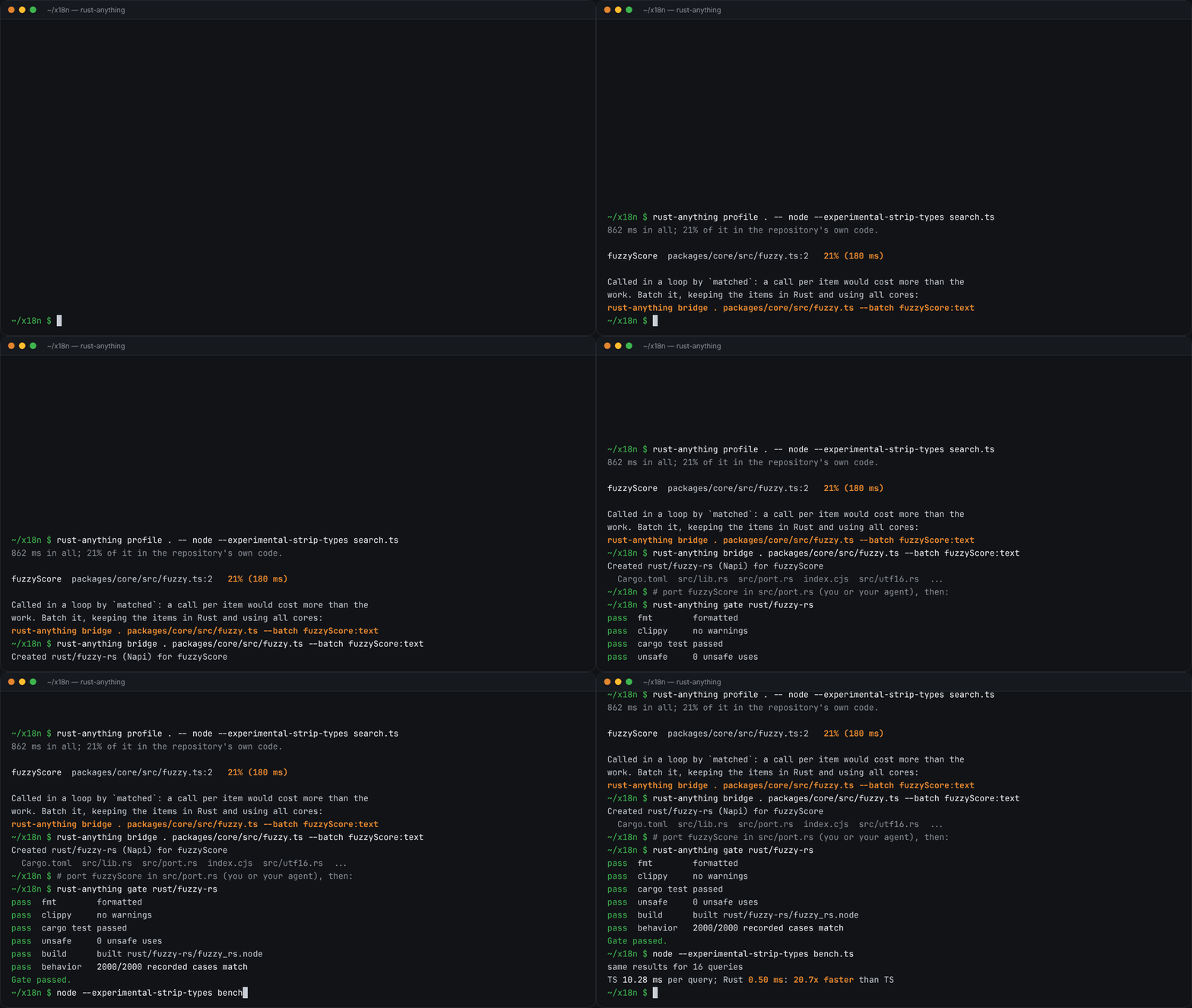
rust-anything, an MIT-licensed command-line tool that moves a Node.js, Python, C, Go, Ruby or Java app to Rust one piece at a time and checks each piece against recordings of the originalrust-anything, Node.js·Python·C·Go·Ruby·Java 앱을 한 조각씩 Rust로 옮기며 조각마다 원래 코드의 기록과 맞춰 보는 MIT License 명령줄 도구
Checked확인일
Image: rust-anything README.그림: rust-anything README.
sketchsketch
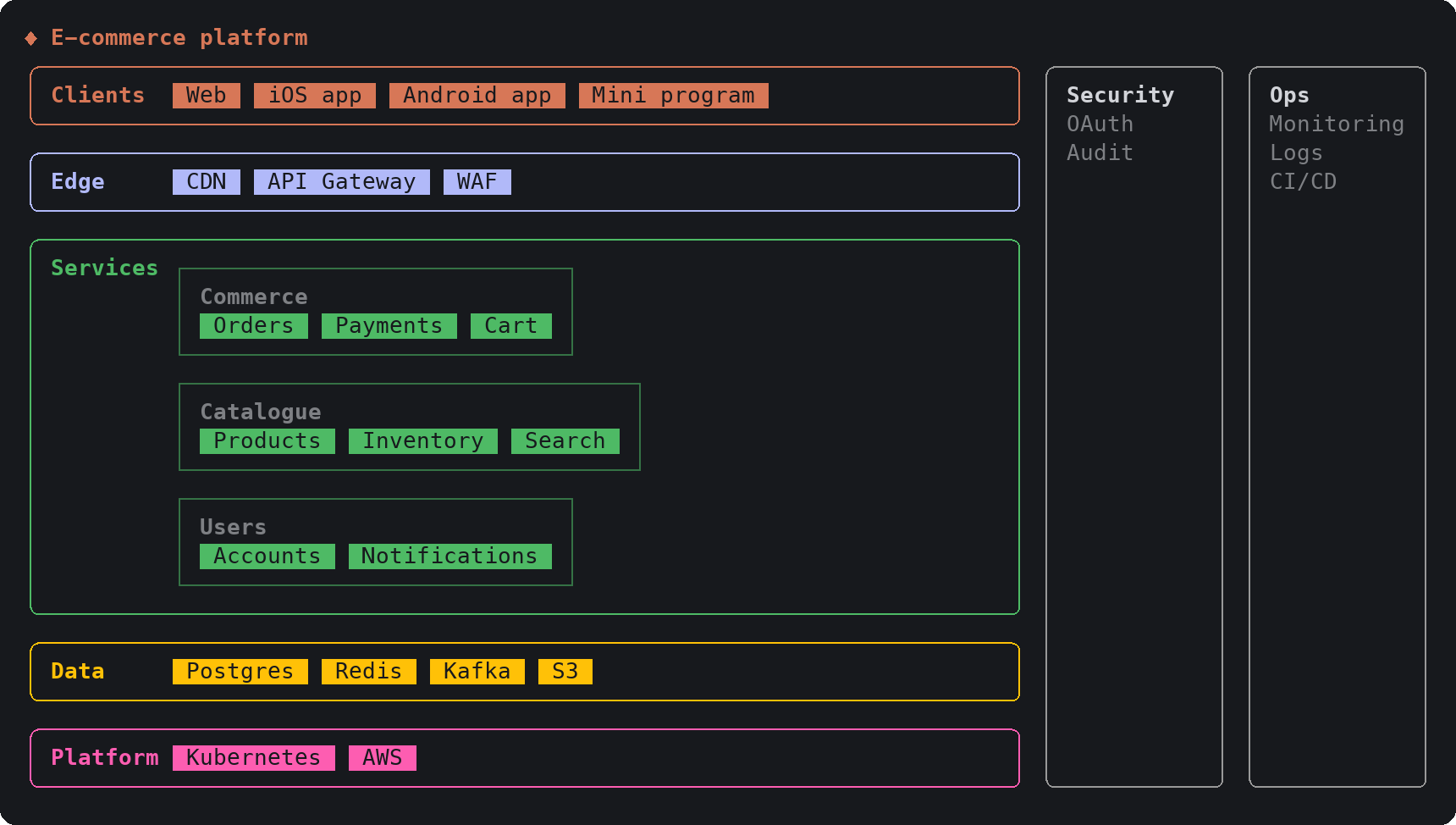
sketch, an MIT-licensed Claude Code plugin that answers with diagrams, roadmaps, wireframes and chart cards in the terminal instead of paragraphssketch, Claude Code의 답을 문단 대신 터미널 안 구조도와 로드맵, 화면 틀, 차트 카드로 그려 주는 MIT 플러그인
Checked확인일
Image: sketch README.그림: sketch README.
SketchCraftSketchCraft
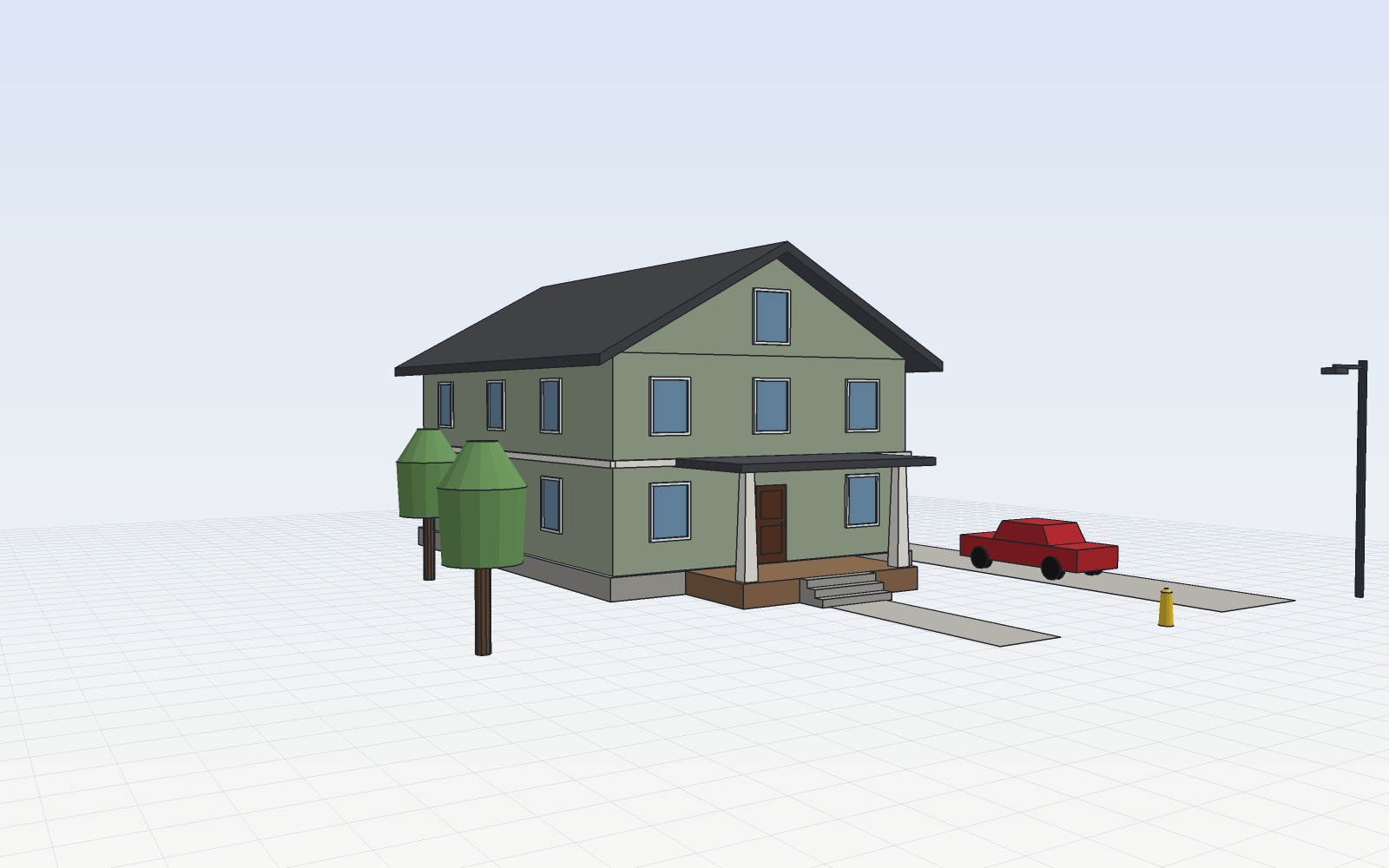
SketchCraft, a free MIT-licensed 3D modeler for houses, rooms and furniture that AI agents can also drive over MCP, limited to a workspace folderSketchCraft, 윤곽을 그려 끌어올리는 무료 MIT 3D 모델러, AI 에이전트도 작업 폴더 안에서 MCP로 같은 모델을 고친다
Checked확인일
Image: SketchCraft README.그림: SketchCraft README.