HREN


AIPOCH Open-Science, an open source research workbench that keeps papers, analysis and provenance in one projectAIPOCH Open-Science, 논문과 데이터 분석, 근거 기록을 한 프로젝트에 묶는 오픈 소스 연구 작업대
AIPOCH Open-Science is a local-first, Apache 2.0 open source AI research workbench. It ships as a desktop app for macOS, Windows and Linux and as a CLI, and connects to models through options including cloud providers, a custom gateway and an existing Claude subscription. Version 1.2.1, released on November 11, lets the built-in agent select Claude Fable 5.2 with a 1M context window.AIPOCH Open-Science는 데이터를 내 컴퓨터에 두고 쓰는 Apache 2.0 오픈 소스 AI 연구 작업대입니다. macOS, Windows, Linux 앱과 CLI로 나오고, 모델은 클라우드 제공자, 직접 운영하는 게이트웨이, Claude 구독 등으로 연결합니다. 11월 11일 v1.2.1에서는 내장 에이전트가 1M 컨텍스트의 Claude Fable 5.2를 고를 수 있게 됐습니다.
- Checked확인일
AIPOCH Open-Science is an open source AI research workbench for reproducible science, licensed under Apache 2.0. Installers cover macOS 12 or later (Apple Silicon M1 or newer, and Intel), Windows 10/11 x64, and Linux x64 and ARM64 (AppImage or Debian package), and on macOS it can also be installed with brew install --cask open-science. The CLI and Web UI, which run without the desktop app, come from the npm package @aipoch/open-science and need Node.js 22.13.0 or later.AIPOCH Open-Science는 재현 가능한 연구를 위한 오픈 소스 AI 연구 작업대이고, 라이선스는 Apache 2.0입니다. 설치판은 macOS 12 이상(Apple Silicon M1 이후, Intel), Windows 10/11 x64, Linux x64와 ARM64(AppImage, Debian 패키지)로 나오고, macOS에서는 Homebrew의 brew install --cask open-science로도 설치합니다. 데스크톱 앱 없이 쓰는 CLI와 웹 UI는 npm 패키지 @aipoch/open-science로 받으며 Node.js 22.13.0 이상이 필요합니다.
Within one project, references can be imported from Zotero or pasted as up to 100 identifiers or article links at a time, and with a screening model configured, papers are screened against inclusion and exclusion criteria. Python or R runs in a notebook to turn a dataset into a table or figure, and Provenance shows the inputs, code and execution history behind a specific version of a figure, table or report. Reviewer adds a separate check of an agent's answer against the execution logs and files for that turn.한 프로젝트 안에서 Zotero의 참고 자료를 가져오거나 식별자, 논문 링크를 한 번에 100개까지 붙여 넣고, 선별 모델을 설정하면 포함, 제외 기준으로 논문을 거릅니다. 노트북에서 Python이나 R을 돌려 데이터를 표나 그림으로 만들고, Provenance에서 그림, 표, 보고서의 특정 판이 어떤 입력과 코드, 실행 기록으로 나왔는지 봅니다. Reviewer를 켜면 에이전트의 답을 그 차례의 실행 로그와 파일에 견주어 따로 확인합니다.
A finished session can be exported as a .science package that opens read-only on another computer; importing it runs no code and restores no credentials. The app has 48 built-in connectors and 24 built-in skills, and the Skills Marketplace lists 525 installable skills.끝난 세션은 .science 패키지로 내보내 다른 컴퓨터에서 읽기 전용으로 열 수 있고, 가져올 때 코드를 실행하거나 자격 증명을 되살리지 않습니다. 내장 커넥터 48개와 내장 스킬 24개가 있고, Skills Marketplace에는 설치할 수 있는 스킬 525개가 있습니다.
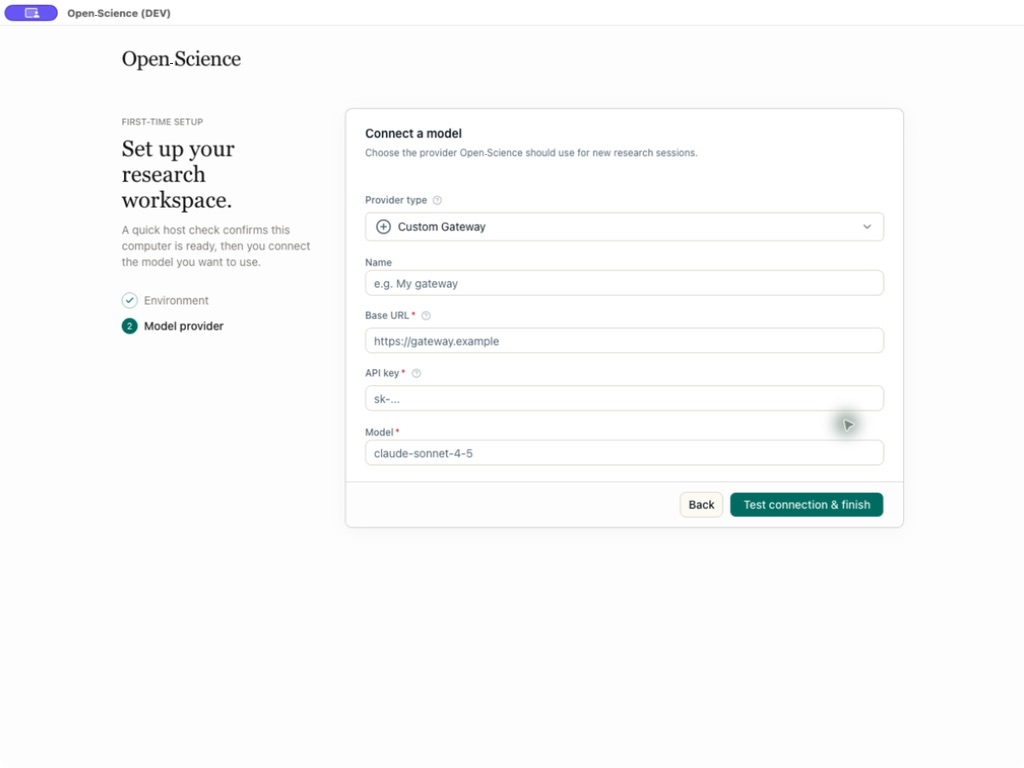
On first run, a setup wizard walks through Environment, Data location, Agent runtime, Model provider and Notebook runtime. Models connect through options including the built-in cloud provider list, a Custom Gateway, a Claude subscription and xAI (Grok) OAuth; remote gateways require HTTPS and an API key. Which providers are available depends on the agent backend in use and the API protocols it supports. Version 1.2.1, released on November 11, adds a Resource Center for managing skills, connectors, specialists and Marketplace installs together, and lets the built-in agent select Claude Fable 5.2 with a 1M context window.처음 실행하면 환경, 데이터 위치, 에이전트 런타임, 모델 제공자, 노트북 런타임 순서로 설정을 마칩니다. 모델은 내장 클라우드 제공자 목록, Custom Gateway, Claude 구독, xAI(Grok) OAuth 등으로 연결하고, 원격 게이트웨이에는 HTTPS와 API 키가 필요합니다. 어떤 제공자를 쓸 수 있는지는 고른 에이전트 백엔드가 지원하는 API 방식에 따라 달라집니다. 11월 11일 나온 v1.2.1에서는 스킬, 커넥터, Specialist, Marketplace 설치를 함께 다루는 Resource Center가 생겼고, 내장 에이전트가 1M 컨텍스트의 Claude Fable 5.2를 고를 수 있게 됐습니다.
Project data, settings, artifact versions and provenance evidence are stored on the local computer, API keys are kept locally in the operating system's secure credential storage when it is available, and logs stay local and are not uploaded automatically. External data flow still happens: model requests send the prompt and necessary context to the chosen model provider, web searches and remote connectors send their displayed parameters to external services, and local connectors may execute trusted commands on the computer. The app also contacts update servers, marketplace catalogs and runtime or model download services. There are three approval modes, Ask for approval, Auto-approve edits and Full access; Full access automatically allows edits, commands, network and connectors, and the README advises choosing the narrowest profile that fits the task. Remote jobs sent through SSH, Slurm, Kubernetes, Hugging Face Jobs, Modal or Ray show the target, command, resources and outputs for approval, and cloud jobs may incur charges on the connected account.프로젝트 데이터와 설정, 결과물 판, 근거 기록은 사용자 컴퓨터에 저장되고, API 키는 운영체제의 보안 자격 증명 저장소를 쓸 수 있으면 그곳에 둡니다. 로그도 로컬에 남고 자동으로 올라가지 않습니다. 다만 모델 요청에는 프롬프트와 필요한 맥락이 고른 모델 제공자에게 가고, 웹 검색과 원격 커넥터는 화면에 보이는 인자를 외부 서비스로 보내며, 로컬 커넥터는 신뢰한 명령을 컴퓨터에서 실행할 수 있습니다. 앱은 업데이트 서버, 마켓플레이스 목록, 런타임과 모델 내려받기 서비스에도 접속합니다. 승인 방식은 Ask for approval, Auto-approve edits, Full access 셋이고, Full access는 편집, 명령, 네트워크, 커넥터를 모두 자동으로 허용하므로 README는 작업에 맞는 가장 좁은 권한을 고르라고 적었습니다. SSH, Slurm, Kubernetes, Hugging Face Jobs, Modal, Ray로 원격 작업을 보낼 때는 대상, 명령, 자원, 출력을 보고 승인하며, 클라우드 작업은 연결한 계정에 요금이 붙을 수 있습니다.
Keep reading더 읽기
All articles전체 글rust-anythingrust-anything
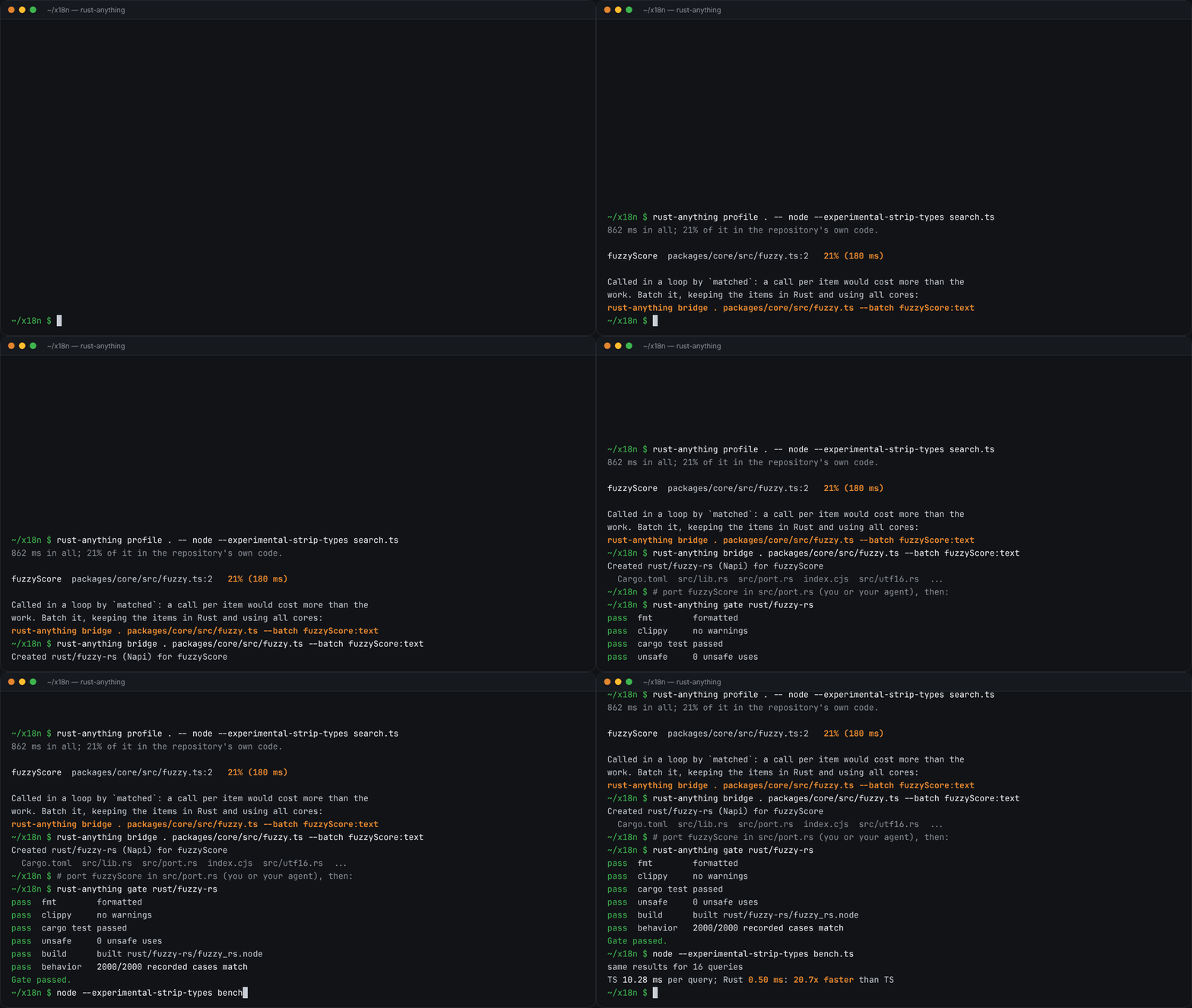
rust-anything, an MIT-licensed command-line tool that moves a Node.js, Python, C, Go, Ruby or Java app to Rust one piece at a time and checks each piece against recordings of the originalrust-anything, Node.js·Python·C·Go·Ruby·Java 앱을 한 조각씩 Rust로 옮기며 조각마다 원래 코드의 기록과 맞춰 보는 MIT License 명령줄 도구
Checked확인일
Image: rust-anything README.그림: rust-anything README.
sketchsketch
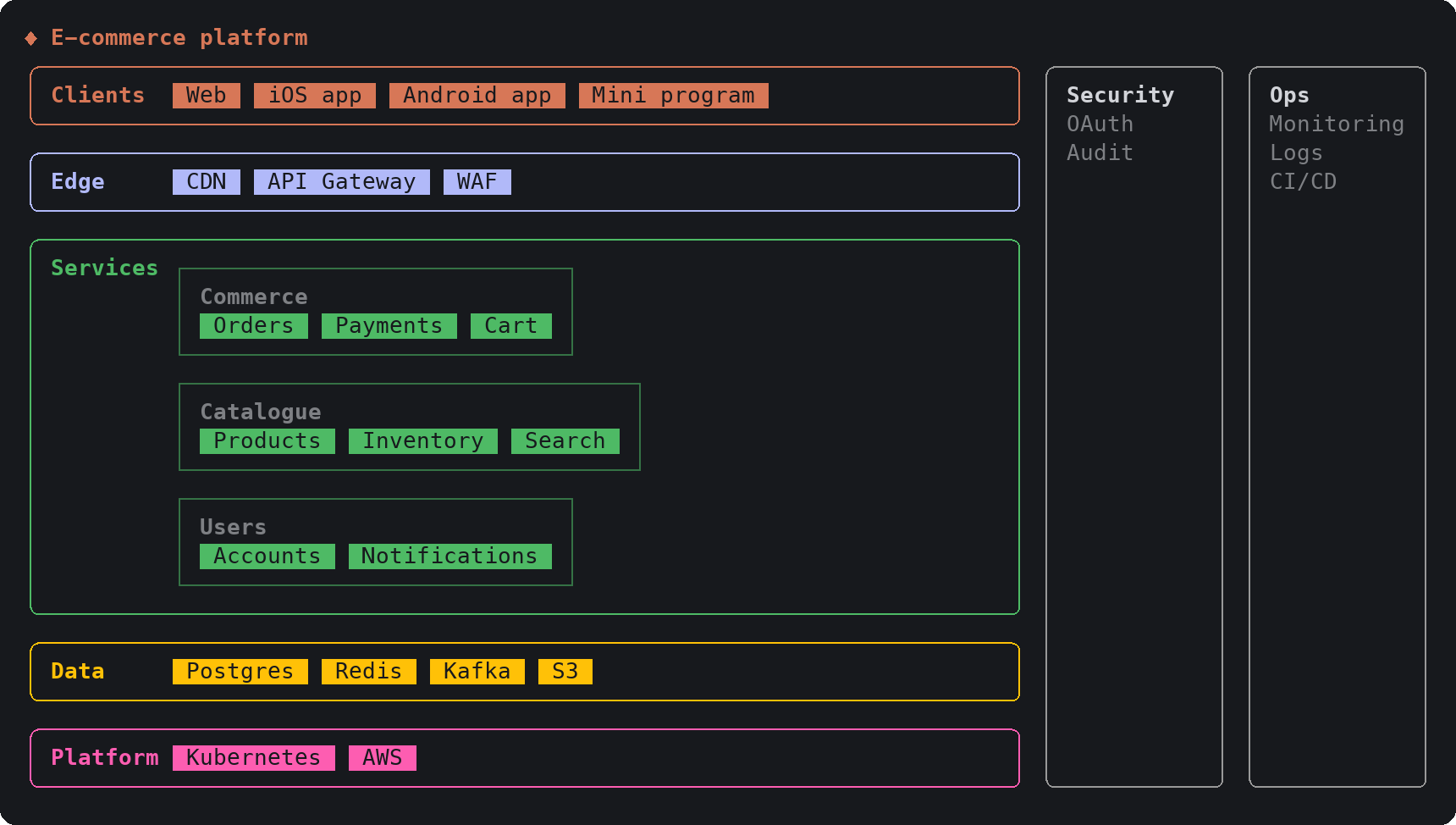
sketch, an MIT-licensed Claude Code plugin that answers with diagrams, roadmaps, wireframes and chart cards in the terminal instead of paragraphssketch, Claude Code의 답을 문단 대신 터미널 안 구조도와 로드맵, 화면 틀, 차트 카드로 그려 주는 MIT 플러그인
Checked확인일
Image: sketch README.그림: sketch README.
SketchCraftSketchCraft
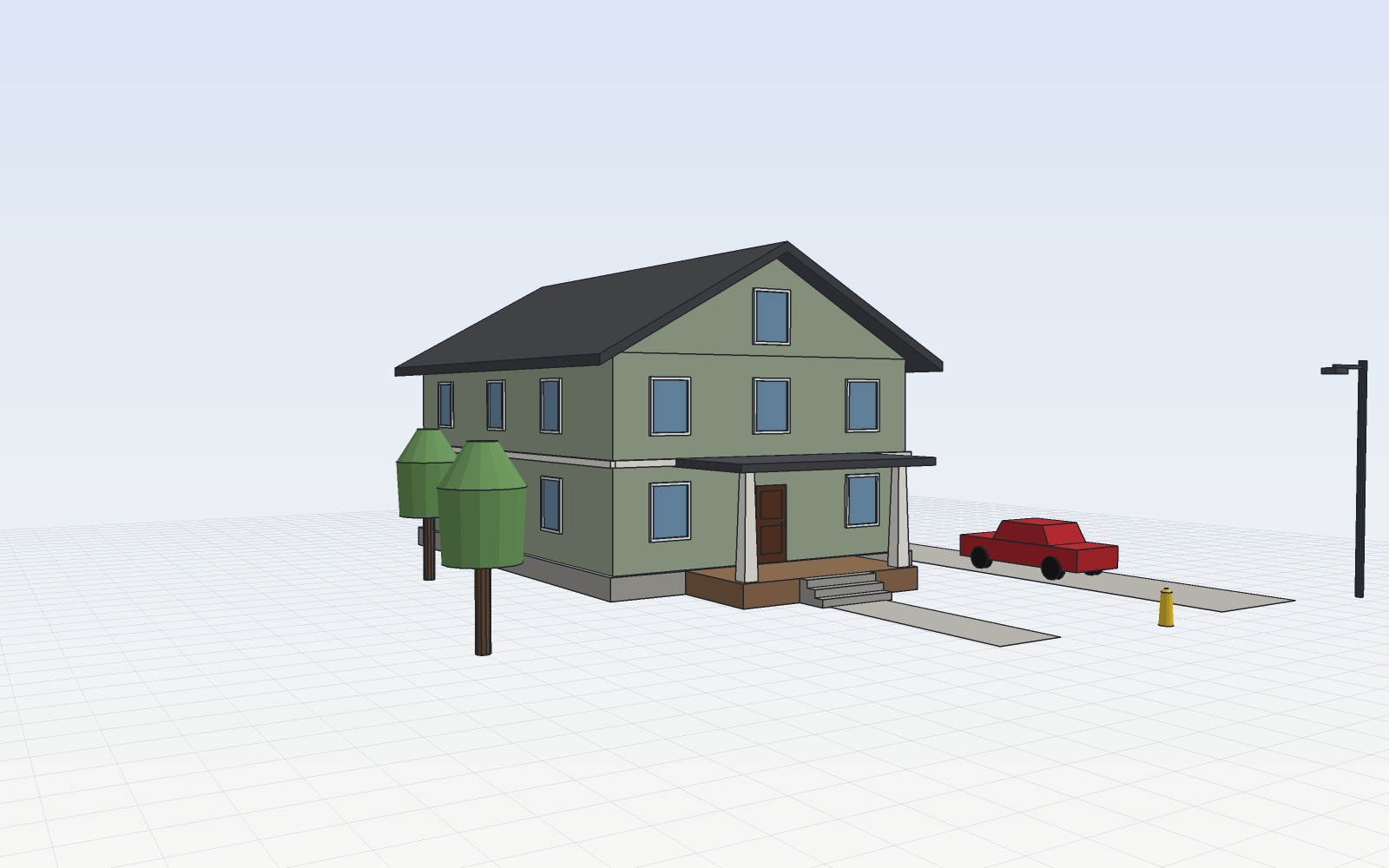
SketchCraft, a free MIT-licensed 3D modeler for houses, rooms and furniture that AI agents can also drive over MCP, limited to a workspace folderSketchCraft, 윤곽을 그려 끌어올리는 무료 MIT 3D 모델러, AI 에이전트도 작업 폴더 안에서 MCP로 같은 모델을 고친다
Checked확인일
Image: SketchCraft README.그림: SketchCraft README.