HREN


Codesk puts coding agents such as Claude Code on a local browser desktop that the agent reshapes on requestCodesk, Claude Code 같은 코딩 에이전트를 브라우저 속 데스크톱에서 쓰고 화면을 대화로 고치는 MIT 도구
Codesk is an MIT-licensed tool for using coding agents such as Claude Code on a desktop-style screen in your own browser. It needs Node 22.18 or newer and, per its README, is tested on macOS, with Windows and Linux not yet verified end to end. The server listens only on 127.0.0.1, but the windows placed on the desk are local code with full access to your machine, including running commands.Codesk는 Claude Code를 비롯한 코딩 에이전트를 내 컴퓨터 브라우저 안의 데스크톱 화면에서 쓰는 MIT 라이선스 도구입니다. Node 22.18 이상이 필요하고, README 기준으로 macOS에서 테스트됐으며 Windows와 Linux는 끝까지 검증되지 않았습니다. 서버는 127.0.0.1에서만 요청을 받지만, 데스크톱에 놓는 창은 명령 실행을 포함해 컴퓨터 전체에 접근할 수 있는 로컬 코드입니다.
- Checked확인일
Codesk is an MIT-licensed tool for using coding agents such as Claude Code and Codex on a desktop-style screen in your own browser. It needs Node 22.18 or newer and an agent to chat with. According to the README it is tested on macOS, and Windows and Linux should work but are not yet verified end to end. The server listens only on 127.0.0.1, from port 4830. The windows placed on the desk, however, are local code with full access to your machine, including running commands. The README says to install only ones you trust.Codesk는 Claude Code, Codex 같은 코딩 에이전트를 내 컴퓨터 브라우저 안의 데스크톱 화면에서 쓰는 MIT 라이선스 도구입니다. 쓰려면 Node 22.18 이상과 대화할 에이전트가 필요합니다. README에 따르면 macOS에서 테스트했고, Windows와 Linux는 동작할 것으로 보지만 아직 끝까지 검증하지 않았습니다. 서버는 127.0.0.1에서만 요청을 받고 포트는 4830부터 씁니다. 다만 데스크톱에 놓는 창은 명령 실행을 포함해 컴퓨터 전체에 접근할 수 있는 로컬 코드입니다. README는 믿을 수 있는 창만 설치하라고 적었습니다.
Installation means getting the repository and running a script. You fetch the repository with git clone and run node ~/codesk/install.mjs. The script runs npm install, then creates a codesk command in .local/bin under your home folder and a link to the Codesk folder at .claude/skills/codesk. To remove it, run the same script with --uninstall. If the agent you pick is not signed in, Codesk offers to sign you in through your browser, and setting ANTHROPIC_API_KEY or OPENAI_API_KEY also works. The source code shows that for Claude plan usage it reads the sign-in saved by Claude Code and sends a request to the usage address on api.anthropic.com, and for Codex usage it starts Codex's app-server and asks it. A code comment says only the normalized usage rows reach the browser, and credentials and raw errors never do. The README says nothing about encryption.설치는 저장소를 받아 스크립트를 실행하는 방식입니다. git clone으로 저장소를 받은 뒤 node ~/codesk/install.mjs를 실행합니다. 이 스크립트는 npm install을 실행하고, 홈 폴더의 .local/bin에 codesk 명령을, .claude/skills/codesk에 Codesk 폴더로 이어지는 링크를 만듭니다. 지울 때는 같은 스크립트에 --uninstall을 붙입니다. 고른 에이전트에 로그인돼 있지 않으면 Codesk가 브라우저로 로그인하도록 안내하고, ANTHROPIC_API_KEY나 OPENAI_API_KEY를 설정해도 됩니다. 소스 코드를 보면 Claude 플랜 사용량은 Claude Code에 저장된 로그인 값을 읽어 api.anthropic.com의 사용량 주소로 요청하고, Codex 사용량은 Codex의 app-server를 띄워 조회합니다. 코드 주석에는 정리된 사용량 값만 브라우저로 가고 자격 증명과 원본 오류는 가지 않는다고 적혀 있습니다. README에는 암호화에 관한 설명이 없습니다.
The README also sets out what is asked before something is downloaded or installed. Claude Code and Codex are ready to pick, and other ACP agents such as Gemini CLI, OpenCode, goose and Copilot are added from the Chat window. When you add another agent, Codesk says what it will download and run and asks before it does. A window or skin received as a ZIP is not installed straight away when dropped on the desk. The chat agent looks at what the window or skin does, tells you about anything unusual, and asks what to do if you already have one by that name and whether to put it on the desk. A ZIP holds the component's code, styles and bundled images, never your notes, chats or layout.무엇을 내려받고 설치할지 묻는 범위는 README에 이렇게 적혀 있습니다. Claude Code와 Codex는 바로 고를 수 있고, Gemini CLI, OpenCode, goose, Copilot 같은 다른 ACP 에이전트는 Chat 창에서 추가합니다. 다른 에이전트를 추가할 때 Codesk는 무엇을 내려받아 실행할지 알리고 실행 전에 묻습니다. ZIP으로 받은 창이나 스킨은 데스크톱에 놓아도 바로 설치되지 않습니다. 채팅 에이전트가 그 창이나 스킨이 하는 일을 살피고, 특이한 점을 알리고, 같은 이름이 이미 있으면 어떻게 할지와 데스크톱에 올릴지를 묻습니다. ZIP에는 구성 요소의 코드, 스타일, 함께 묶인 이미지만 들어가고 메모, 대화, 배치는 들어가지 않습니다.
The screen is changed through the conversation. Ask in the chat and the agent adds a window, wires up a control or reskins the whole desktop, and the change appears live without interrupting the conversation. Dashboards, galleries, control panels and games run in windows beside the chat, and because windows can run local commands, a button can do real work. Skins change colours, fonts, artwork and even a moving scene, and 8 are built in. The interface is HTML, CSS and JavaScript, so you can edit it yourself.화면은 대화로 바꿉니다. 채팅에서 요청하면 에이전트가 창을 추가하고, 컨트롤을 연결하고, 데스크톱 전체의 스킨을 바꾸며, 변경은 대화를 끊지 않고 바로 반영됩니다. 대시보드, 갤러리, 제어판, 게임이 채팅 옆 창에서 돌아가고, 창이 로컬 명령을 실행할 수 있어 버튼에 실제 작업을 맡길 수 있습니다. 스킨은 색, 글꼴, 그림, 움직이는 배경까지 바꾸며 8개가 기본으로 들어 있습니다. 인터페이스가 HTML, CSS, JavaScript여서 직접 고쳐도 됩니다.
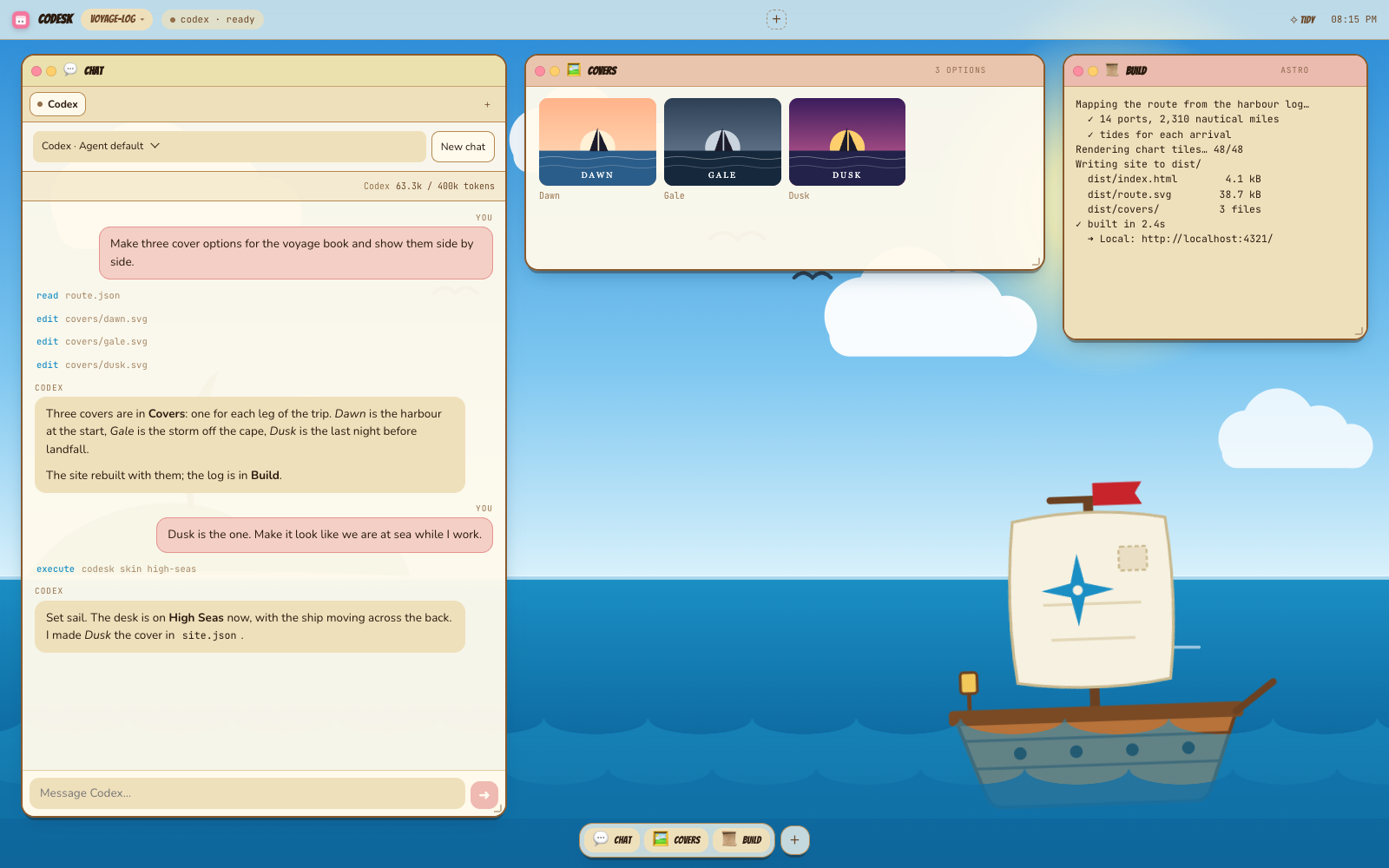
Run codesk in a project folder and the desk opens in your browser, where you pick an agent to connect. The + button opens more tabs, so a different agent can run in each tab. Replies stream in with tool activity and permission requests, and anything you send while the agent is busy waits its turn. Skin, windows and layout are saved per project. Windows and skins you make can be downloaded as a ZIP and sent to other people.프로젝트 폴더에서 codesk를 실행하면 브라우저에 데스크톱이 열리고, 연결할 에이전트를 고릅니다. + 버튼으로 탭을 더 열면 탭마다 다른 에이전트와 대화할 수 있습니다. 응답은 도구 활동, 권한 요청과 함께 실시간으로 표시되고, 에이전트가 작업 중일 때 보낸 메시지는 차례를 기다립니다. 스킨, 창, 배치는 프로젝트별로 저장됩니다. 만든 창과 스킨은 ZIP으로 내려받아 다른 사람에게 보낼 수 있습니다.
Per-project state lives in the project's .codesk folder, which Codesk keeps out of git by adding it to the repository's .git/info/exclude. To update, you run git pull and then the install script again. Agents that Codesk installed get newer versions through Update agents in the menu bar, and agents you installed yourself are yours to update. The README also notes that Windows and Linux are not yet verified end to end.프로젝트별 상태는 프로젝트의 .codesk 폴더에 저장되며, Codesk가 저장소의 .git/info/exclude에 이 폴더를 추가해 git에 올라가지 않게 합니다. 업데이트는 git pull 뒤 설치 스크립트를 다시 실행하는 방식입니다. Codesk가 설치한 에이전트는 메뉴 막대의 Update agents로 새 버전을 받고, 직접 설치한 에이전트는 사용자가 업데이트합니다. README는 Windows와 Linux가 아직 끝까지 검증되지 않았다는 점도 함께 적었습니다.
Keep reading더 읽기
All articles전체 글rust-anythingrust-anything
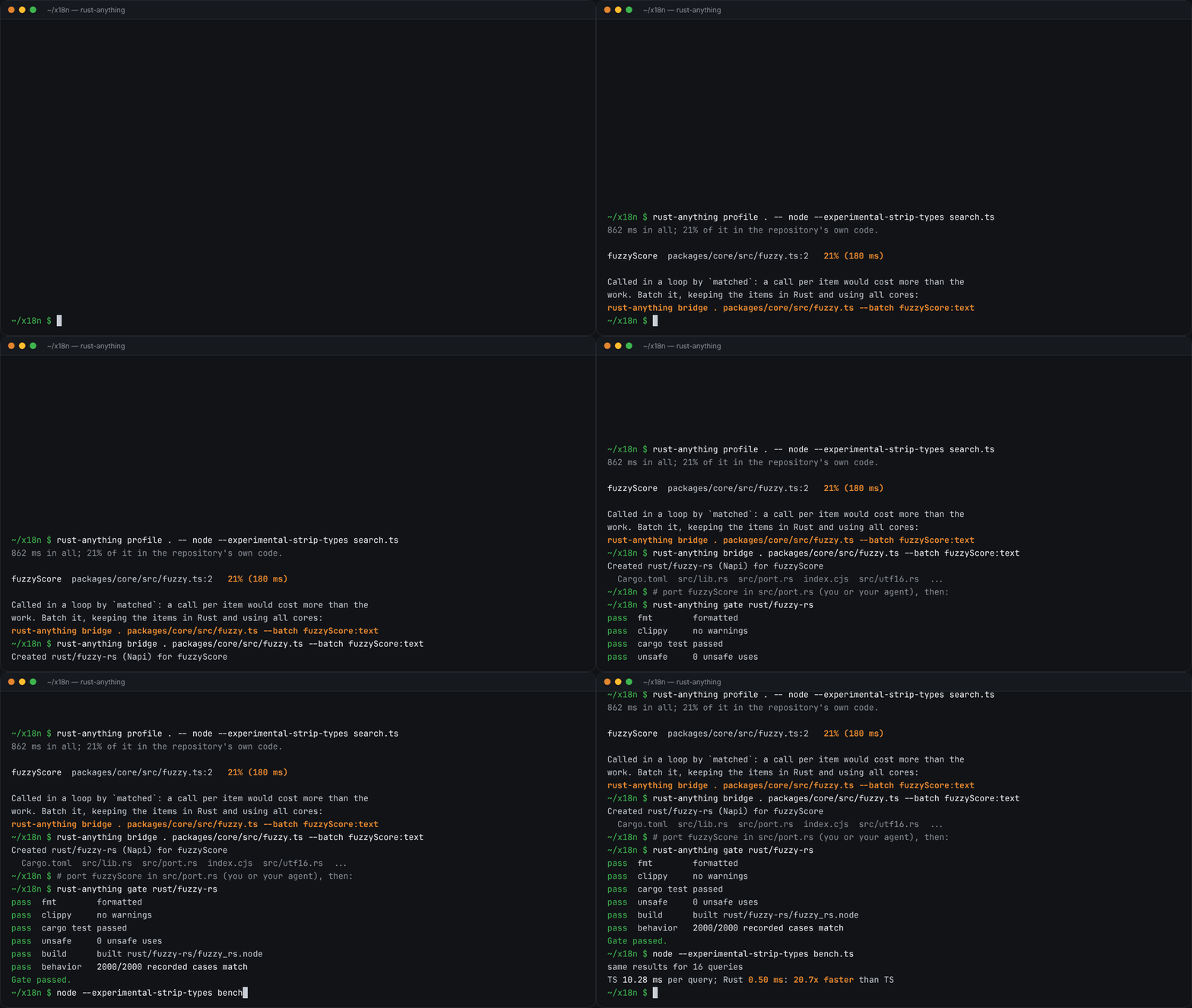
rust-anything, an MIT-licensed command-line tool that moves a Node.js, Python, C, Go, Ruby or Java app to Rust one piece at a time and checks each piece against recordings of the originalrust-anything, Node.js·Python·C·Go·Ruby·Java 앱을 한 조각씩 Rust로 옮기며 조각마다 원래 코드의 기록과 맞춰 보는 MIT License 명령줄 도구
Checked확인일
Image: rust-anything README.그림: rust-anything README.
sketchsketch
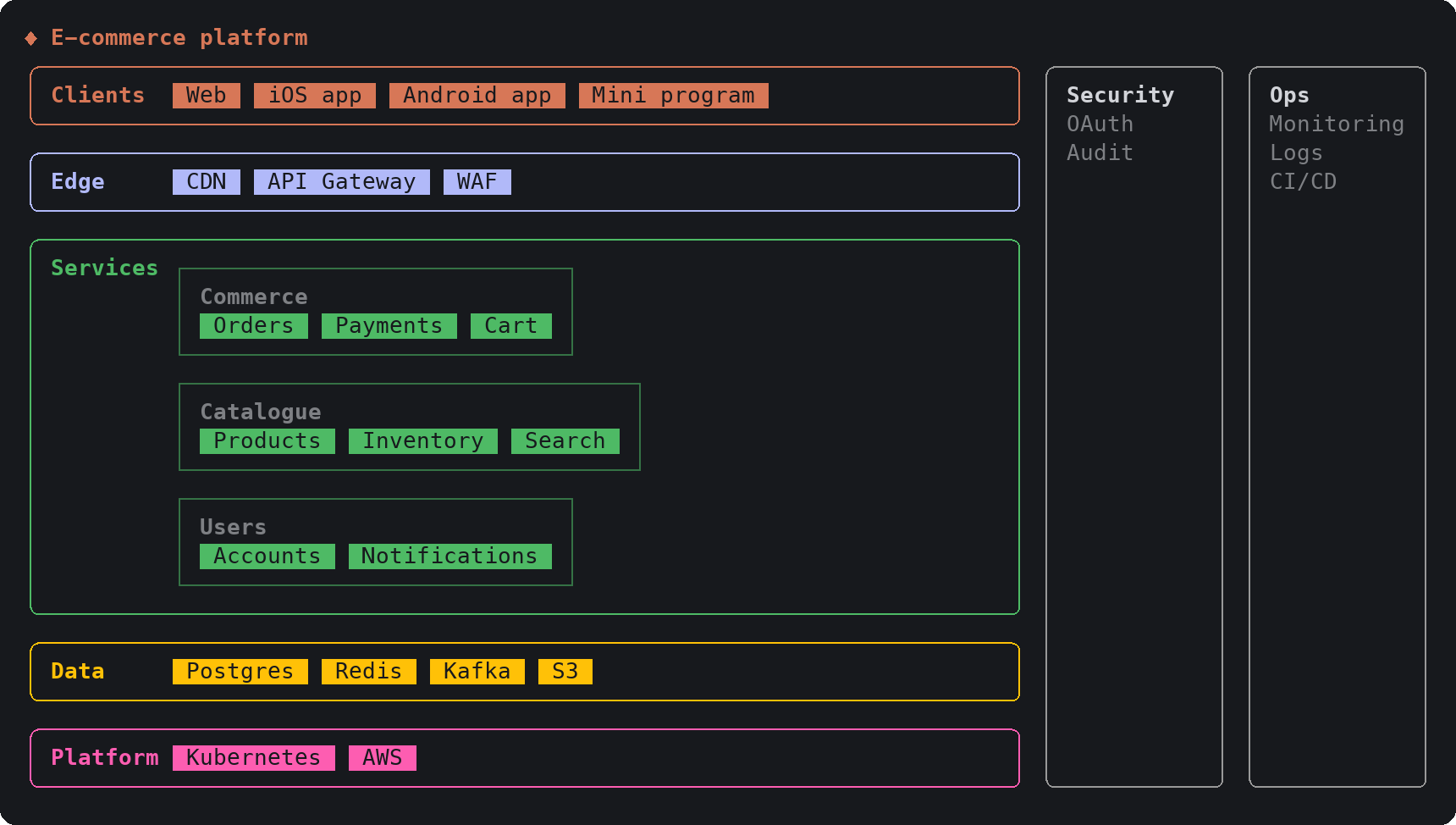
sketch, an MIT-licensed Claude Code plugin that answers with diagrams, roadmaps, wireframes and chart cards in the terminal instead of paragraphssketch, Claude Code의 답을 문단 대신 터미널 안 구조도와 로드맵, 화면 틀, 차트 카드로 그려 주는 MIT 플러그인
Checked확인일
Image: sketch README.그림: sketch README.
SketchCraftSketchCraft
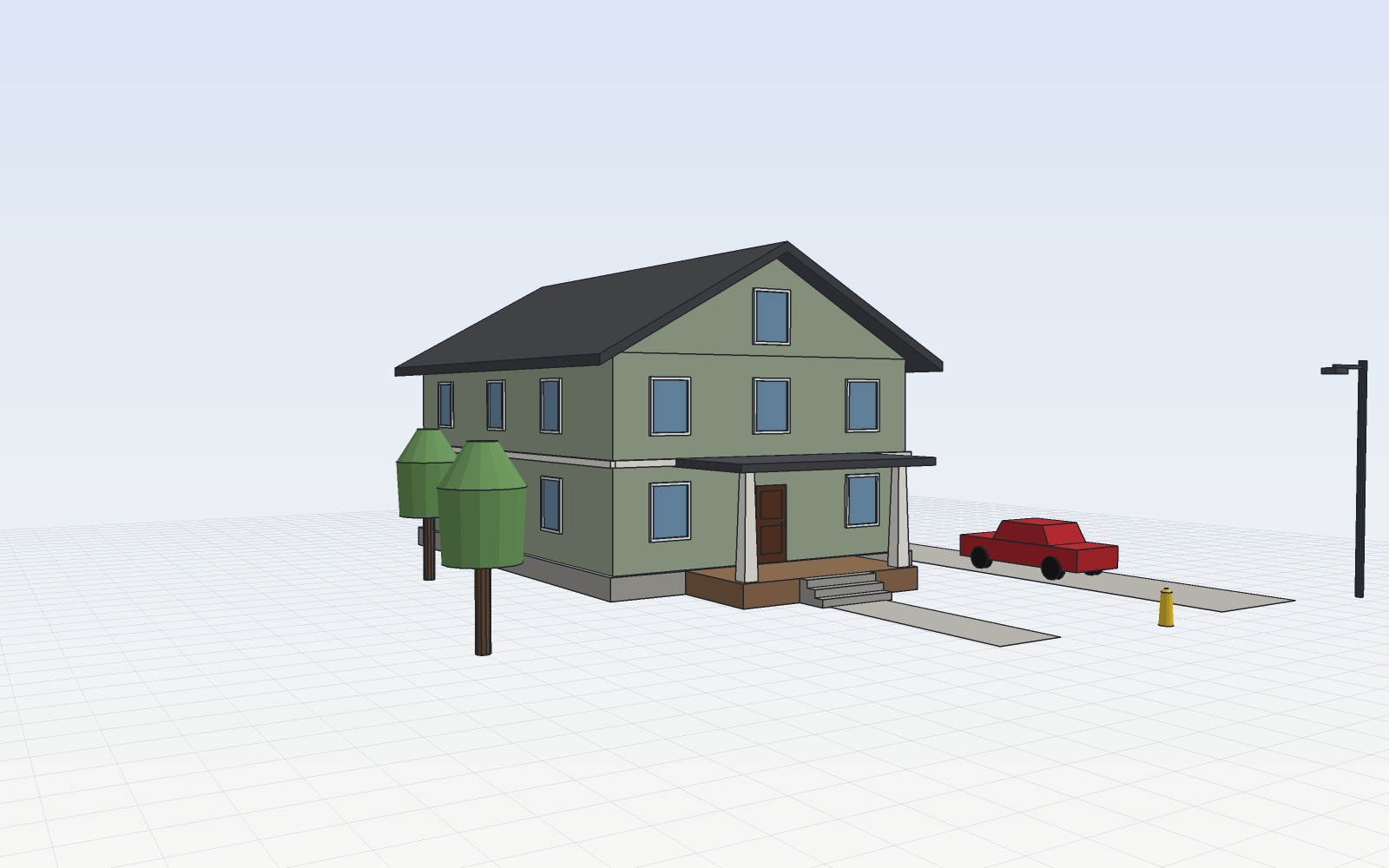
SketchCraft, a free MIT-licensed 3D modeler for houses, rooms and furniture that AI agents can also drive over MCP, limited to a workspace folderSketchCraft, 윤곽을 그려 끌어올리는 무료 MIT 3D 모델러, AI 에이전트도 작업 폴더 안에서 MCP로 같은 모델을 고친다
Checked확인일
Image: SketchCraft README.그림: SketchCraft README.