HREN


lot-map draws Claude Code's tool calls, hooks and subagents as a live map beside the chatlot-map, Claude Code의 도구 호출과 훅, 서브에이전트를 채팅 옆 지도로 그리는 MIT mod
lot-map is an MIT-licensed mod for Claude Code that draws tool calls, model steps, hooks and skills as a live map in a pane beside the chat. Per its README it was built and tested on Claude Code 2.1.321 on macOS and needs at least 144 columns in a terminal. It is handed every call's whole input, but the README says it takes only names from that and makes no network requests and reads no files.lot-map은 Claude Code 채팅 옆 창에 도구 호출, 모델 단계, 훅, 스킬을 지도로 그려 주는 MIT 라이선스 mod입니다. README 기준으로 macOS의 Claude Code 2.1.321에서 테스트됐고 터미널에서는 144열 이상이 필요합니다. 호출마다 입력 전체를 넘겨받지만, README는 mod가 이름만 가져오고 네트워크 요청이나 파일 읽기를 하지 않는다고 밝힙니다.
- Checked확인일
lot-map is a mod for Claude Code that draws a live map of the work in a pane beside the chat, and it is MIT-licensed. According to the README it was built and tested on Claude Code 2.1.321 on macOS, and users report it working on Windows as well. In a terminal it needs at least 144 columns and draws text only. Because it follows tool calls, it is handed every call's whole input, including command lines and the text written to files. The README says the mod takes names from that and nothing else, and that it makes no network requests, reads no files, runs no processes and calls no model. It also says the mod changes no input, no result, no context and no permission decision.lot-map은 Claude Code 채팅 옆 창에 작업 지도를 실시간으로 그려 주는 mod이고, 라이선스는 MIT입니다. README에 따르면 macOS의 Claude Code 2.1.321에서 만들고 테스트했으며, Windows에서도 동작한다는 사용자 보고가 있습니다. 터미널에서는 최소 144열이 필요하고 글자로만 그립니다. 도구 호출을 따라가는 mod여서 명령줄과 파일에 쓰는 글을 포함해 호출마다 입력 전체를 넘겨받습니다. README는 mod가 거기서 이름만 가져오며, 네트워크 요청을 하지 않고 파일을 읽지 않고 프로세스를 실행하지 않고 모델을 호출하지 않는다고 밝힙니다. 입력, 결과, 컨텍스트, 권한 결정도 바꾸지 않는다고 적었습니다.
On the map, signals travel between the centre and ten stations: You, Model, Memory, Files, Shell, Network, Browser, Agents, Skills and Hooks. When a tool call, model step, hook or skill starts, a pulse flies out from the centre to its station and returns when it ends, and refusals and errors turn red. Files lights for Read, Write, Edit, Grep, Glob and shell commands that work on files and nothing else. Network lights for web fetch and search, MCP servers and shell commands known to reach the network, such as curl and git push. Each subagent still at work circles the Agents station as a small dot.지도에서는 가운데와 지점 10곳 사이로 신호가 오갑니다. 지점은 You, Model, Memory, Files, Shell, Network, Browser, Agents, Skills, Hooks입니다. 도구 호출, 모델 단계, 훅, 스킬이 시작되면 가운데에서 해당 지점으로 펄스가 나가고 끝나면 돌아오며, 거부와 오류는 빨갛게 바뀝니다. Files에는 Read, Write, Edit, Grep, Glob과 파일만 다루는 셸 명령이, Network에는 웹 가져오기와 검색, MCP 서버, curl이나 git push처럼 네트워크에 닿는다고 알려진 셸 명령이 잡힙니다. 일하는 중인 서브에이전트는 Agents 지점 둘레를 작은 점으로 돕니다.
The map also shows how a session went. A spoke grows thicker and brighter the more its station is used, so at the end of a session the map shows where the work went. While a call runs, two clock hands grow around its station: the inner one goes round in a minute, the outer one in ten. The ring around the centre, which stands for the context window, fills as the session goes and turns amber at 70% and red at 90%. A change of model adds a row such as opus 5.5 → fable 5.2 to the feed. Below the map are the current action with the context percentage and the last 16 rows. The demo video in the repository is a made-up session replayed through the mod's own drawing code.지도는 세션의 흐름도 보여 줍니다. 많이 쓰인 지점일수록 바큇살이 굵고 밝아져, 세션이 끝나면 작업이 어디로 갔는지 드러납니다. 호출이 도는 동안에는 지점 둘레에 시곗바늘 둘이 자라는데 안쪽은 1분, 바깥쪽은 10분에 한 바퀴를 돕니다. 컨텍스트 창을 나타내는 가운데 고리는 세션이 진행될수록 채워지며 70%에서 호박색, 90%에서 빨간색으로 바뀝니다. 모델이 바뀌면 기록에 opus 5.5 → fable 5.2 같은 행이 생깁니다. 지도 아래에는 현재 동작과 컨텍스트 비율, 최근 16개 행이 나옵니다. 저장소의 데모 영상은 꾸며낸 세션을 mod 자체의 그리기 코드로 재생한 것입니다.
To install, run /plugin install lot-map --marketplace alexeyw/lot-map at the prompt of a terminal session, answer y to add the marketplace, then choose a scope. From a shell, the command is claude plugin install lot-map --marketplace alexeyw/lot-map. In the desktop app, click + next to the prompt box, then Plugins, Add marketplace with alexeyw/lot-map, then Add plugin. The pane opens by itself when a session starts; otherwise type /lot-map. To update, run claude plugin marketplace update lot-map and then claude plugin update lot-map@lot-map from a shell, and start a new session.설치는 터미널 세션의 프롬프트에서 /plugin install lot-map --marketplace alexeyw/lot-map 명령으로 합니다. y로 답해 마켓플레이스를 추가한 뒤 범위를 고릅니다. 셸에서는 claude plugin install lot-map --marketplace alexeyw/lot-map 명령을 씁니다. 데스크톱 앱에서는 프롬프트 상자 옆 +를 누르고 Plugins, Add marketplace에 alexeyw/lot-map을 넣은 다음 Add plugin을 고릅니다. 창은 세션이 시작되면 스스로 열리고, 그렇지 않으면 /lot-map을 입력합니다. 업데이트는 셸에서 claude plugin marketplace update lot-map, claude plugin update lot-map@lot-map 순서로 실행한 뒤 새 세션을 시작합니다.
The README lists cautions too. A marketplace added from this repository follows its main branch, so an update brings whatever is there, and the README advises reading the diff before updating if that matters to you. The shell stations go by the command's name, not by what it does, so a script that opens a connection itself, such as python -c, shows as Shell. Between sessions the mod keeps one thing, the name of the model last used in each folder, stored under the folder's full path in Claude Code's own store for the plugin. PRIVACY.md notes that a folder's path usually contains your account name and says uninstalling the plugin removes what it keeps. It also states that there is no lot-map service, no account and no server.주의할 점도 README에 적혀 있습니다. 이 저장소에서 추가한 마켓플레이스는 main 브랜치를 따라가므로, 업데이트하면 그 시점에 올라와 있는 코드가 그대로 들어옵니다. README는 이 점이 중요하다면 업데이트 전에 diff를 먼저 읽으라고 적었습니다. 셸 지점은 명령의 이름으로 정해지고 실제 동작은 따지지 않아, python -c처럼 스스로 연결을 여는 스크립트는 Shell로 표시됩니다. 세션 사이에 남기는 값은 폴더마다 마지막으로 쓴 모델 이름 하나이며, 폴더의 전체 경로 아래 Claude Code의 플러그인 저장소에 보관됩니다. PRIVACY.md는 폴더 경로에 보통 계정 이름이 들어 있다고 밝히고, 남긴 값은 플러그인을 제거하면 지워진다고 안내합니다. lot-map 서비스나 계정, 서버는 없다고도 적었습니다.
Sources & references원문과 참고 자료
Keep reading더 읽기
All articles전체 글rust-anythingrust-anything
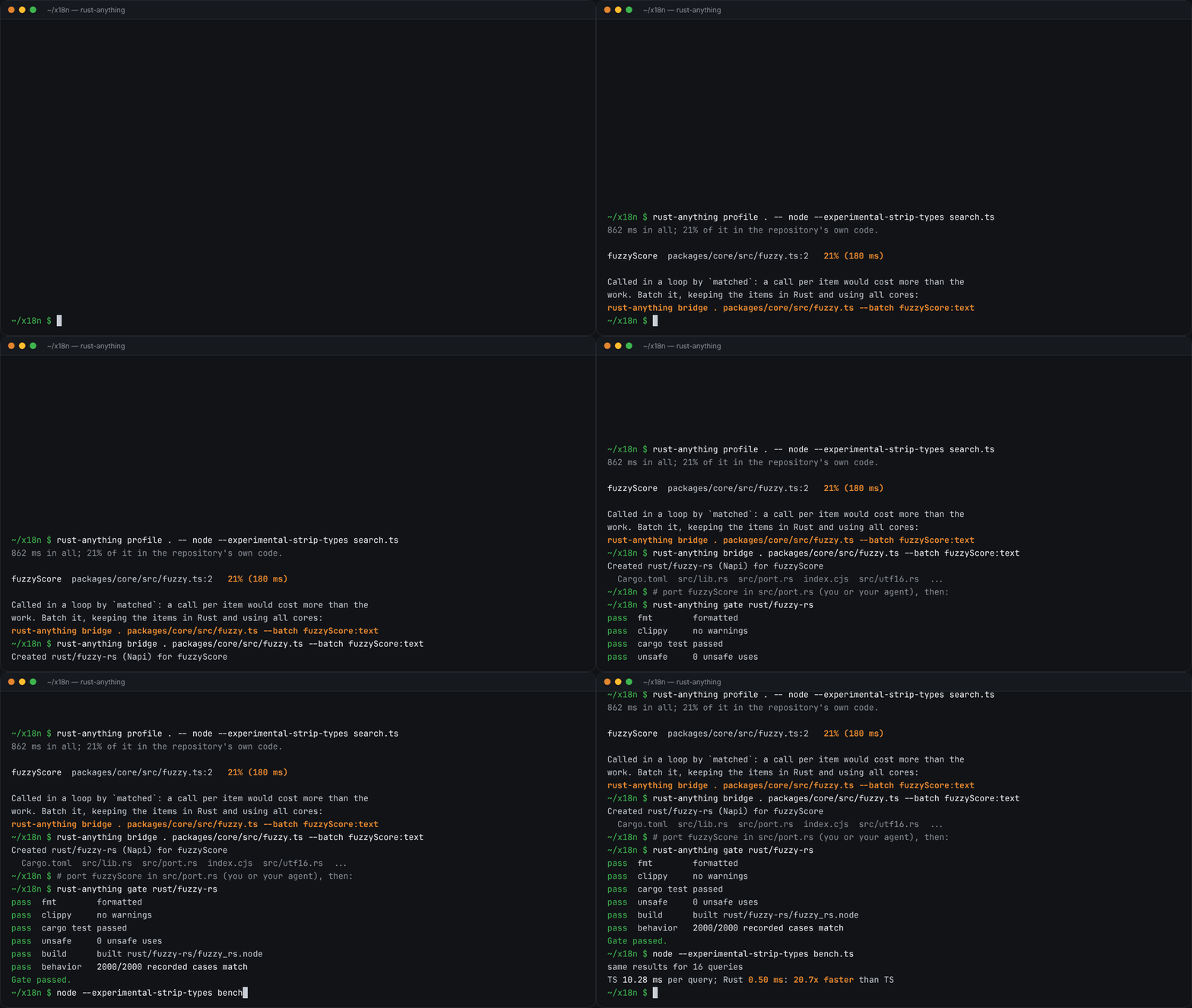
rust-anything, an MIT-licensed command-line tool that moves a Node.js, Python, C, Go, Ruby or Java app to Rust one piece at a time and checks each piece against recordings of the originalrust-anything, Node.js·Python·C·Go·Ruby·Java 앱을 한 조각씩 Rust로 옮기며 조각마다 원래 코드의 기록과 맞춰 보는 MIT License 명령줄 도구
Checked확인일
Image: rust-anything README.그림: rust-anything README.
sketchsketch
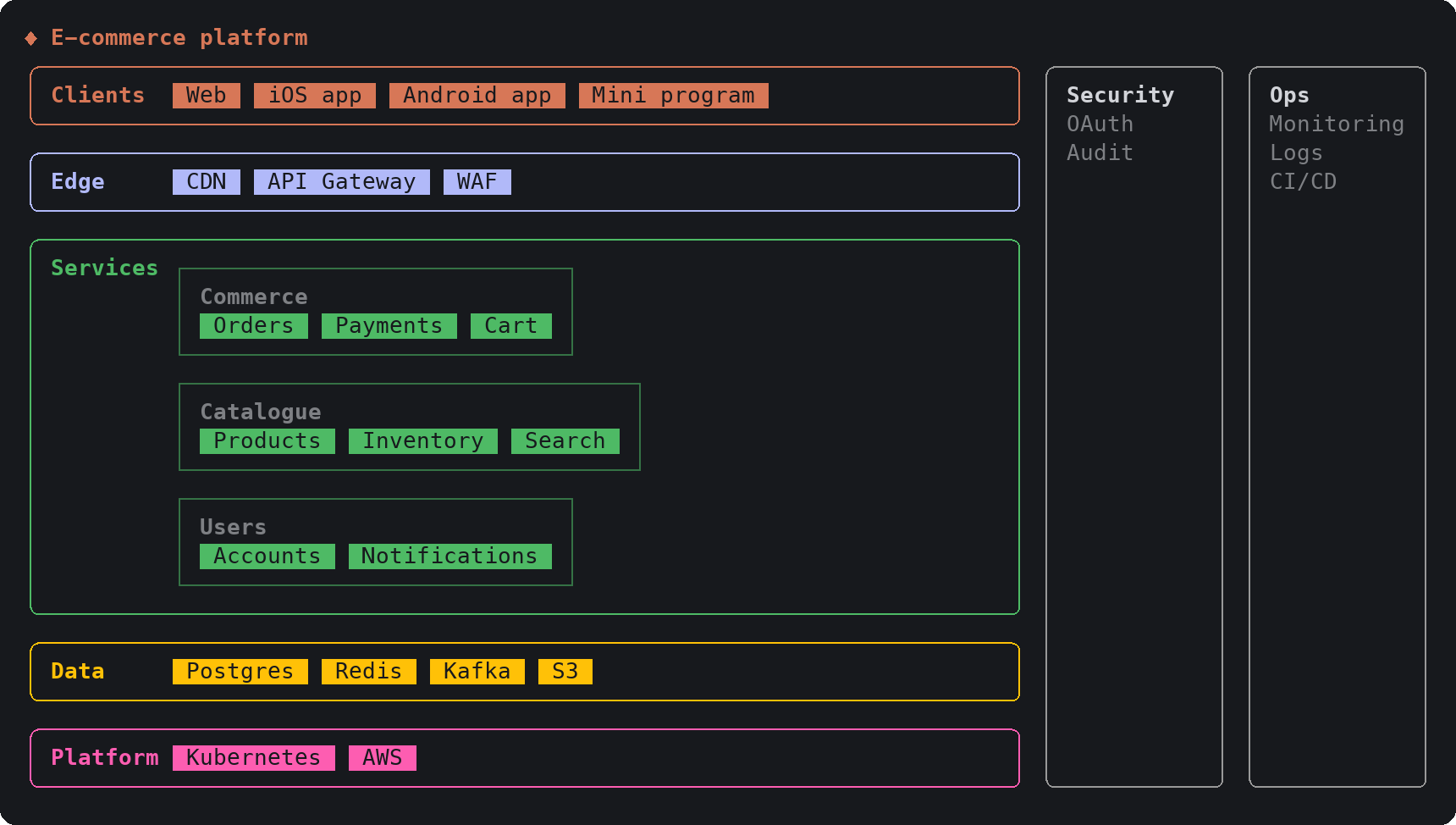
sketch, an MIT-licensed Claude Code plugin that answers with diagrams, roadmaps, wireframes and chart cards in the terminal instead of paragraphssketch, Claude Code의 답을 문단 대신 터미널 안 구조도와 로드맵, 화면 틀, 차트 카드로 그려 주는 MIT 플러그인
Checked확인일
Image: sketch README.그림: sketch README.
SketchCraftSketchCraft
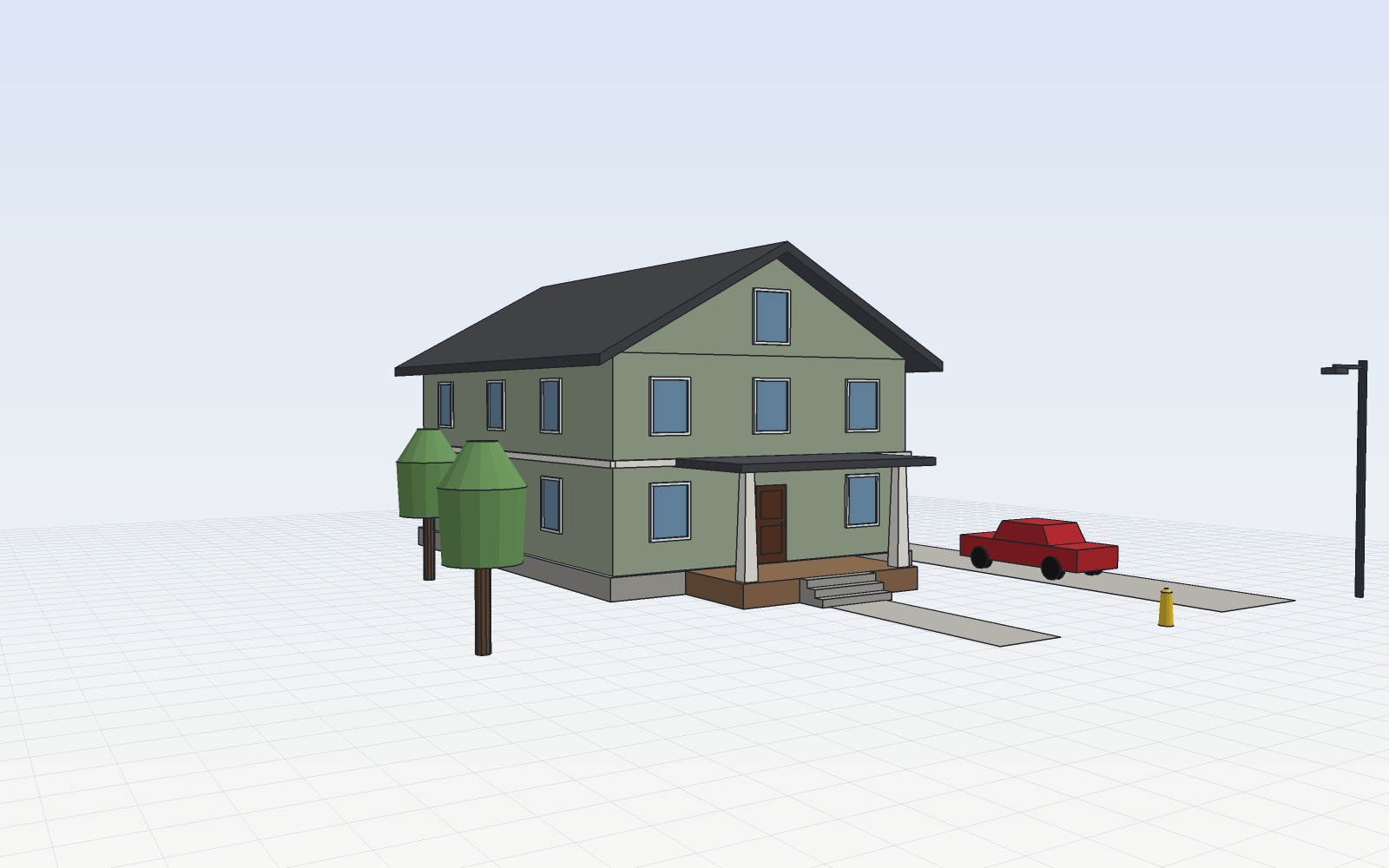
SketchCraft, a free MIT-licensed 3D modeler for houses, rooms and furniture that AI agents can also drive over MCP, limited to a workspace folderSketchCraft, 윤곽을 그려 끌어올리는 무료 MIT 3D 모델러, AI 에이전트도 작업 폴더 안에서 MCP로 같은 모델을 고친다
Checked확인일
Image: SketchCraft README.그림: SketchCraft README.