HREN


Pine Drama Studio, an Apache-2.0 desktop studio for making AI short dramas with an agent on a Pine ComputerPine Drama Studio, Pine Computer의 에이전트와 AI 숏드라마를 만드는 Apache-2.0 데스크톱 스튜디오
Pine Drama Studio is an Apache-2.0 desktop app built on Code-OSS in which an agent on a Pine Computer makes a drama with the user, from characters, locations and keyframes to storyboards, takes and the cut. It needs a Pine project key, and each paid step starts only after the user says go. Mac builds signed and notarized by Apple are on the Releases page.Pine Drama Studio는 Code-OSS 위에 만든 Apache-2.0 데스크톱 앱으로, Pine Computer의 에이전트가 대본에서 인물과 장소, 키프레임, 스토리보드, 테이크, 편집본까지 사용자와 함께 만듭니다. Pine 프로젝트 키가 있어야 하고, 비용이 드는 단계는 사용자가 진행하라고 해야 시작됩니다. Apple의 서명과 공증을 거친 Mac용 판이 Releases 페이지에 있습니다.
- Checked확인일
Pine Drama Studio is a desktop studio for AI short dramas built on Code-OSS, and its repository is published under Apache-2.0. It comes with requirements. The install files are the Mac .dmg builds in the latest release on the repository's Releases page, darwin-arm64 for Apple silicon and darwin-x64 for Intel, both signed and notarized by Apple. The README says a Windows x64 installer is built, signed and tested in CI, but its install steps list only the Mac files. Building from source needs macOS, git, Node.js and the Code-OSS build prerequisites.Pine Drama Studio는 Code-OSS 위에 만든 AI 숏드라마용 데스크톱 스튜디오로, 저장소는 Apache-2.0으로 공개돼 있습니다. 쓰기 전에 알아 둘 조건이 있습니다. 설치 파일은 저장소 Releases 페이지의 최신 판에 있는 Mac용 .dmg입니다. Apple silicon용 darwin-arm64와 Intel Mac용 darwin-x64가 있고, 둘 다 Apple의 서명과 공증을 거쳤습니다. Windows x64 설치 파일은 CI에서 빌드하고 서명하고 시험한다고 적혀 있지만, README의 설치 안내에는 Mac용 파일만 나옵니다. 소스에서 빌드하려면 macOS와 git, Node.js, Code-OSS 빌드 준비물이 필요합니다.
The drama is made not on the user's own computer but by an agent on a Pine Computer working with the user, and the Studio and a Pine Computer speak one open, add-only protocol. A Pine project key, starting with pk_ and issued on the Pine Computer site, is required, and the key is kept in the operating system's secret storage. Each paid step starts only after the user says go, and the user approves the results on the canvas. The drama's folder sits on the user's machine, and the README says it is the only copy. The README does not give Pine Computer pricing, what data stays on a Pine Computer, or how traffic is encrypted.드라마는 내 컴퓨터가 아니라 Pine Computer에 있는 에이전트가 사용자와 함께 만들고, Studio와 Pine Computer는 공개된 추가 전용 프로토콜 하나로 주고받습니다. 그래서 Pine Computer 사이트에서 받는 Pine 프로젝트 키(pk_로 시작)가 있어야 하고, 키는 운영체제의 비밀 저장소에 보관됩니다. 비용이 드는 단계는 사용자가 진행하라고 해야 시작되고, 결과는 사용자가 캔버스에서 승인합니다. 만든 드라마 폴더는 사용자의 컴퓨터에 있고, README는 그 폴더가 유일한 사본이라고 적었습니다. Pine Computer 이용 요금과 Pine Computer에 어떤 데이터가 남는지, 전송 암호화 방식은 README에 나와 있지 않습니다.
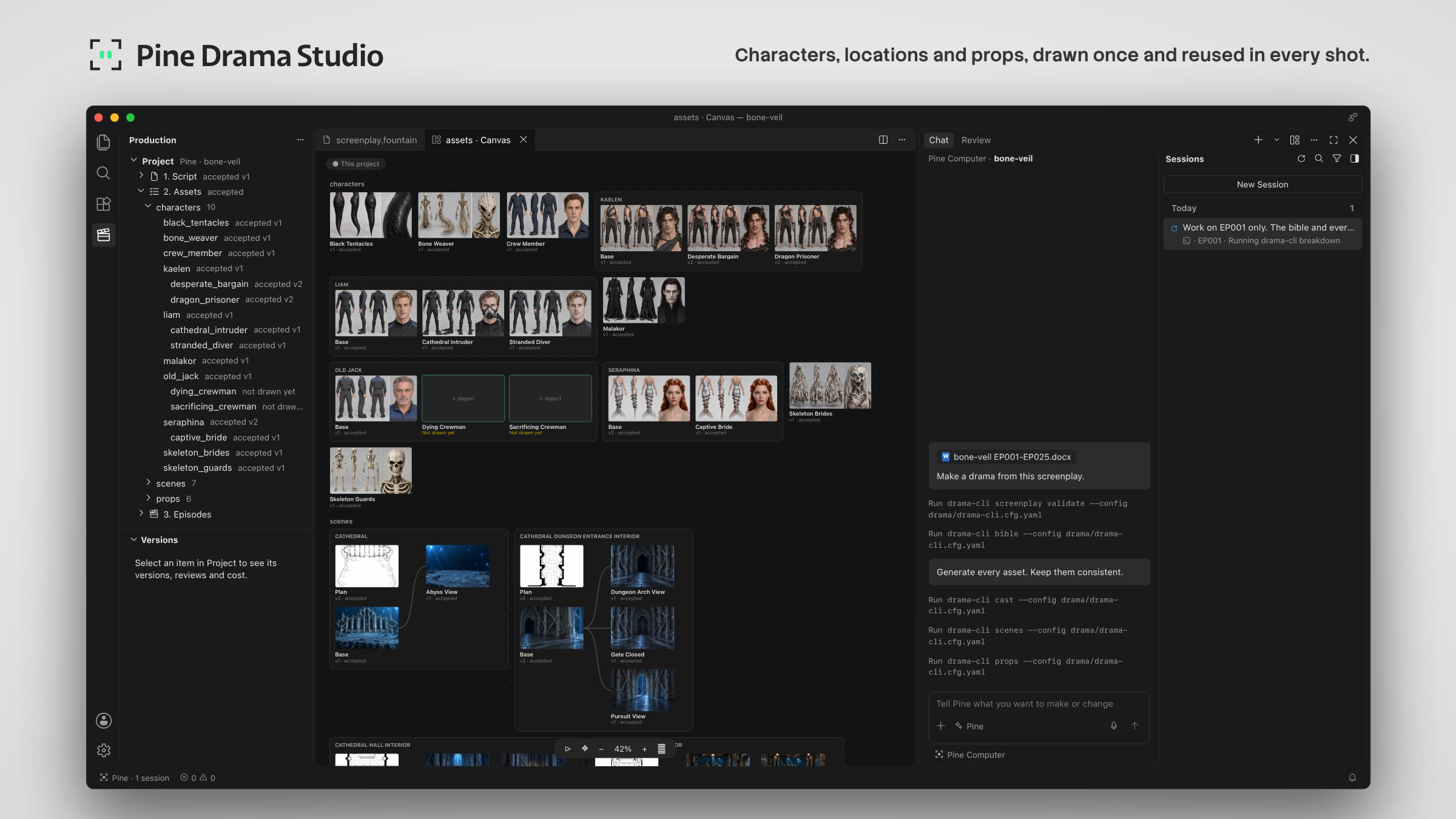
The README lays out the steps. Open the Studio, connect with the key under Accounts and then Pine Computer, create a project with File and then New Project, choose an empty folder and drop in a screenplay. Then the user talks to the agent in the Chat, and the agent makes the drama with the user: characters, locations and props, keyframes, storyboards, takes and the cut. The left side holds the project, its assets and episodes, the center the canvas, the galleries and the editors, the right the Chat with the agent and its reviews, and the bottom diagnostics. Every episode has its own canvas for storyboards, keyframes and takes.README의 사용 순서는 이렇습니다. Studio를 열고 Accounts 메뉴의 Pine Computer에서 키로 연결한 뒤, File 메뉴의 New Project로 빈 폴더를 골라 프로젝트를 만들고 대본을 넣습니다. 그다음 Chat에서 에이전트와 이야기하면 에이전트가 인물과 장소, 소품, 키프레임, 스토리보드, 테이크, 최종 편집본까지 사용자와 함께 만듭니다. 화면 왼쪽에는 프로젝트와 에셋, 에피소드가, 가운데에는 캔버스와 갤러리, 편집기가, 오른쪽에는 에이전트와의 Chat과 검토가, 아래에는 진단 정보가 놓입니다. 에피소드마다 캔버스가 따로 있어 스토리보드와 키프레임, 테이크를 그 위에 모읍니다.
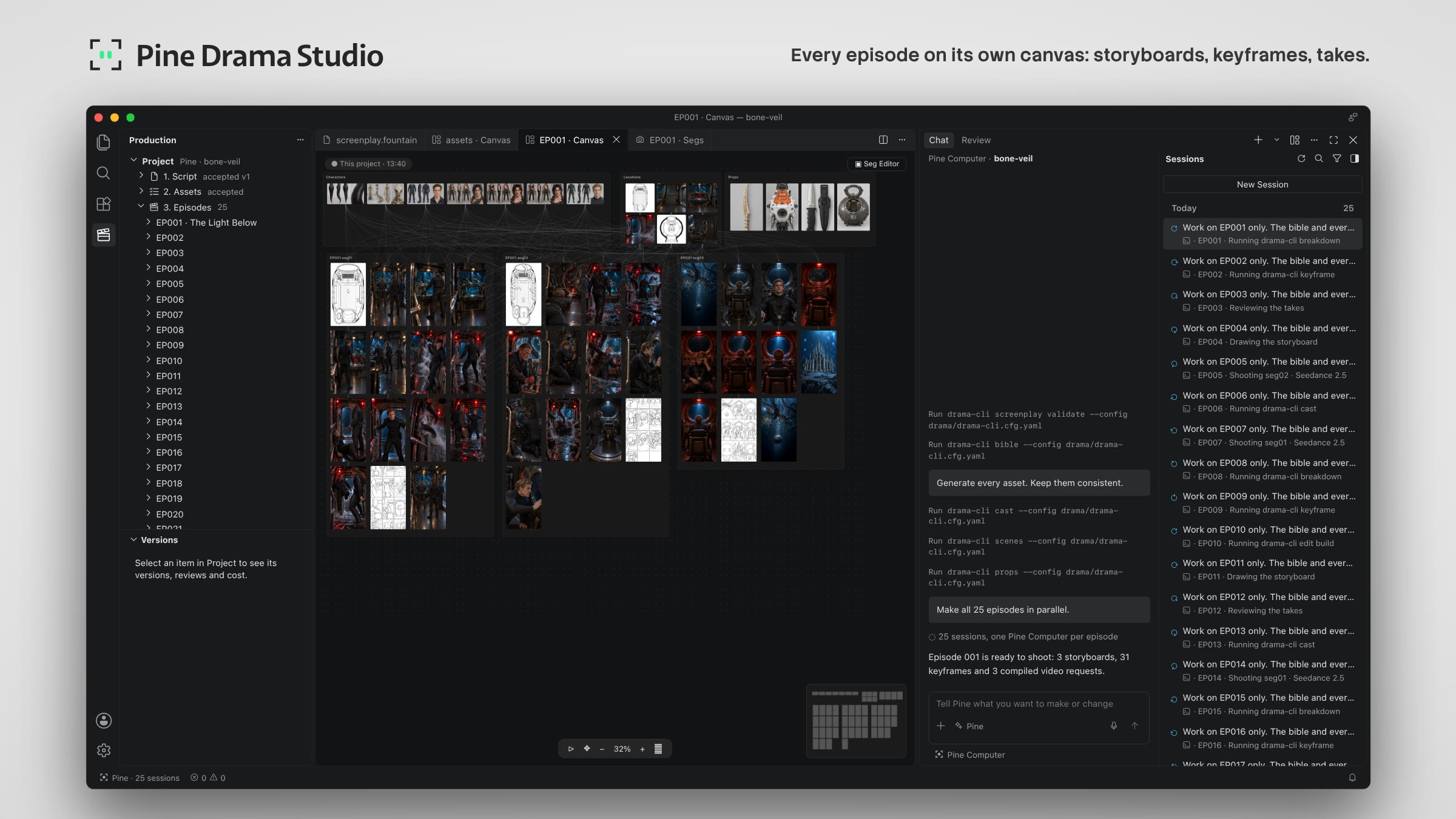
Characters, locations and props are drawn once and reused in every shot. Pine Computers come with built-in presets, and the agent picks one or uses the one the user names; a custom preset goes in the project's inputs/preset folder. Screenplays are in the Fountain format.인물과 장소, 소품은 한 번 그려 두고 모든 장면에 다시 씁니다. Pine Computer에는 프리셋이 들어 있어 에이전트가 하나를 고르거나 사용자가 지정한 것을 쓰고, 자기 프리셋은 프로젝트의 inputs/preset 폴더에 넣어 쓸 수 있습니다. 대본은 Fountain 형식입니다.
After the Mac app is dragged to Applications, it updates itself. A package the user builds is ad-hoc signed, and if it runs first it creates a keychain item, after which macOS may ask for the login keychain password when the signed release uses it.Mac용 앱은 Applications로 옮긴 뒤부터 스스로 업데이트합니다. 사용자가 빌드한 패키지는 ad-hoc 서명이라, 그것을 먼저 실행하면 키체인 항목이 생기고 나중에 서명된 판이 그 항목을 쓸 때 macOS가 로그인 키체인 암호를 물을 수 있습니다.
The code is under Apache-2.0, and the copyright notice in NOTICE names 19pine corp. Code-OSS, which it is built on, is MIT-licensed by Microsoft, the Fountain grammar comes from Better Fountain under the MIT License, and the npm dependencies come under their own licenses.코드는 Apache-2.0이고, NOTICE의 저작권 표시는 19pine corp.입니다. 바탕인 Code-OSS는 Microsoft의 MIT 라이선스이고, Fountain 문법 파일은 MIT 라이선스인 Better Fountain에서 왔으며, npm 의존성은 각자의 라이선스를 따릅니다.
Keep reading더 읽기
All articles전체 글rust-anythingrust-anything
rust-anything, an MIT-licensed command-line tool that moves a Node.js, Python, C, Go, Ruby or Java app to Rust one piece at a time and checks each piece against recordings of the originalrust-anything, Node.js·Python·C·Go·Ruby·Java 앱을 한 조각씩 Rust로 옮기며 조각마다 원래 코드의 기록과 맞춰 보는 MIT License 명령줄 도구
Checked확인일
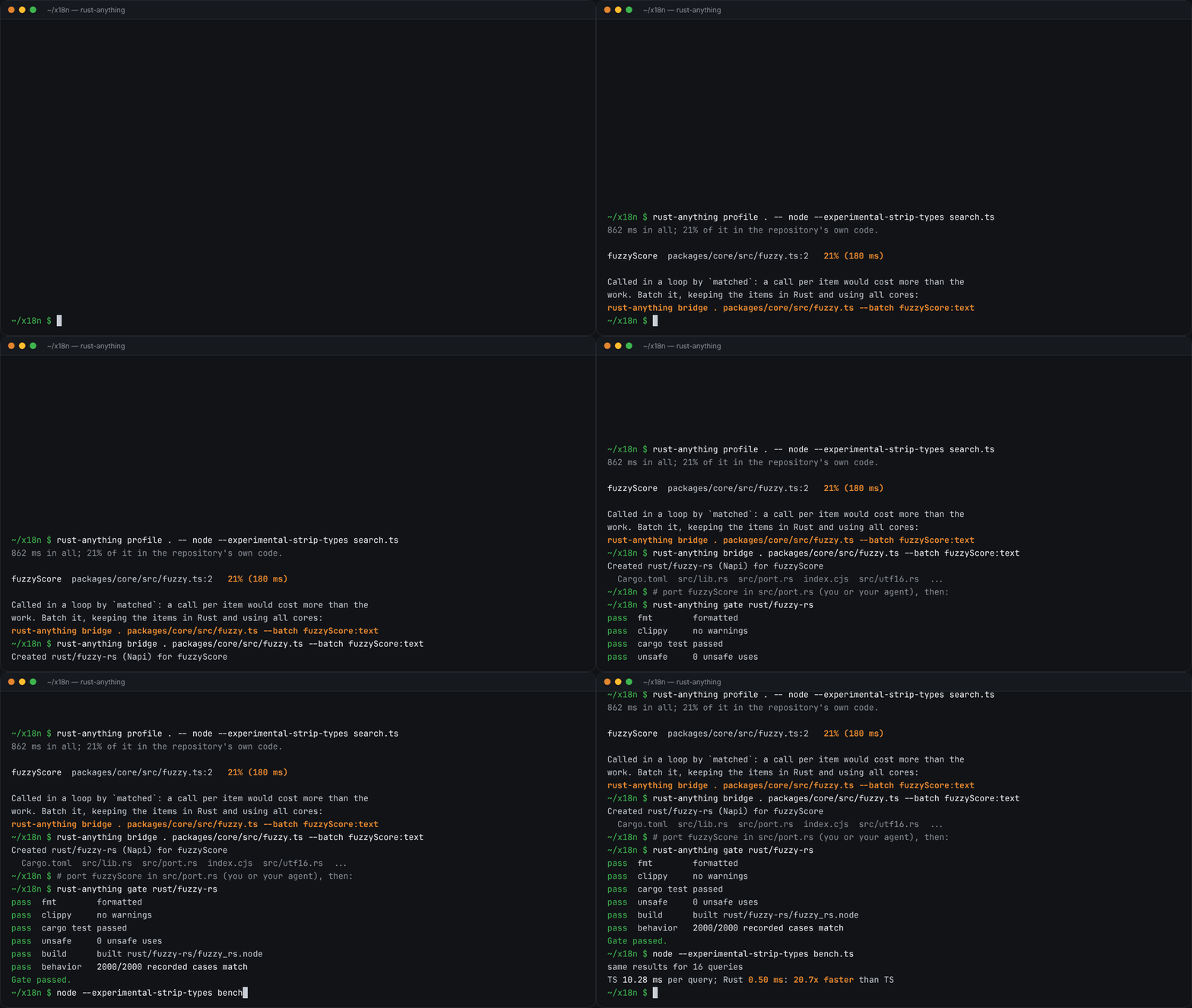
Image: rust-anything README.그림: rust-anything README.
sketchsketch
sketch, an MIT-licensed Claude Code plugin that answers with diagrams, roadmaps, wireframes and chart cards in the terminal instead of paragraphssketch, Claude Code의 답을 문단 대신 터미널 안 구조도와 로드맵, 화면 틀, 차트 카드로 그려 주는 MIT 플러그인
Checked확인일
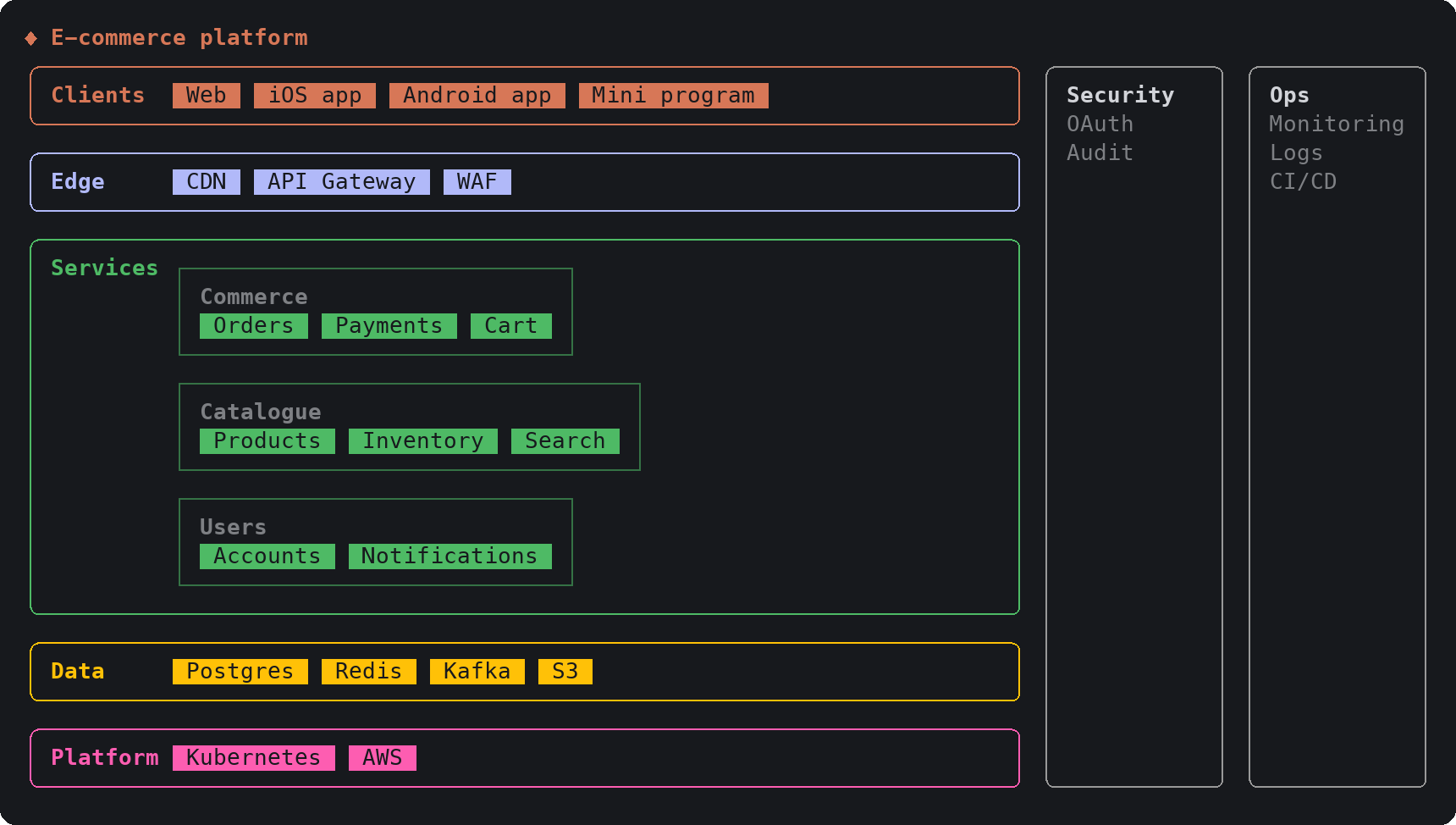
Image: sketch README.그림: sketch README.
SketchCraftSketchCraft
SketchCraft, a free MIT-licensed 3D modeler for houses, rooms and furniture that AI agents can also drive over MCP, limited to a workspace folderSketchCraft, 윤곽을 그려 끌어올리는 무료 MIT 3D 모델러, AI 에이전트도 작업 폴더 안에서 MCP로 같은 모델을 고친다
Checked확인일
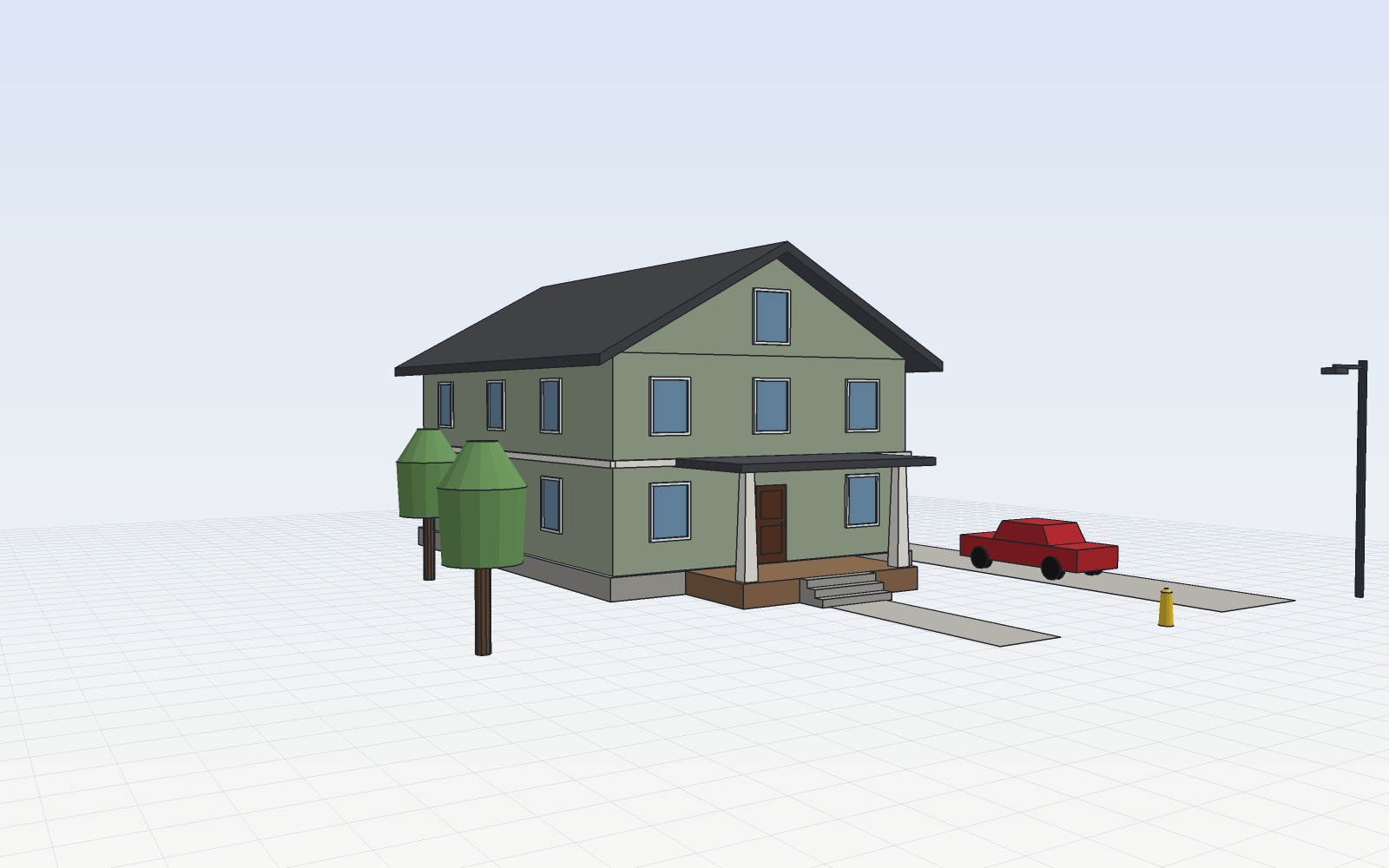
Image: SketchCraft README.그림: SketchCraft README.